

SOUNDRAW
SOUNDRAW is an AI music generator that allows you to easily create copyright-safe music soundtracks for your projects. With SOUNDRAW, you can customize the length, intensity and instruments of your music or rebuild your track instantly.
Copyright-Safe Music Generation
SOUNDRAW’s AI is trained on original, in-house music, guaranteeing there are no scraped songs or legal gray areas. Every track you generate provides a license, meaning it is completely royalty-free and legally yours to monetize without fear of copyright strikes.
Try AI Music Generation
Fine-Tune Editing and Exports
You can easily customize tracks by using the built-in mixer to toggle instruments, tweak intensity or set the perfect length. For advanced producers, it also allows you to download individual stems to further edit in your preferred DAW.
Try AI Music Generation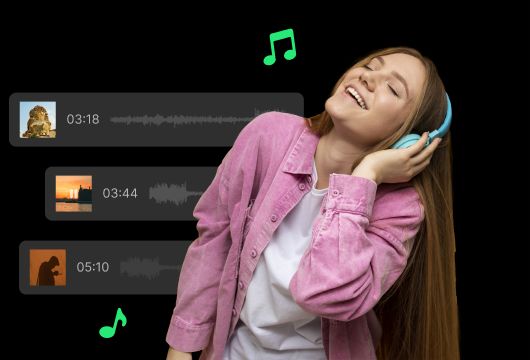
Multi-Genre Blending
Create unique tracks in seconds by seamlessly mixing and matching distinct genres. SOUNDRAW effortlessly blends your selections to generate studio-ready music tailored perfectly to the mood of your project.
Try AI Music Generation
Comparison Between Tad AI and SOUNDRAW
Not sure which AI music generator is better for you? Compare Tad AI and SOUNDRAW in different aspects to find the best fit for your workflow.
| Aspect | Tad AI | SOUNDRAW |
|---|---|---|
| Vocal & Singing Generation | Generates custom vocals, singing and lyrics. | Strictly restricted to instrumental music only. |
| Genre Diversity | Generates realistic pop hits, vocals, rap, rock and complex modern arrangements. | Style homogenization is severe. |
| Input Method | Type detailed text prompts or input custom lyrics. | Limited to selecting pre-set dropdowns. |
| Reference | Upload reference audio files to guide style, arrangement or rhythm. | Cannot upload reference audio to influence generations. |
| Post-Generation Editing | Replace sections of audio or extend track duration seamlessly. | Cannot rewrite/replace specific audio passages. |
| Visual/Video Output | Delivers optimized, multi-format AI music videos for social media platforms. | Outputs audio files only. |
How to Use SOUNDRAW
Select Themes and Moods
You starts by choosing from a list of themes and moods that best describe what you are looking for.
Generate Music
SOUNDRAW then generates unique music tracks based on your selected themes and moods, composed with different instrumentation, tempos, genres and lengths.
Customize and Download the Tracks
You can customize elements like tempo, genre and instruments to find the perfect fit. The track can then be downloaded in high quality audio format.

FAQs
Is the music generated by SOUNDRAW truly royalty-free?
Yes, for paid subscribers, all music generated from SOUNDRAW comes with commercial use rights and you don’t need to pay any additional royalties.
What file format are downloads in?
Based on different subscription plans, SOUNDRAW provides high-quality downloads in popular formats such as MP3, WAV and stems to meet different user needs.
Is there a way to store my past creations?
Yes, all generated tracks are saved to your SOUNDRAW account. You can access, edit and re-download past creations at any time.
Can I customize more than just themes and moods?
Yes, you have full control over other attributes like tempo, key, genre, instruments and length for highly customized results.
Is there a free trial available for SOUNDRAW?
Yes, SOUNDRAW offers a free trial so you can test out the platform before committing to a subscription. With paid plans, you can unlock more monthly downloads or API usage.
Can I upload my audio and edit it with SOUNDRAW?
No. SOUNDRAW does not currently support editing audios imported from users. You can only edit the audio generated by SOUNDRAW itself.
What is the best SOUNDRAW alternative?
We have already written a comprehensive article outlining 10 best alternatives to SOUNDRAW, all of which are ideal choices for users looking for better outputs. However, Tad AI stands out as the best AI music generator due to its own distinctive features, including high-fidelity music quality, wide-ranging customization options, and fast generation speed.
Considering SOUNDRAW? You Can Try Tad AI!
Tad AI utilizes innovative music tools to generate fully customized tracks. Generate professional-quality music with just the right way!