

I was looking for a tool to bring some of the music ideas floating in my head to life. I stumbled upon Mureka AI, and it caught my attention because it felt simple and approachable.
I typed in my first concept, experimented with a few instruments, and was surprised at how quickly a full track began to take shape.
It’s not overwhelming or flashy, just a straightforward way to experiment with music, rhythms, and styles. Over time, I found it easy to tweak and refine my ideas without getting lost in menus or settings.
This article brings a complete Mureka AI music review with its outputs, what I really liked about it, and what fell short. Let’s get to it.
Getting to Know Mureka: Product Highlights
Mureka is an AI music generator that helps create unique compositions and innovative soundtracks, making the process of producing music simple and surprisingly straightforward.

You start by entering a text prompt or a few lines of lyrics, and Mureka takes it from there, generating a complete track that matches your idea.
What I love is how it balances simplicity with control; you don’t feel overwhelmed, but you still get the flexibility to adjust tempo, mood, and instruments to fit what you imagined.
It also has a handy library that automatically saves everything you create. This makes it easy to revisit past tracks, tweak them, or even reuse ideas for new projects.
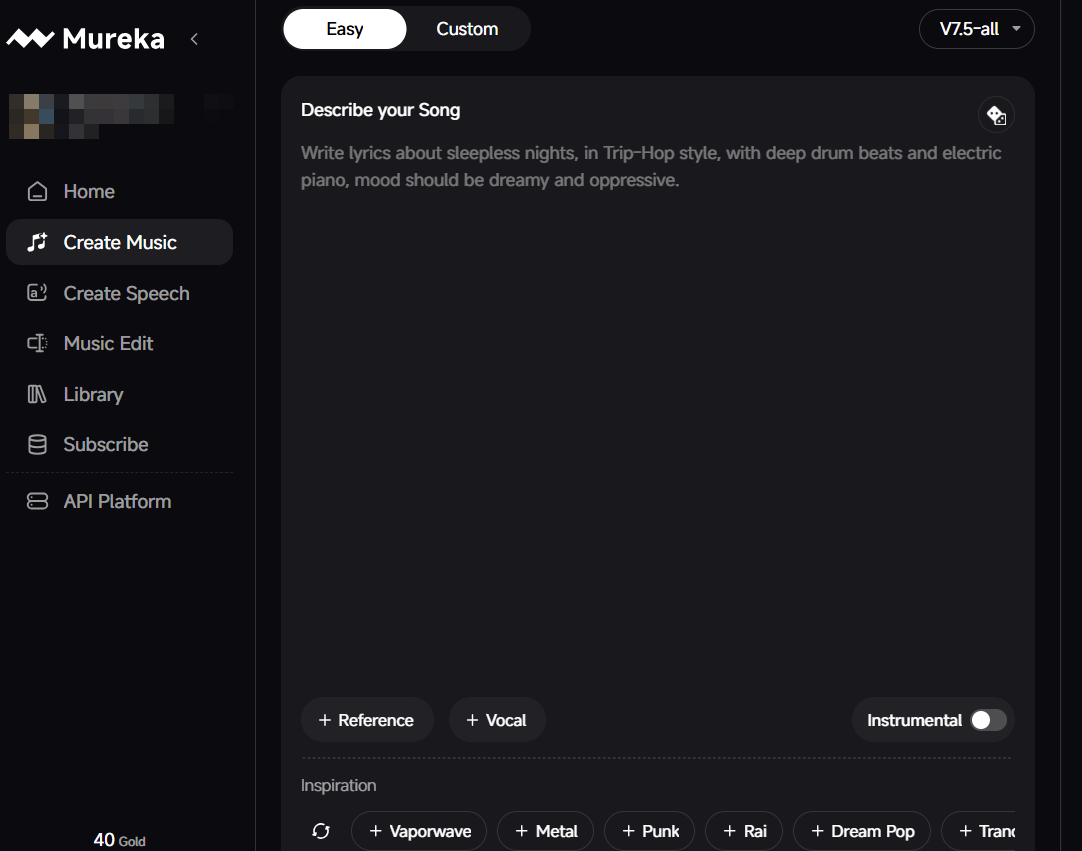
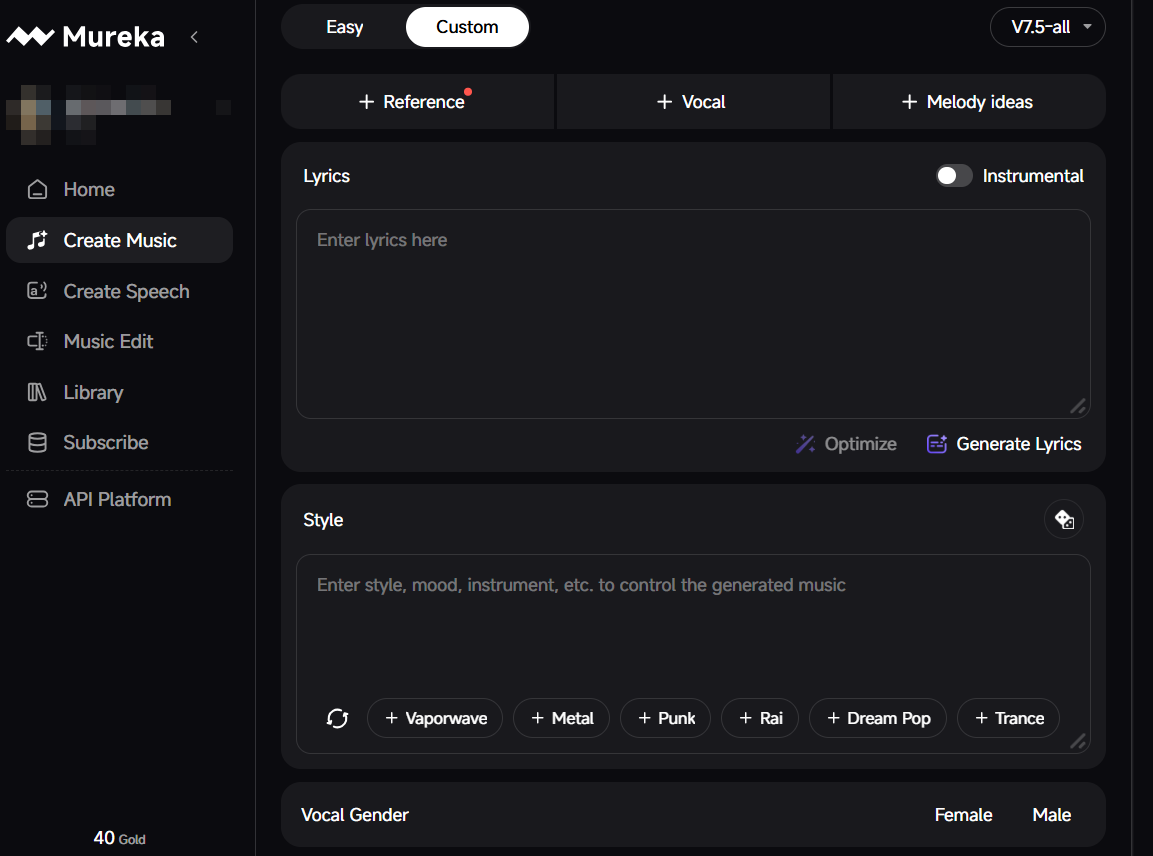
In addition to that, it offers two modes to create music, i.e., Easy and Custom.
In Easy mode, just describe your song and add all the track instructions. However, for reference, you have to subscribe to upload files. Other than that, there is a toggle feature for the instrumental track.
The Custom mode offers more enhanced features. To create a complete audio track, it allows you to add lyrics, choose vocals, enter the style along with melody ideas, and reference sounds.
So, whether you’re making music for a personal project, a video, or just experimenting, Mureka gives you everything in one place, without unnecessary clutter.
Mureka AI works on both desktop and mobile, so you can create AI music whenever inspiration strikes, even on the go.
In short, it’s practical, user-friendly, and surprisingly versatile for its size.
My Hands-on Experience in Creating Music With Mureka AI
To put Mureka to the test, I started with a cinematic approach. I entered the prompt: “A cinematic orchestral track with strings, brass, and percussion building tension and emotion, like a dramatic scene in a movie or trailer.” Here is the output:
From the first notes, the layering of instruments immediately stood out. The strings and brass created a sweeping, emotional feel, while the percussion added drama and momentum.
It was impressive to see how effectively Mureka AI translated my description into a full composition.
Apart from the instrumental layer, I noticed that it couldn’t quite get to the expression of a dramatic scene in a movie/trailer.
I would rate it 7/10.
Since I wanted to experiment with other variations, I gave it two more prompts to test how it works and give results with different inputs.
In custom mode, I started with the prompt: "A soulful pop ballad with the lyrics: “Chasing dreams, I rise above, every fall won’t break my love. Through the night, I find my way, brighter skies will guide my day.’ Include emotional vocals, soft piano, and light percussion.” Check out the output here:
Mureka AI optimized the lyrics by adding intro, verses, pre-chorus, chorus, and outro.
At the beginning, the track felt pleasant and engaging, with a smooth blend of piano and percussion. However, as the song progressed, it became somewhat monotonous, and the vocals started to lose their emotional impact, sounding flat at times.
Overall, I would rate this track 6/10, a promising start, but it needs more variation and dynamic vocal expression to keep listeners engaged throughout.
The third and the last prompt, which I gave to test Mureka, said: “An upbeat electronic dance track with pulsing synths, energetic drums, and vibrant basslines, perfect for a festival or high-energy workout scene.” And here is the music output:
This track closely followed the prompt from start to finish. The tempo stayed fast and consistent, making it suitable for a workout or festival-style setting. The bass was clean and well-balanced, driving the energy without overpowering the rest of the mix.
The synth layers were crisp and modern, and the percussion hit with enough punch to keep the momentum going.
What stood out most was how well the instruments were arranged. Each element had its own space, which prevented the track from sounding messy or cluttered.
While there could have been slightly more variation in the second half, the overall execution was strong and engaging. I would rate it 8.5/10.
What Do I Think About Mureka AI As a Whole
Mureka initially left a strong impression on me, mainly because of its vocal quality and the creative freedom it offers in lyric writing.
When the system responds well, the vocals can sound expressive and stylistically aligned with the genre rather than flat or robotic, which stood out to me, especially in rock and metal tracks. In those better outputs, the arrangements felt deliberate, with clear sections and a sense of flow that made the songs feel closer to finished pieces than rough demos.
I also appreciated that Mureka AI applied fewer lyrical restrictions, which made it easier to experiment with themes and phrasing without constantly adjusting prompts to work around filters.
However, with time, it became harder for Mureka to generate quality the more I used the platform.
After the first two or three tracks, achieving the same level of quality turned frustrating. I ended up using a large number of credits trying to get comparable results, and in many cases, the free outputs felt stronger than what I generated later.
The Extend feature added to this frustration, as it only works in limited situations, often reduces audio quality, and doesn’t support extending tracks near the four-minute mark, making longer compositions difficult to finalize.
Taken together, the inconsistency across vocals, sound quality, and feature reliability made the experience feel more frustrating than rewarding in the long run, despite Mureka’s clear potential.
Need a Better AI Music Creation Experience? Tad AI Delivers
While Mureka offers a few useful features, it still falls short of delivering a truly professional-grade music creation experience.
A more capable and reliable AI music generator is Tad AI, designed for creators who want consistency, quality, and more customized control.
Tad AI Music Generator
Use AI music generator to unleash music possibilities!
Powered by its advanced AI models, Tad AI streamlines music creation for both beginners and professionals, removing the technical barriers to composition.
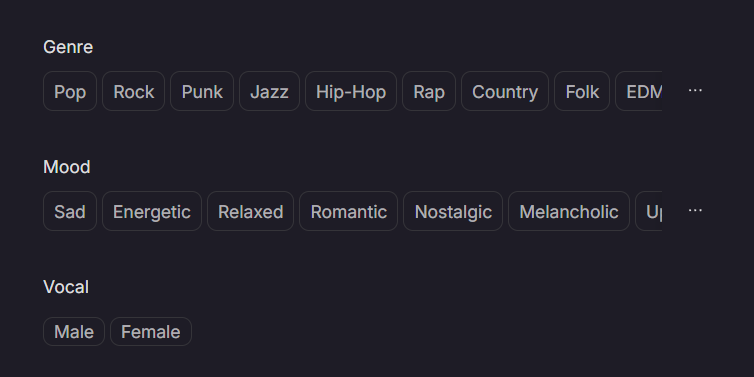
You can generate songs by adding lyrics, selecting a genre, and defining a mood, resulting in tracks that closely match your intended creative direction.
Tad AI supports a wide range of genres, including rap, country, punk and jazz, along with moods such as sad, energetic, relaxed and romantic.
Tad AI also includes AI-powered idea generation to help overcome creative blocks and improve the emotional depth of songs.
In addition, Tad AI offers a mobile app with a clean, intuitive interface, enabling seamless music creation anytime and anywhere.
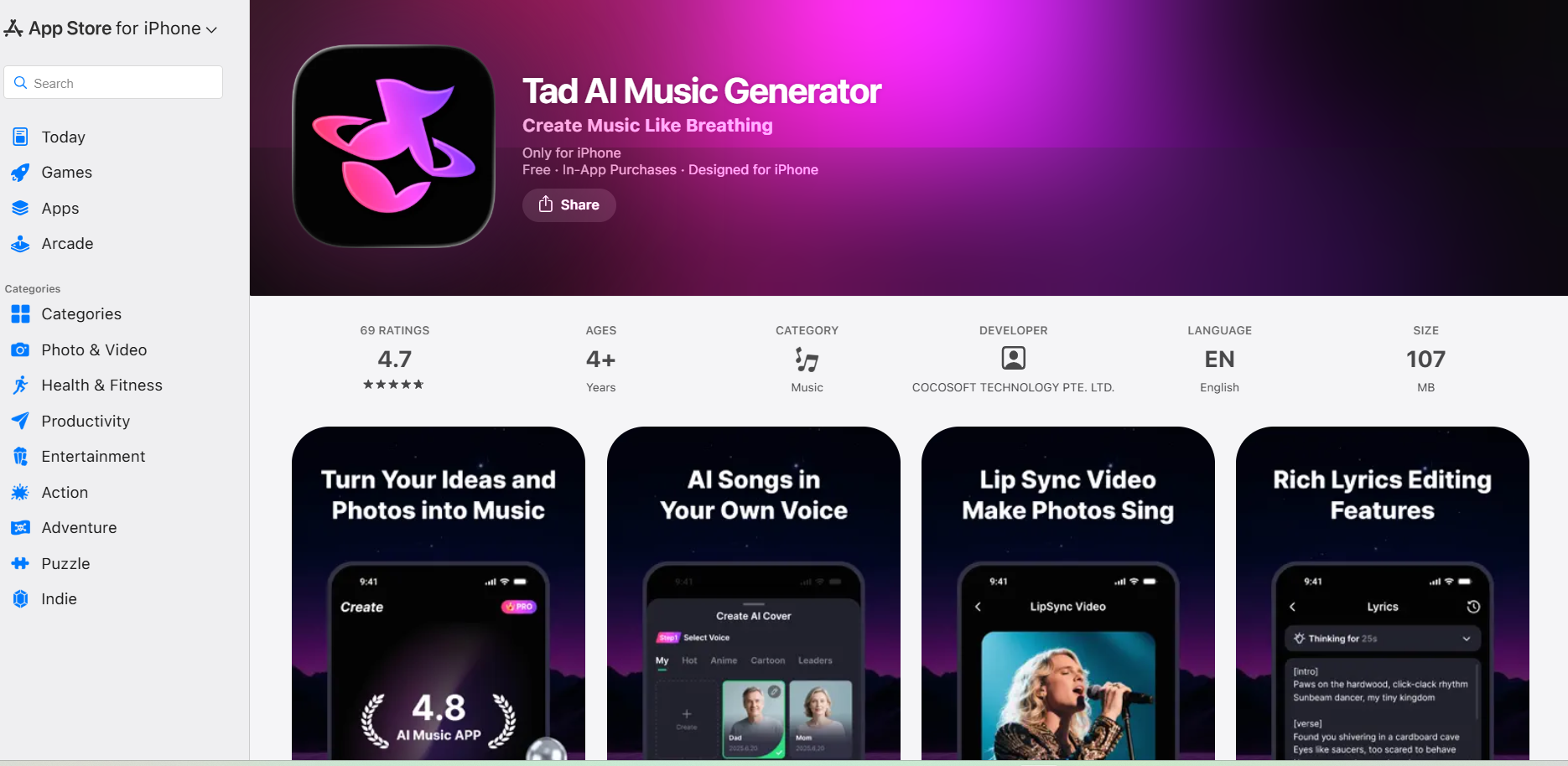
All music generated under Tad AI’s paid plans is fully royalty-free, making it suitable for commercial use in videos, podcasts, ads, vlogs, and other content.
Conclusion
Mureka AI makes creating music quick and straightforward, letting you experiment with different melodies, genres, and moods in just minutes. While the platform can produce interesting tracks, inconsistent vocals and occasional sound quality issues can be frustrating for serious music projects.
For creators seeking professional-grade music with more reliable output, fine-tuned control over instruments, and smoother production, I highly recommend using Tad AI as a superior alternative for AI music generation.


