
I’ve been experimenting with AI music tools for a while now, mostly to see how far they’ve come beyond simple beats and generic melodies. Suno kept popping up everywhere, from creator forums to social media, so I decided it was time to test it properly.
Suno positions itself as a powerful AI music generator that lets anyone turn a simple idea, lyric, or feeling into a full song. It promises high-quality compositions, deep creative control, and even commercial rights for serious creators.
To see whether it actually delivers on those claims, I spent time using Suno to generate multiple tracks across different styles and moods.
In this Suno AI music generator review, I’ll break down what Suno can do, how it performed in real use, what stood out to me, where it fell short, and why some creators may still want a better alternative.

What Is Suno AI?
Suno is a browser-based AI music generator that lets you create full-length songs using simple text prompts.
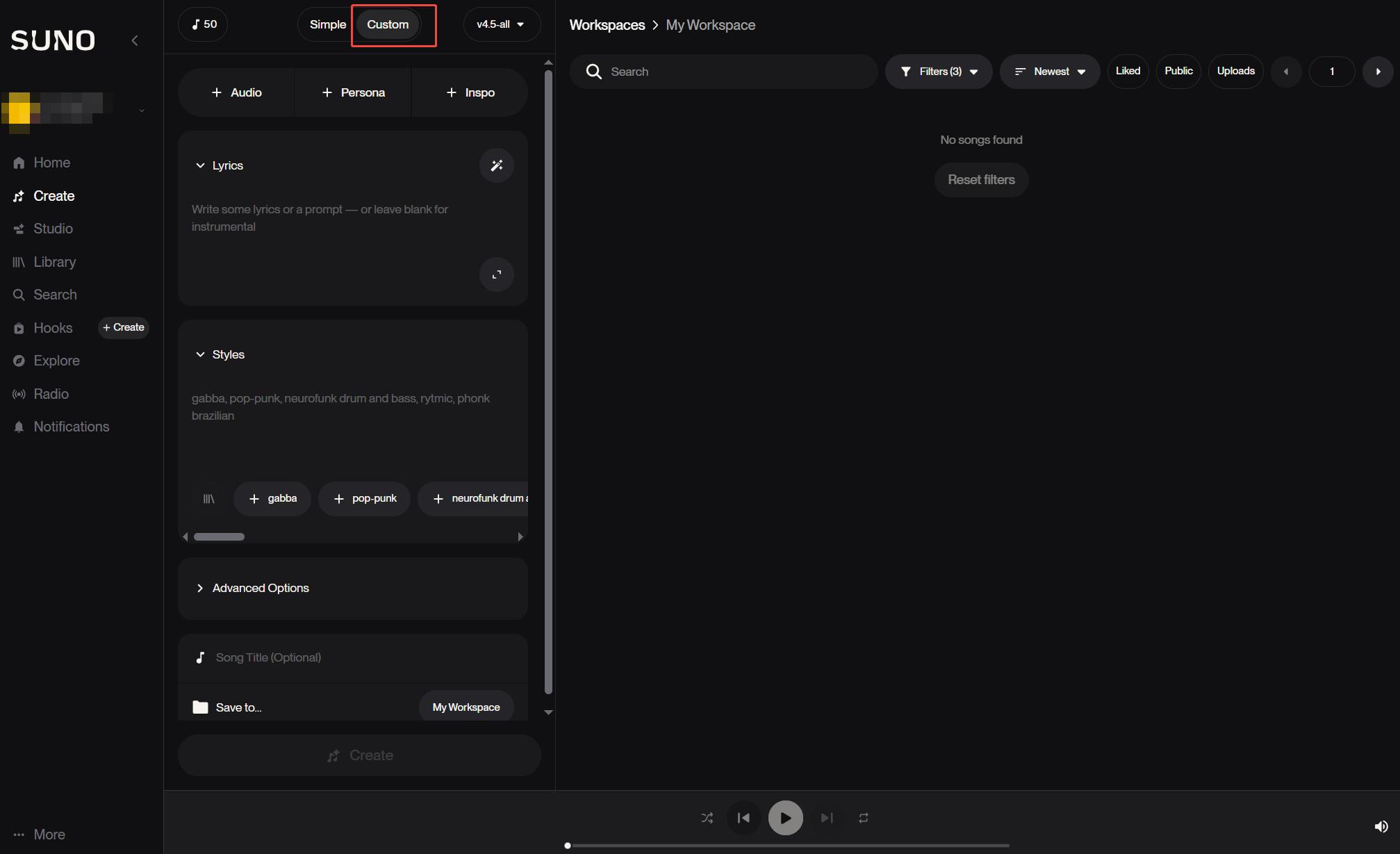
In Suno, there are two different modes available for creating music: Simple and Custom.
In simple mode, you can simply add the song description, upload your own audio, select the inspiration as per your preferences, and it will generate the music.

In its custom mode, you get a lot of creative freedom as you can upload or record the audio, create personas, add inspos, lyrics, and styles.
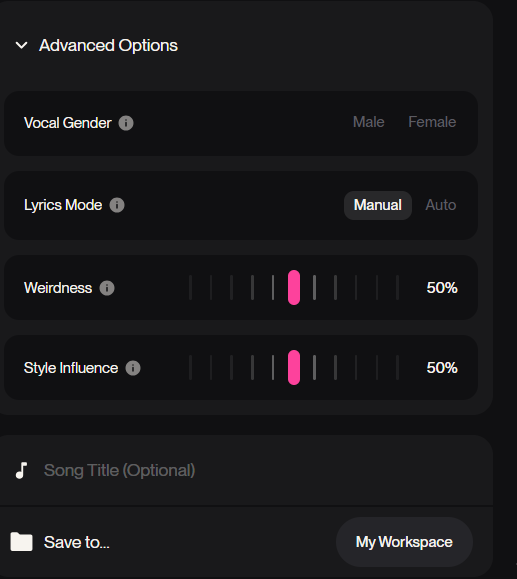
Not only that, but you can also explore its advanced options to set the vocal gender, lyrics mode, weirdness, and style influence.
While testing the platform, I found the prompt system to be flexible enough to handle both quick ideas and more detailed creative input. Even short prompts were enough to produce structured tracks, while longer descriptions gave the AI clearer direction.
Once a prompt is submitted, Suno generates a complete track with instrumentals and vocals. From there, you can edit the lyrics, rearrange song sections, extend parts of the track, or generate alternate versions without starting from scratch.
In practice, this made it easy to refine a song without having to regenerate everything each time.
One of Suno’s defining features is its built-in studio environment. Unlike many AI music tools that focus only on generation, Suno allows you to upload your own audio, remix existing tracks, and export individual stems for use in professional music software.
During my testing, this setup felt closer to a lightweight DAW than a basic AI music generator.
My Personal Experience with Suno: Listen to the Music Outputs Below
I wanted to test Suno through and through, so I gave it two different prompts to test how it adapts to the styles, mood, and genre.
The first track I created was a mid-tempo pop song about slowly drifting apart in a relationship.
The prompt said:
“Create a modern pop song about slowly drifting apart in a relationship.
Mood: bittersweet, reflective
Tempo: mid-tempo
Vocal style: emotional female vocals
Structure: verse, pre-chorus, chorus, verse, chorus, bridge, final chorus
Lyrics should feel personal and restrained, not overly dramatic”
Right away, I noticed that Suno handled the song structure really well; it followed a clear verse, pre-chorus, chorus, bridge, and final chorus sequence without feeling forced.
The lyrics felt personal and restrained, capturing the bittersweet mood I specified. They weren’t overly dramatic or cliché, which made the song feel surprisingly authentic for an AI-generated music track.
What really stood out were the vocals. The female voice was expressive and conveyed emotion in a way that gave the track a human touch. The production quality was solid too, with smooth transitions and balanced instrumentation.
Overall, this song made me realize how Suno can generate emotionally resonant music that actually feels like a complete pop track, not just a looped beat with generic lyrics.
Rating: 9/10
In the next prompt, I asked it to create a fast-paced instrumental track that should be only 30 seconds long. However, it completely missed it and generated a three-minute-long soundtrack.
The prompt said:
“Create a 30-second instrumental intro track for a cinematic adventure game.
Mood: epic and uplifting
Tempo: fast
Instruments: strings, piano, subtle percussion, and light brass
Build gradually to a small climax at the end
No vocals
Keep it concise and loopable if needed”
I tried creating a short instrumental meant for a cinematic adventure game. While Suno produced a polished and clear track with strings, piano, and percussion, the overall vibe felt a bit off from what I had imagined.
It came across more like lighthearted cartoon background music than an epic cinematic intro. The instrumentation was good, but the mood didn’t fully match my prompt.
I would rate this track 7/10.
Across all these tracks, I was impressed with the quality of the instrumentals, the realism of the vocals, and Suno’s ability to handle different moods and genres.
Even when the mood didn’t perfectly match my prompt, the platform still delivered tracks that were well-composed and production-ready, giving a strong sense of its creative potential.
Read More: How to Use Suno AI Music Generator
What Did I Like About Suno?
What impressed me most about Suno is how quick and easy it is to create songs. Even with minimal prompts, it can produce full tracks that feel surprisingly polished, with realistic vocals and well-balanced instrumentals. It was exciting to see something that already sounded production-ready.
I also loved the range of genres and moods Suno can handle. From lofi music to emotional pop or experimental electronic, it feels capable of adapting to whatever vibe I want. The songs generally stick to the mood I set, which makes experimenting a lot of fun.
Another highlight is the built-in studio environment. Being able to tweak lyrics, rearrange sections, or remix tracks gives a sense of control that’s rare in many other AI music generators.
Even if the edits aren’t perfect, having the option to interact with the music beyond just generating it is a big plus.
Finally, I found the platform intuitive. The interface is visually clean, and navigating between the editor, prompts, and library feels simple.
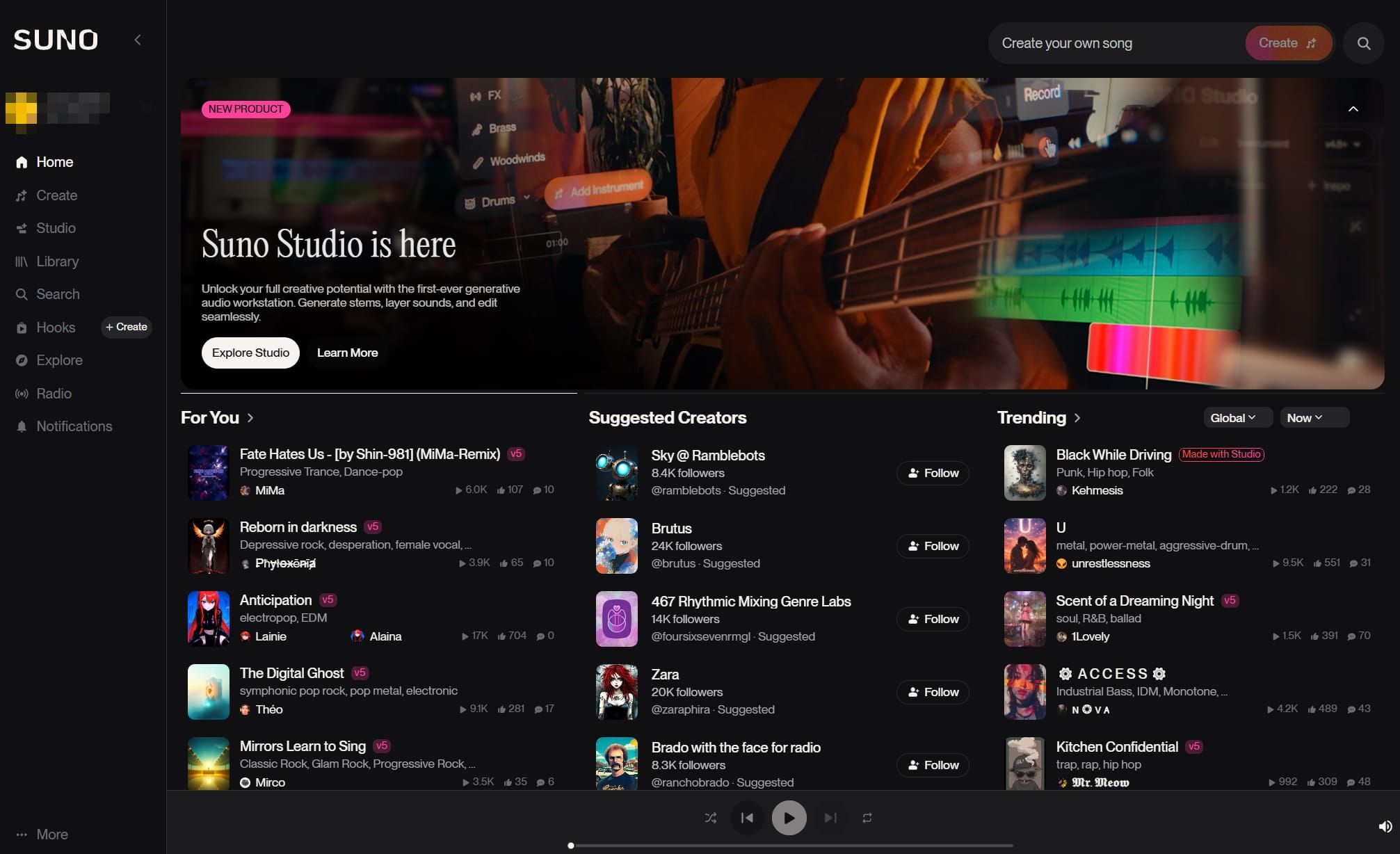
Overall, Suno makes exploring AI-generated music both fun and accessible.
What Fell Short About Suno
Even though Suno is undoubtedly a useful AI platform for music generation, it has its shortcomings.
Once I tried refining the songs, I noticed that my control over the music is very limited. You can adjust vocal gender, style influence, and a few other settings, but for more detailed edits, you’re mostly stuck with what the AI decides to generate.
In all honesty, Suno’s editing sucks. Tweaking a single vocal line often ends up changing other parts of the track, and regenerating sections can produce completely different instrumentals or alter the vocal persona. It makes small corrections surprisingly difficult.
Vocals can also be inconsistent. While most of the time they sound great, sometimes Suno holds notes too long, suddenly jumps pitch, or over-energies a line. Without a reliable way to fix these issues, even minor imperfections can affect the flow of the song.
Moreover, Suno enforces strict download limits across its plans, restricting Free accounts to 7 lifetime trial downloads, Pro subscribers to 20 downloads per month and Premier users to 60 downloads per month.
In a word, Suno is a solid platform for beginners and casual experimentation. But if you are looking for more precise control over vocals, instruments, and overall structure, it can be limiting, and the editing tools still feel underdeveloped.
Learn how Suno compared with other platforms: Suno vs Udio
Looking for a Superior Alternative for AI Music Generation? Try Tad AI
For creators looking for a powerful, versatile, and professional-grade AI music generator, Tad AI stands out as the ideal solution.
Tad AI Music Generator
Use AI music generator to unleash music possibilities!
While Suno places those tight restrictions on file exports, Tad AI offers a far more convenient way by allowing paid users to download every track they create without any download limits. This makes Tad AI an appealing alternative for creators who require unlimited access to their generated music without monthly caps.
Built on its proprietary music models, Tad AI allows anyone to turn simple text prompts into fully realized, high-quality compositions in just minutes.
Creating a track is straightforward: enter a song title, provide lyrics, choose a genre, and set the desired mood. Tad AI then produces a complete composition that aligns closely with your inputs, offering music that feels both authentic and polished.
With support for dozens of genres, from pop and rock to country and rap, and a wide range of moods, from sad and energetic to romantic or melancholic, Tad AI makes it easy to match music to any creative vision.
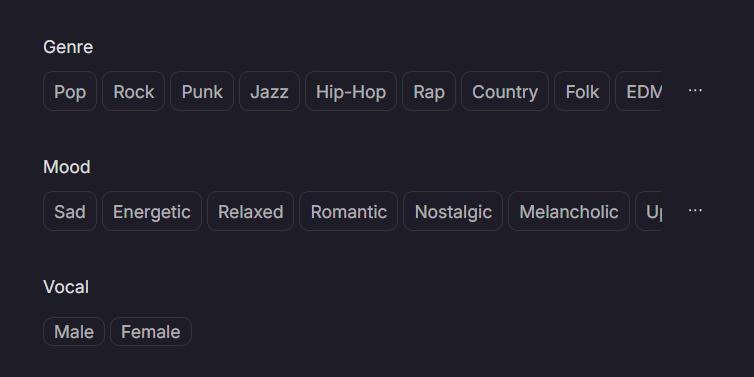
Also, its AI-powered ideas generation for music helps creators overcome writer’s creative block and enhance the emotional impact of their songs.
Additionally, Tad AI can produce high-quality royalty free music, giving creators the freedom to use tracks in commercial projects, such as videos, podcasts, ads, or vlogs, without any legal concerns.
For anyone serious about producing custom, professional-quality music, Tad AI is the platform to choose.
Conclusion
Suno AI music generator delivers an impressive, beginner-friendly music creation experience, producing realistic vocals and polished instrumentals with minimal effort.
However, limitations in editing, prompt adherence, and fine-grained control make it less suitable for creators seeking professional customization.
Tad AI addresses these challenges by providing full creative control, high-quality output, and royalty-free commercial usage, making it the ideal choice for anyone serious about AI music generation.
With Tad AI, generating unique, production-ready music is efficient, versatile, and accessible to all levels of creators.


