

If you’ve been working with AI voice and music generators lately, ElevenLabs is one name that keeps coming up.
It’s often praised for its realistic text-to-speech and emotional voice output, especially for creators who need narration, voiceovers, or dialogue without hiring voice actors.
Not only that, but it is also highly used for creating music, dubbing, and full-fledged productions.
I approached ElevenLabs with fairly practical expectations. The goal wasn’t to test extremes, but to see how well it handles everyday use cases, such as short narrations, expressive reads, and maintaining a consistent voice tone across multiple outputs.
After spending time generating different audio tracks, it became clear where ElevenLabs excels and where it still feels limited, depending on the use case.
In this detailed ElevenLabs review, I bring my experience with this voice generator, focusing on voice quality, control, and overall usability rather than hype. Stay tuned to find out more!
Product Overview: What Does ElevenLabs Offer?
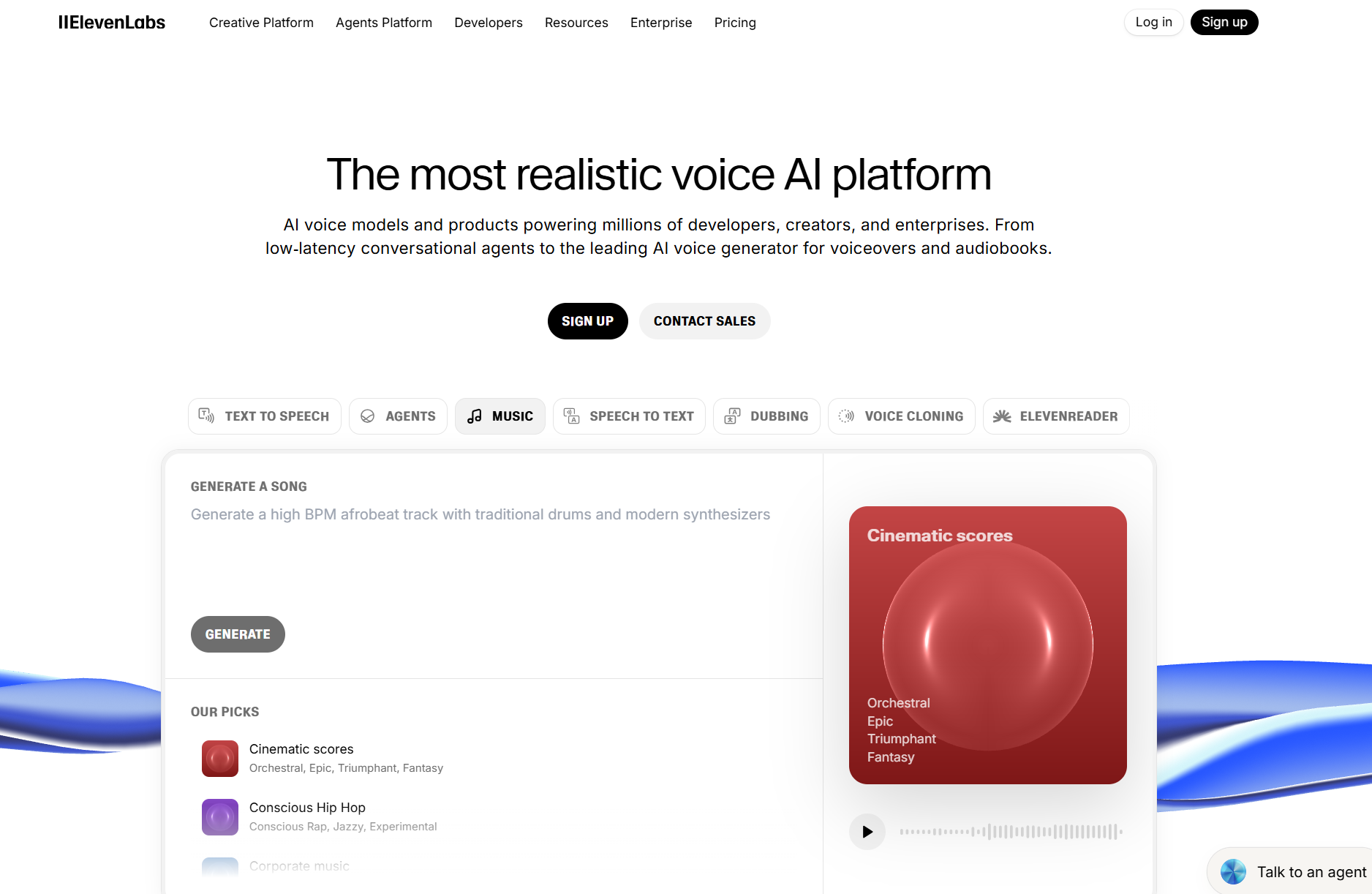
ElevenLabs is an AI voice generation platform designed to convert text into natural-sounding speech using neural voice models. It’s widely used for voiceovers, audiobooks, narration, and content creation where realistic pacing and tone matter.
Music generation is prompt-based, with options to guide tone and structure, offering a solid overview of what’s possible even for first-time users.
Alongside AI music generation, ElevenLabs also includes features like voice changer, dubbing and voice isolator.
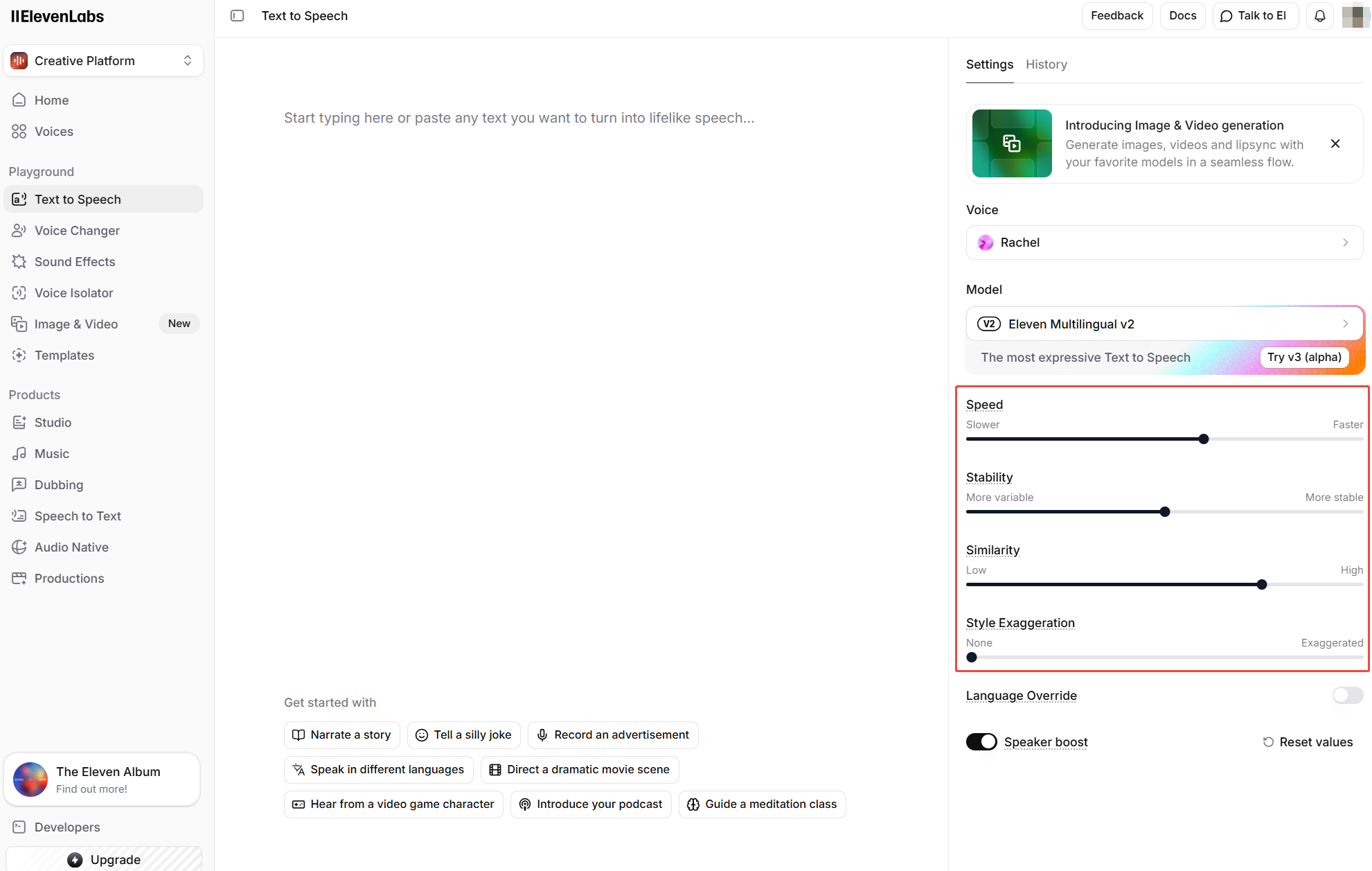
If I talk about its user interface, it is minimal and browser-based, making it accessible without a steep learning curve while still offering basic control like speed, stability and similarity.
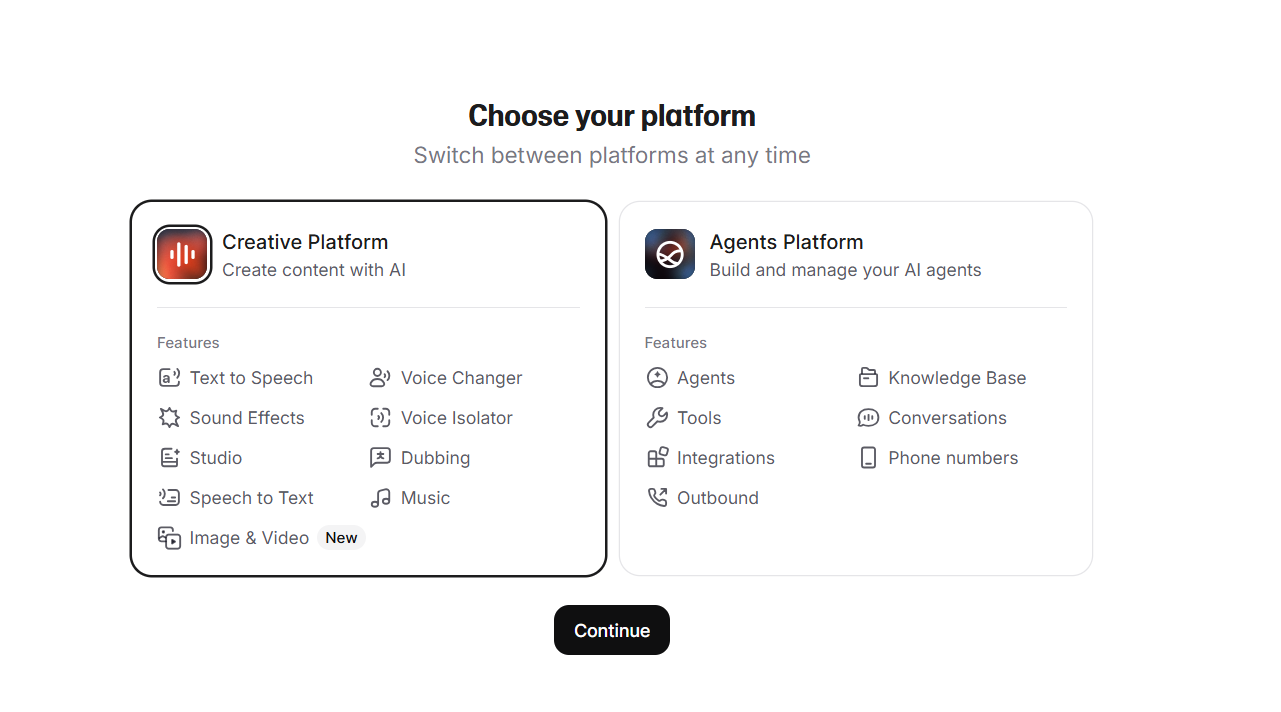
Moreover, you can choose from two platforms, i.e., the creative platform and the agents platform, which offer distinguishable features (you can easily switch).
I started exploring ElevenLabs and its top-class features to know how well it performs, and below is my detailed review of it. Let’s get to it.
What It Was Like Using ElevenLabs and How Were The Results
As there are tons of ElevenLabs features, I mainly wanted to test it for music generation, as it is my area of work.
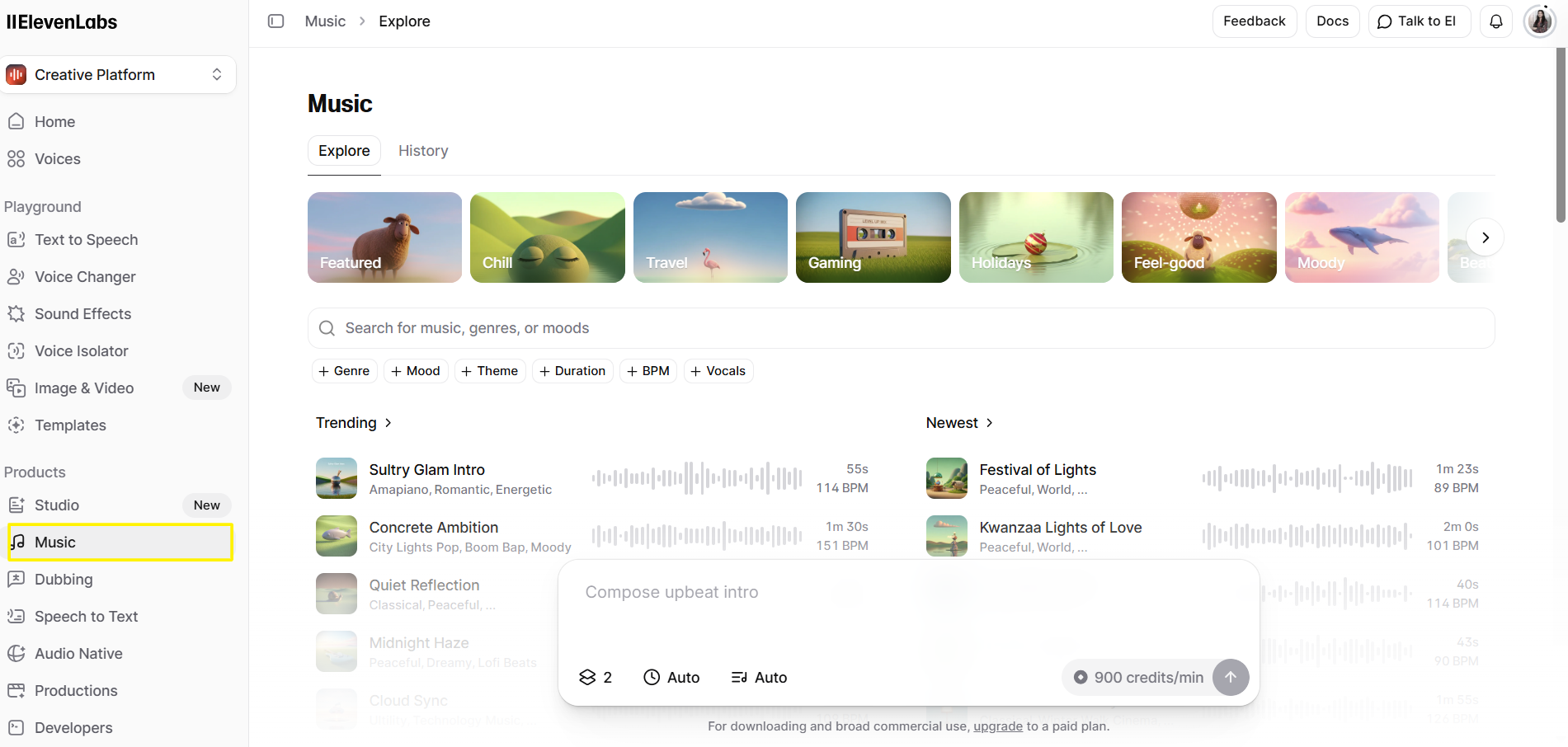
Using ElevenLabs gave me a clear view of how versatile the platform really is. Right from the start, I could see the range of options available; different moods, genres, and themes made it easy to experiment with what kind of music fit my content.
The interface also highlights popular voices and the most remixed or trending styles, which was helpful to use the prompt of these examples or remix the music in my own project.
I could search by music or genre, and the collection of trending and newly released audios provided a strong starting point for shaping ideas.
I gave ElevenLabs the prompt for a cinematic instrumental with soft piano, light strings, and subtle percussion. I wanted something uplifting but not over the top, something that felt professional and inspiring. The prompt said:
Generate a 40-second instrumental piece with a warm, cinematic feel. Use soft piano, light strings, and subtle percussion. The music should feel uplifting and inspiring, with gentle rises and falls, suitable for intros or short creative videos.
- Mood: Inspiring, cinematic
- Instruments: Piano, strings, light percussion
- Length: ~30 seconds
- Purpose: Short creative intro, emotional but professional
I really like the option that it gave me to set music length, and it helped with not overspending my credits usage.

For lyrics, I was also able to select whether I want it to be custom, instrumental, or auto-select it.

Within a few seconds, it gave me the output:
At first, the output matched my prompt closely. The tone was soft, clean, and well-balanced, with a pleasant instrumental texture that felt polished.
However, as the track progressed, there were no noticeable shifts in intensity, layering, or rhythm, which made the 30-second piece feel repetitive rather than emotionally dynamic.
A few subtle rises, drops, or instrument changes could have added much-needed movement. Overall, the quality was good, but the lack of progression held it back.
I’d rate this output 6.5/10.
Next, I gave it another prompt. But this time, I utilized its options and added lyrics for more detailed controls.
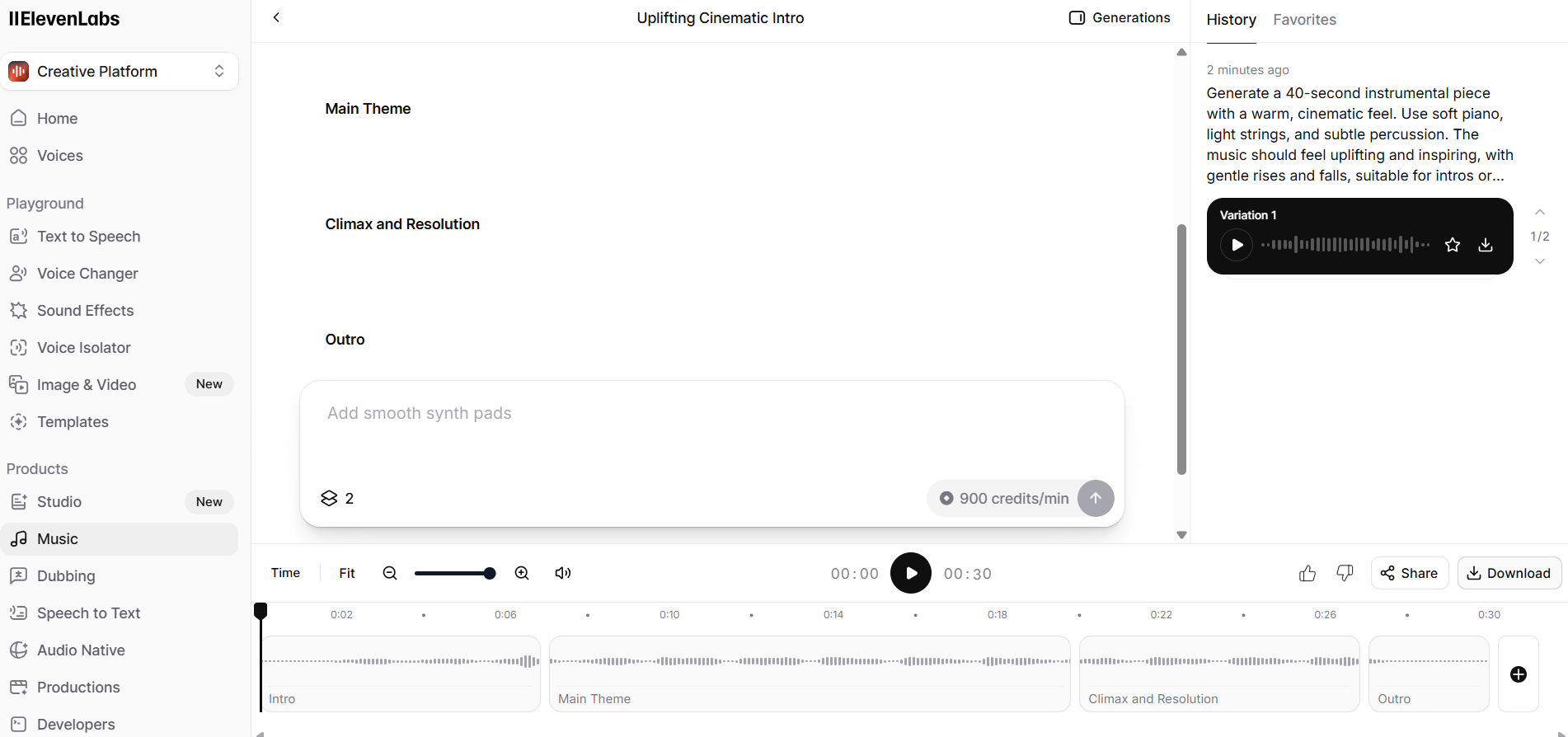
The prompt said:
Create a 30-second music piece with intro, build-up, peak, calm, and outro. Use a mix of upbeat synths, punchy bass, light percussion, and electronic textures. Include vocals with the following lyrics:
- Intro: 'The night awakens, lights are glowing'
- Build-Up: 'Beats are rising, hearts are flowing'
- Peak: 'Dance together, feel the fire'
- Calm: 'Echoes fade, but dreams inspire'
- Outro: 'Closing the loop, we move higher'
The track should feel energetic yet melodic, with smooth transitions, and vocals lively and expressive. And here is the output:
The results against this text prompt were impressive. The track had a nice energy, with the synths and bass blending well with the lighter percussion.
The vocals were expressive and surprisingly natural, carrying the lyrics clearly through each section. I could really feel the build-up to the peak and the smooth transition to the calm outro.
That said, there’s still room for improvement. Some parts of the vocals could be a bit more nuanced, especially in the peak section where the energy is high.
A touch more variation in the percussion patterns would also make the track feel even more lively and professional.
Overall, it gave a strong first impression and showed me the platform’s potential for producing dynamic AI music.
What I Liked About ElevenLabs
ElevenLabs makes exploring AI music generation surprisingly intuitive.
Its interface gives a clear view of everything, moods, genres, popular themes, and the most remixed tracks, which makes choosing the right style quick and straightforward.
I appreciated how the platform balances creativity and control, letting us experiment without feeling overwhelmed.
The quality of the vocals and instrumental elements is impressive for a first attempt. Even with complex text prompts, ElevenLabs delivered cohesive tracks that flowed naturally from intro to outro.
I also enjoyed the variety of generation options available, which made each piece feel distinct and customizable.
Another standout is how quickly ElevenLabs generates music. You get a near-final track in a short time, which is perfect for testing ideas or iterating on multiple concepts without losing momentum.
What I Did Not Like About ElevenLabs
While ElevenLabs delivers strong results, it isn’t without limitations.
One noticeable issue is that some vocal expressions, especially during high-energy sections, can feel slightly uniform or mechanical. Adding more nuance or variation would make tracks feel even more lifelike.
Another area for improvement is control over instrument layers. While the platform allows us to select basic options like moods and genres, fine-tuning specific elements like percussion patterns or bass intensity can be tricky, making it harder to fully match my own vision.
Finally, longer tracks sometimes lose a bit of cohesion, with transitions between sections feeling less smooth.
Despite these drawbacks, ElevenLabs remains highly capable, especially for quick music creation and experimentation.
Try Tad AI for a Professional-Grade AI Music Generation
While ElevenLabs continues to refine its outputs, another AI music generator I highly recommend is Tad AI.
Tad AI Music Generator
Use AI music generator to unleash music possibilities!
You can generate music by simply adding prompts, and given that Tad AI has two generation modes, it simplifies music generation. It has various moods and genres, and allows you to select vocals between male and female.
Once you have generated the track, it will be automatically saved in the library, allowing creators to revisit, reuse, or refine ideas without losing previous work.
Another best thing? Tad AI also supports creation beyond the desktop. With dedicated iOS and Android apps, you can generate and manage AI music on the go.
For creators working on videos, podcasts, or social content, paid plans offer royalty-free usage, making Tad AI a reliable option for commercial projects without licensing concerns.
Conclusion
The overall quality of vocals and instrumentals in ElevenLabs is strong, but limited control over progression and fine-tuning holds back more polished or dynamic compositions.
This is where Tad AI comes in. With greater music control, customized music generation and royalty-free outputs, Tad AI is better suited for creators and musicians who need professional-quality music.


