

Finding the perfect background music for my videos has always been a massive struggle for me. That's why I was so excited to discover Vidnoz AI, a tool that promises to make music creation effortless. I knew I had to give it a spin to see if it could really help creators like us.
I spent time playing around with the Vidnoz AI music generator to test its features. It claims to turn simple text prompts into full tracks in seconds, all for free. Naturally, I was skeptical but eager to see if it could replace my usual stock music hunting.
In this review, I will share my honest thoughts on whether Vidnoz is the real deal. If you are looking for a quick way to generate tunes, stick around. Let's find out if this is the best AI music generator for your creative needs!
What Is Vidnoz AI Music Generator?
At its core, Vidnoz AI music generator is a free online tool designed to help anyone create custom music instantly. You don't need any musical training or expensive software to get started. It uses advanced AI to turn your ideas into high-quality audio tracks in just a few clicks.
The platform is versatile, offering 3 distinct modes to suit different needs. Let’s break down how each one works so you can decide which fits your project best.
Mode 1: Instrumental
If you are looking for the perfect background track for a video or podcast, the Instrumental mode is your go-to. You simply choose your preferred genre, mood, and theme, and the AI composes a melody to match.
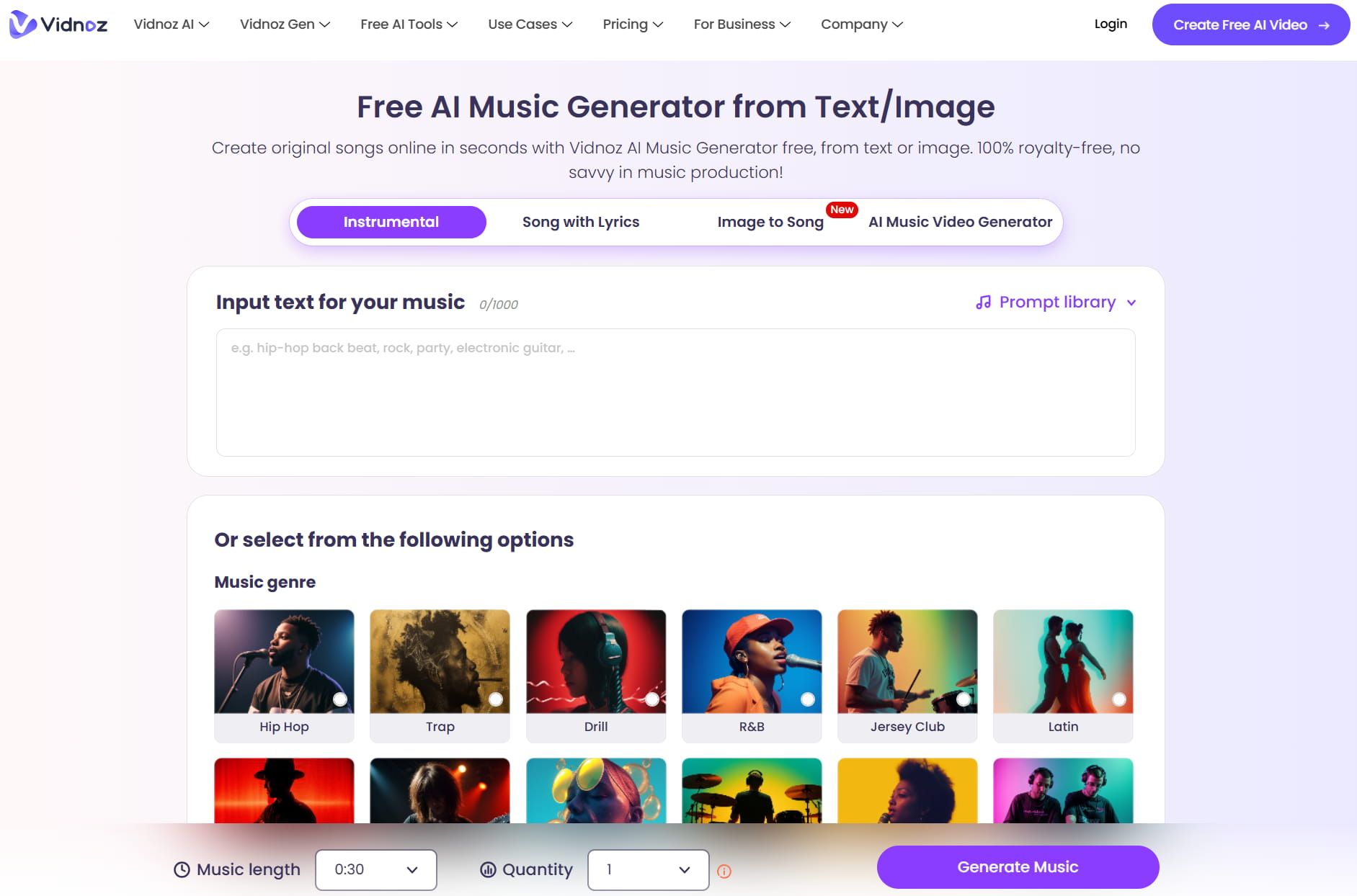
I found this mode super useful for creating ambient music or energetic intros. You have granular control by inputting text, allowing you to mix styles like "Lo-Fi" with a "Chill" mood. It’s the quickest way to get a professional-sounding backing track.
Mode 2: Song with Lyrics
For those times when you want a full song rather than just background noise, Vidnoz offers a "Song with Lyrics" mode. This feature generates a complete track with AI vocals and lyrics based on input.
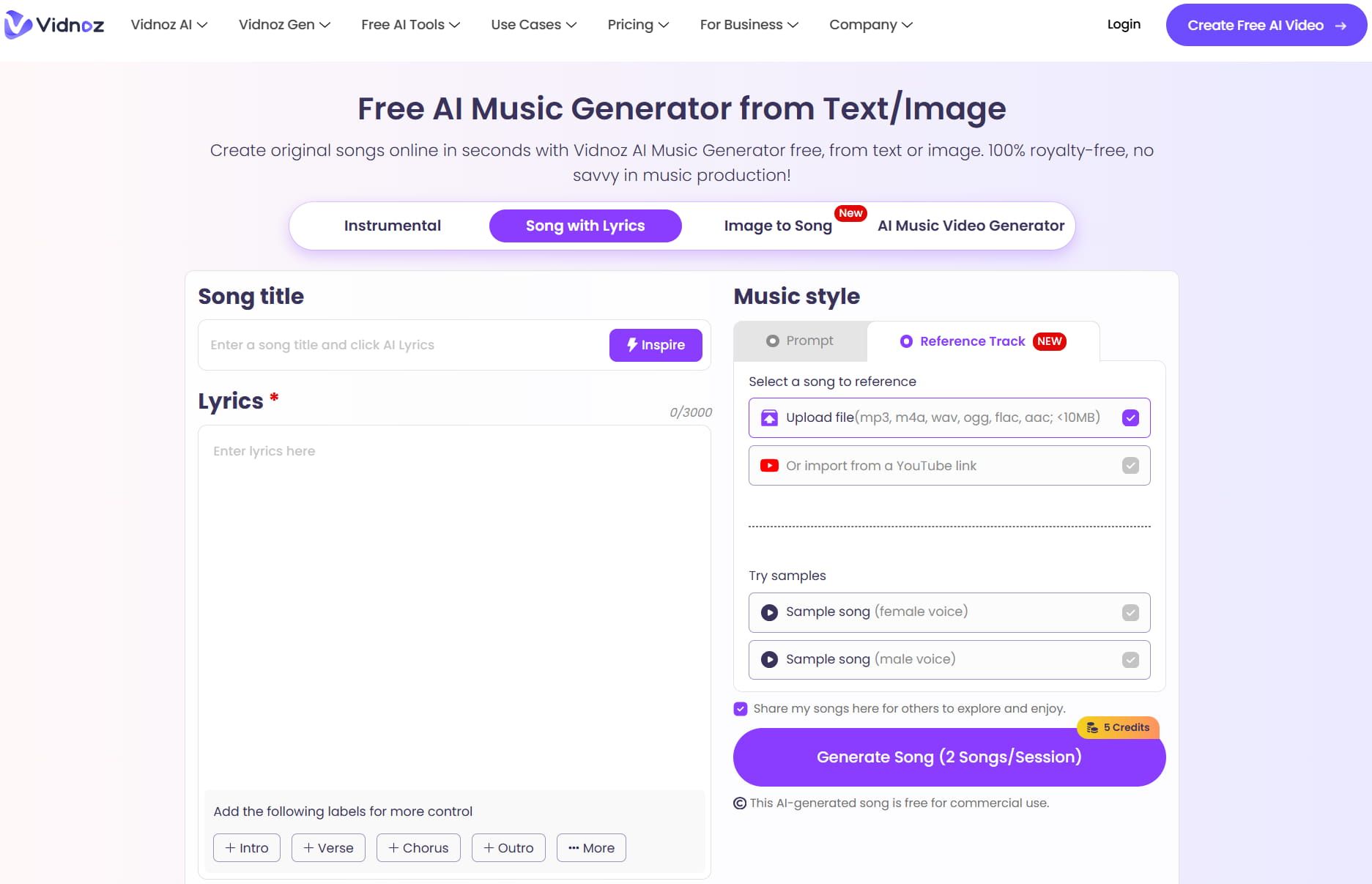
You can either type in your own lyrics or let the Vidnoz AI music generator write them for you. It also supports prompt entering or uploading references to customize music style.
It’s surprisingly fun to see my words come to life in a song. This is great for creating jingles or just experimenting with songwriting.
Mode 3: Image to Song
This was the feature that really surprised me. Instead of describing what you want with text, you just upload a photo, select other options like genre, mood and vocal, and the AI analyzes it to create a matching soundscape.
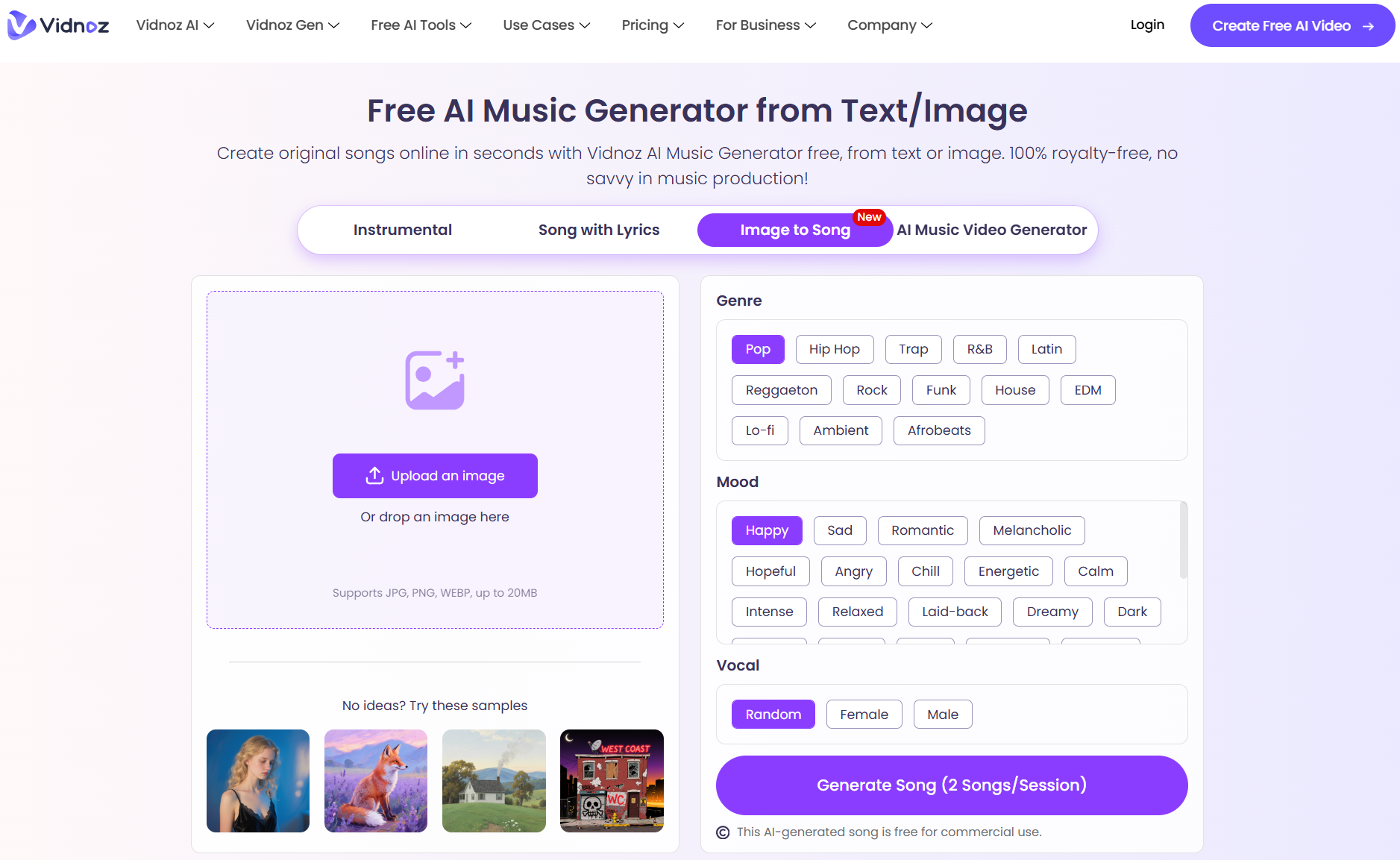
I uploaded a picture of a rainy street, and Vidnoz AI generated a moody, jazz-inspired track that fit the vibe. It is a creative way to find inspiration if you are struggling to put your musical ideas into words.
My Personal Experience Using Vidnoz AI Music Generator
Now comes the fun part—putting Vidnoz AI to the test! I wanted to see if the tool could actually deliver on its promises, so I used two different prompts to create distinct tracks.
I decided to test the AI’s versatility by asking for two completely opposite styles: a relaxing, lo-fi beat for background vibes and a high-octane orchestral track for a movie trailer.
The process was straightforward—I just plugged in my text prompts, selected the genre and mood, and hit Generate.
Here is my honest breakdown of the results, complete with the audio files so you can listen for yourself.
Test 1: The “Chill Sunday” Vibe
- Goal: To see if Vidnoz can create smooth, non-intrusive background music for a vlog or tutorial.
- Genre: Hip Hop
- Mood: Peaceful
- Input Text: A cozy, lo-fi beat with soft piano and light vinyl crackle, perfect for a study session or morning coffee vlog.
This track really nailed the assignment. The piano melody is simple and repetitive in a good way—exactly what you want for background music that doesn't distract the listener.
The “vinyl crackle” effect I asked for is subtle but present, adding that warm, nostalgic texture characteristic of the genre.
The drum beat kicks in with a classic laid-back rhythm that feels very authentic to the lo-fi style. It loops well, making it perfect for a long video segment. If I had to rate this track, I would give it a 8/10. Honestly, I could listen to this on repeat while working!
Test 2: The “Epic Trailer” Vibe
- Goal: To test if the AI can handle dramatic builds and complex instrumentation.
- Mood: Epic
- Input Text: High-energy cinematic orchestral track with heavy drums and strings, building up to a dramatic climax for an action movie trailer.
I was skeptical about whether Vidnoz could capture “epic”, but this track surprised me.
It starts with a strong, driving rhythm right out of the gate. The strings are punchy and urgent, creating that immediate sense of tension I was looking for.
The build-up is solid, though I felt the climax could have hit a little harder with some brass instruments to really sell the blockbuster feel.
However, for a free tool generated in seconds, the sound quality is impressive and definitely usable for a YouTube intro or a game project. Rating: 7/10 – Great energy and tension, just missed a bit at the very peak.
My Verdict on Vidnoz AI - Is It Worth It?
After spending some quality time with Vidnoz AI music generator, I have a clear idea. For a free tool, it punches way above its weight class. However, it isn’t perfect. Here is my breakdown of the good and the bad.
The Pros: Why I Like It
- Free Plan & Royalty Free Music: This is the biggest selling point. You can generate tracks and use them commercially without spending a dime or worrying about copyright strikes.
- Versatile Modes: Whether you need a background beat, a song with lyrics, or inspiration from an image, the three different modes cover a lot of creative ground.
- Zero Skills Required: You don't need to know how to read music or use complex software. The interface is intuitive—just type, click, and listen.
The Cons: What Could Be Better
- Pricey Paid Plans: If you run out of free credits and need to upgrade, it gets expensive fast. The paid plan costs $23.99/month for 500 credits, which feels pretty steep compared to other tools on the market.
- Limited Fine-Tuning: While you can control the genre and mood, you can't edit specific notes or instruments after generation. You get what the AI gives you.
- Hit-or-Miss Quality: As seen with my "Epic" test, while the quality is generally high, it sometimes lacks the emotional depth or specific structural climax a human musician would add.
Overall, if you are a content creator, YouTuber or just someone having fun, Vidnoz AI music generator is a fantastic resource to have in your toolkit—just keep an eye on those credit costs if you plan to use it heavily.
Need A More Cost-Effective Music Generator? Try Out Tad AI
If the pricing of Vidnoz gave you sticker shock, I have a much better alternative for you: Tad AI.
As someone who creates content regularly, I know that spending over $20 a month just for credits isn’t sustainable for everyone. That’s where Tad AI music generator really shines as a wallet-friendly option that doesn’t compromise on features.
Tad AI Music Generator
Try Tad AI for a better music experience!
While Vidnoz charges around $23.99 for 500 credits, Tad AI offers a Standard plan for just $8/month giving you the same amount of credits. For creators on a budget, this difference is a no-brainer. You get to generate roughly 100 songs a month without breaking the bank.
It’s not just about the price tag; the experience is more seamless. Tad AI offers versatile genre options, such as Rap, Country and Folk, ensuring the track fits your exact vision.
Plus, if you ever feel stuck, you can dive into its rich homepage for exploration, listening to what other creators have made to spark your own inspiration.
Best of all, you aren't tied to your desktop. Tad AI has a handy app you can download, letting you generate and listen to musical tracks on the go. Whether you are commuting or just chilling on the couch, capturing a musical idea has never been easier.
Conclusion
So, is the Vidnoz AI music generator the best out there? It is certainly a strong contender if you just need a quick, free track for your personal project. The ease of use and instant results make it a great starting point for beginners.
However, if you are looking for a tool that grows with you without draining your wallet, my vote goes to Tad AI. The combination of lower pricing, mobile convenience and deep customization makes it hard to beat. I highly recommend giving Tad AI a try today!


