
💡 Abstract
AI music video generators have become sophisticated tools capable of turning audio into visual narratives. This article explores the best AI music video generators of 2026, offering a firsthand look at how these tools perform. By evaluating their features and disadvantages, this guide provides an honest assessment of which generators truly deliver high-quality results and which still need fine-tuning.
Table of Contents
- Tad AI - Best AI Music Video Generator Overall
- Freebeat - Best AI Music Video Generator for Automatic Generation
- Vidu AI - Best AI Music Video Generator for One-Click Workflow
- Renderforest - Best AI Music Video Generator for Multi-Model Integration
- OpenArt - Best AI Music Video Generator for Different Video Types
- Revid - Best AI Music Video Generator for Social Media
- Tunee - Best AI Music Video Generator for Agentic Process
Tad AI - Best AI Music Video Generator Overall
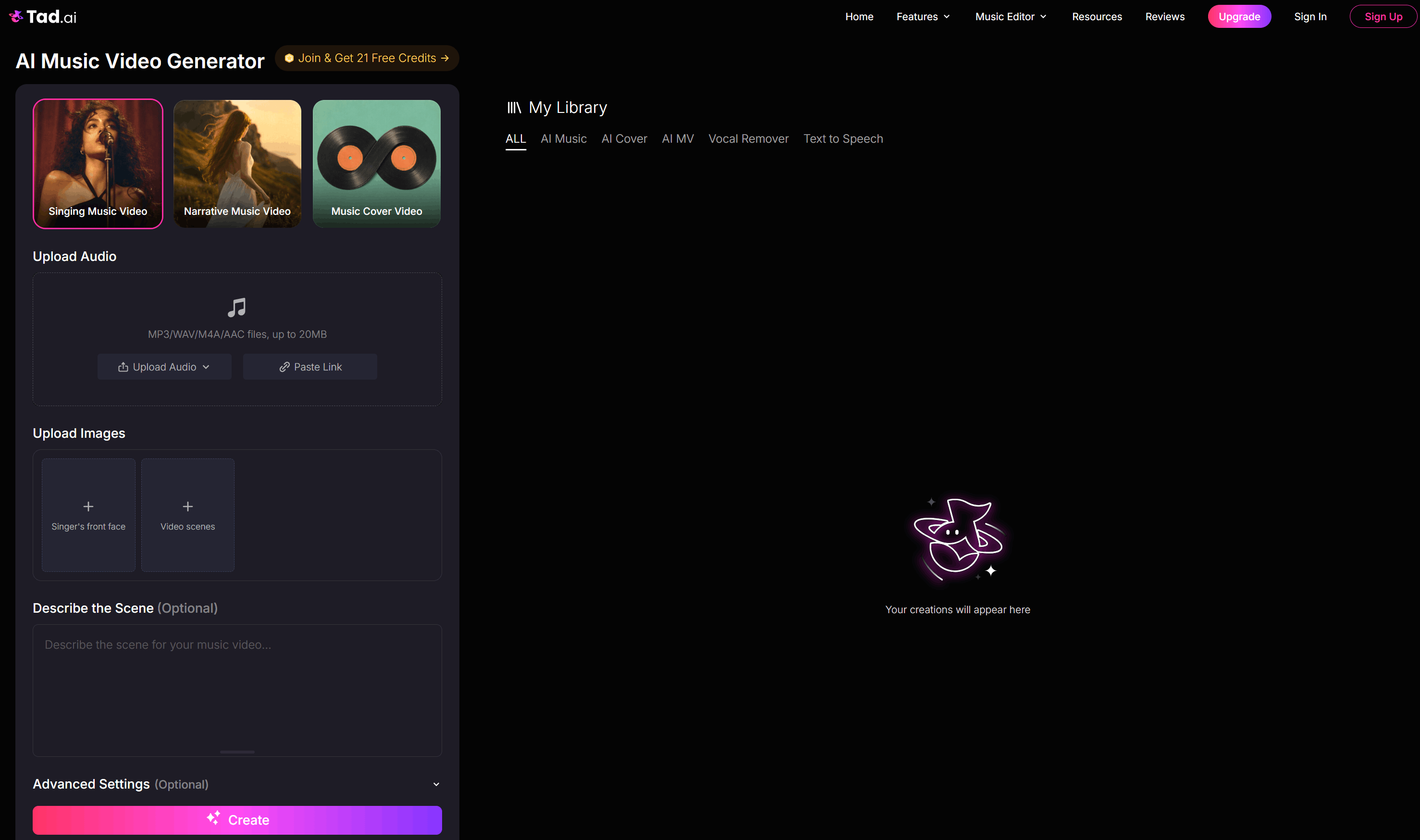
If you want a seamless way to bring your tracks to life, Tad AI music video generator has stolen the spotlight. I crowned it the best overall generator because it effortlessly bridges the gap between your audio and striking visuals.
One feature I know you will love is the Singing Music Video mode, which lets you animate any portrait to match your song lyrics. I uploaded a headshot, and the tool accurately synced the mouth movements to my reference audio and created a music video according to my scene description.
When I needed a deeper story, the Narrative Music Video mode stepped up to translate my storyline prompts into cinematic videos. It reads your audio’s rhythm and lyrics to craft a fluid, continuous visual story that perfectly matches the vibe.
Finally, you can quickly generate a Music Cover Video to add looping, subtle visual effects to your static album art for streaming. It is an incredibly fast way to give your music a polished presence on social media platforms without needing complex editing skills.
Features of Tad AI Music Video Generator
- Provides 3 distinct modes for diverse needs
- Delivers excellent lip-syncing accuracy
- Interprets song rhythms and lyrics into fluid storylines
- Engaging cover videos for streaming platforms
Freebeat - Best AI Music Video Generator for Automatic Generation
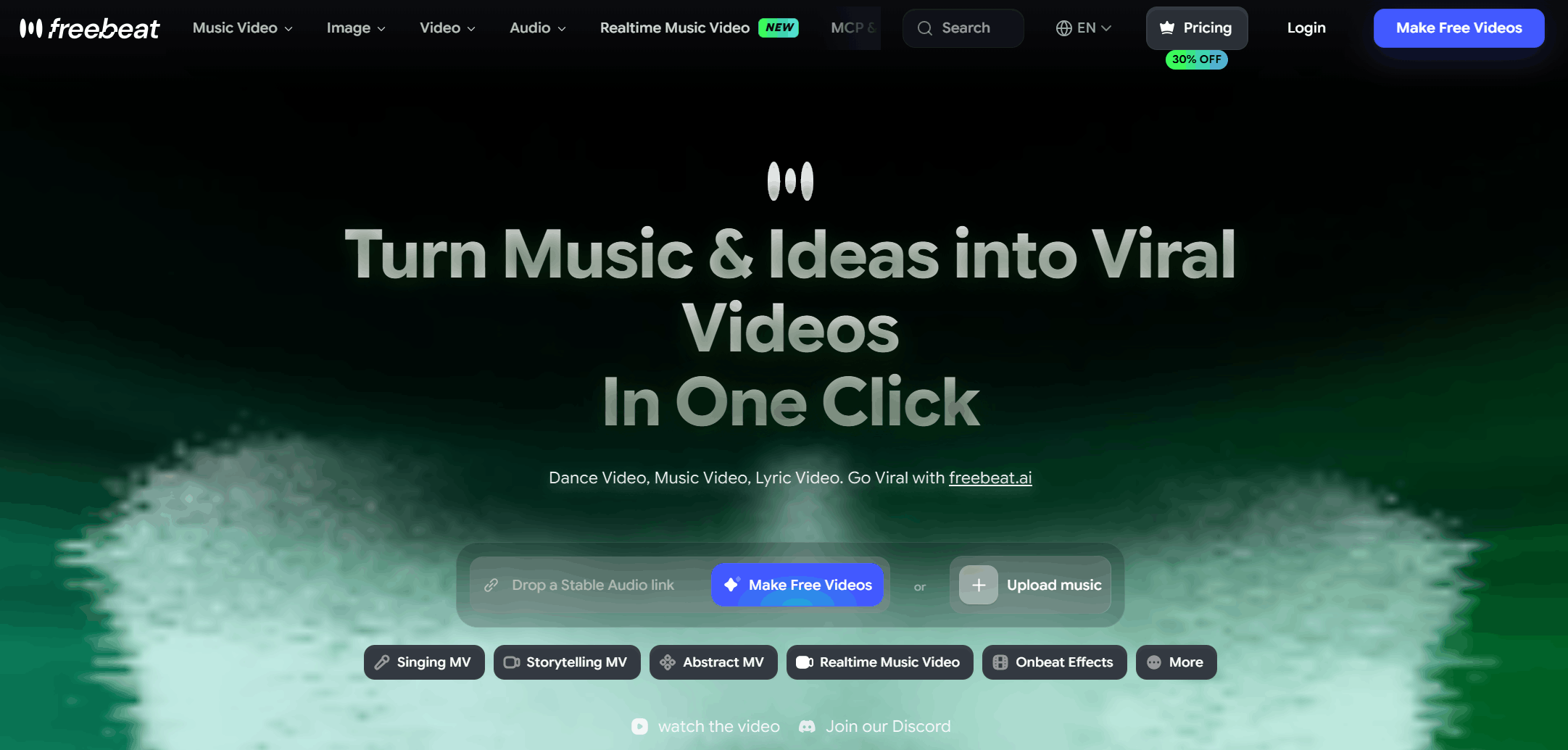
Freebeat is designed as an automated director that handles everything from song analysis to final edits. I love how it treats the process like a production crew by mapping out a complete plan based on your track’s mood.
You can easily select different paths like the Onbeat mode, which adds rhythm-synced effects right when your song drops. It also includes an automatic lyric transcription feature that perfectly highlights text karaoke-style, saving you lots of time on manual subtitling.
The platform is optimized for short and long formats alike, letting you export directly into vertical formats for TikTok or horizontal layouts for YouTube. It feels like a true all-in-one studio because you never have to mess around with a complicated timeline or separate editing tools to get a polished result.
Pros:
- Supports different reference sources
- Access cutting-edge AI models
- No downloads and no editing skills required
Cons:
- Generating highly complex music videos can take a long time
Vidu AI - Best AI Music Video Generator for One-Click Workflow
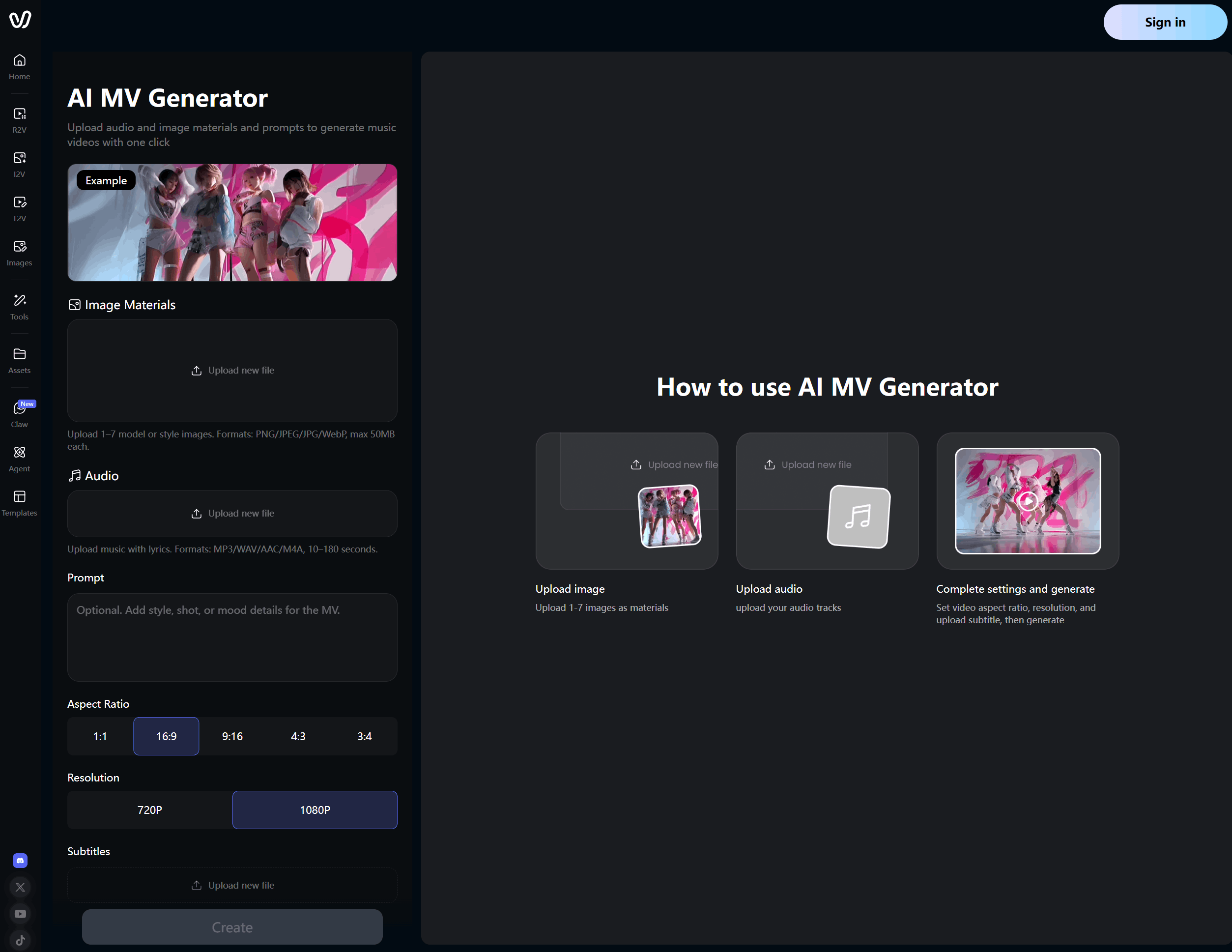
Vidu’s dedicated One-Click MV tool focuses on the direct relationship between sound and image, taking your uploaded files and generating smooth transitions based on your audio.
The real highlight is the multi-image composition workflow, which allows you to upload up to seven different photos to anchor your visual style.
Vidu AI treats all of these images as a cohesive storyboard, injecting dynamic camera pans, cinematic angles, and atmospheric lighting to match the mood shifts in your reference audio.
Furthermore, you do not have to guess how your final music video will look across various networks because it offers instant format planning with flexible aspect ratio options.
You simply load your audio, write a quick prompt for your MV, and let the advanced engine build a multi-shot narrative draft complete with synchronized lyric subtitles in one single click.
Pros:
- Upload multiple images to maintain consistent storytelling
- Synchronizes camera movements to the shifts in your audio
- Features custom settings for MV generation
Cons:
- The types of music video are less versatile
Renderforest - Best AI Music Video Generator for Multi-Model Integration
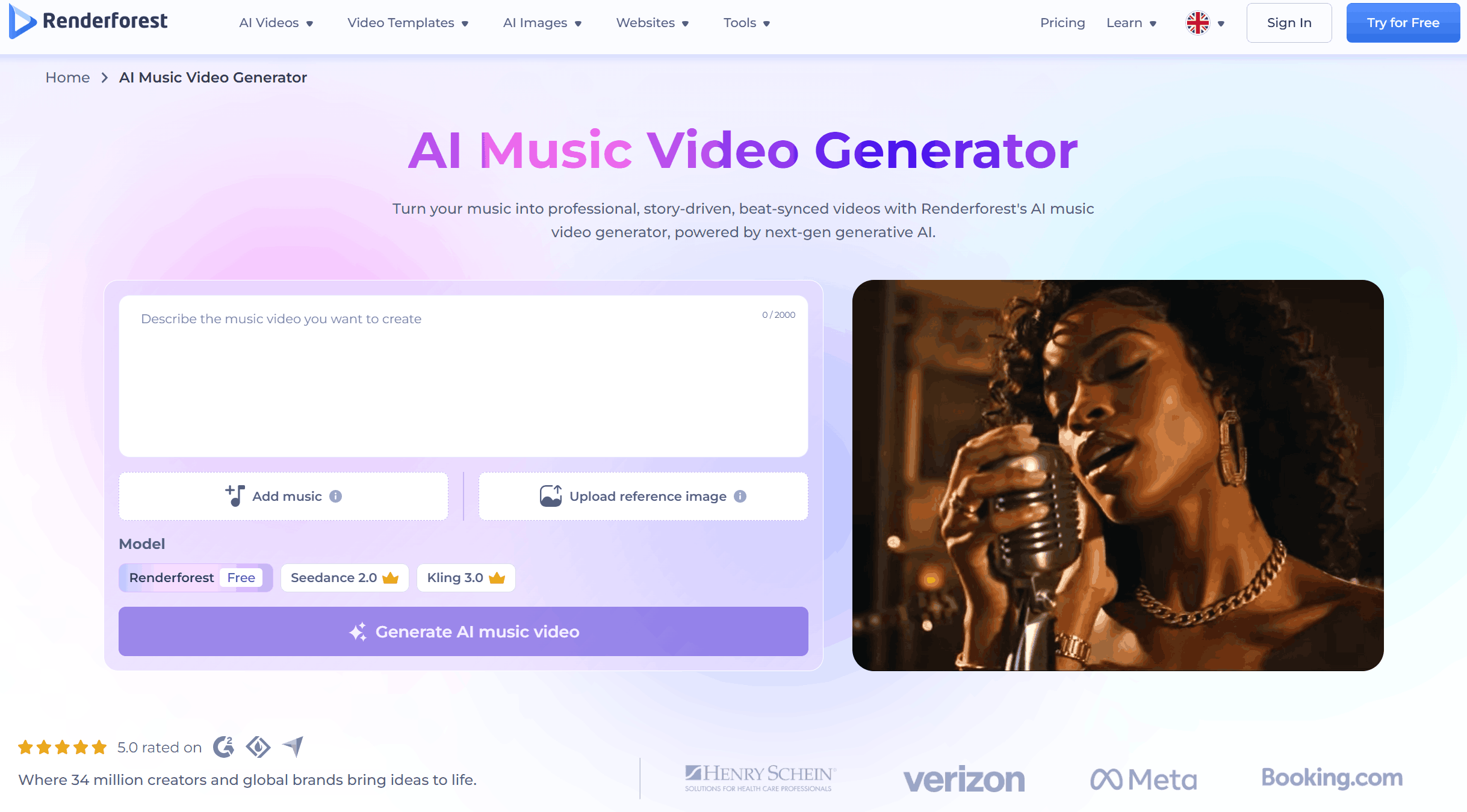
Renderforest is suitable for creators who love having control over every frame. What sets this tool apart is its multi-model integration, meaning you can tap into models like Google Veo and Kling AI right inside a single platform.
I was impressed by its hybrid text-to-story workflow, which lets you paste an entire narrative script directly into the timeline. The tool then automatically constructs a complete, multi-scene draft spanning several minutes, matching the emotional pacing of your uploaded music.
Once your draft is ready, you can hop right into the unified editing timeline to tweak individual scene transitions without starting from scratch. It is a flexible production suite that allows you to easily format projects for wide screens or vertical Spotify Canvas loops.
Pros:
- Hosts multiple advanced AI models
- All-in-one AI generation workflow
- Supports different aspect ratios for every platform
Cons:
- Paid subscription is needed for videos without watermarks
OpenArt - Best AI Music Video Generator for Different Video Types
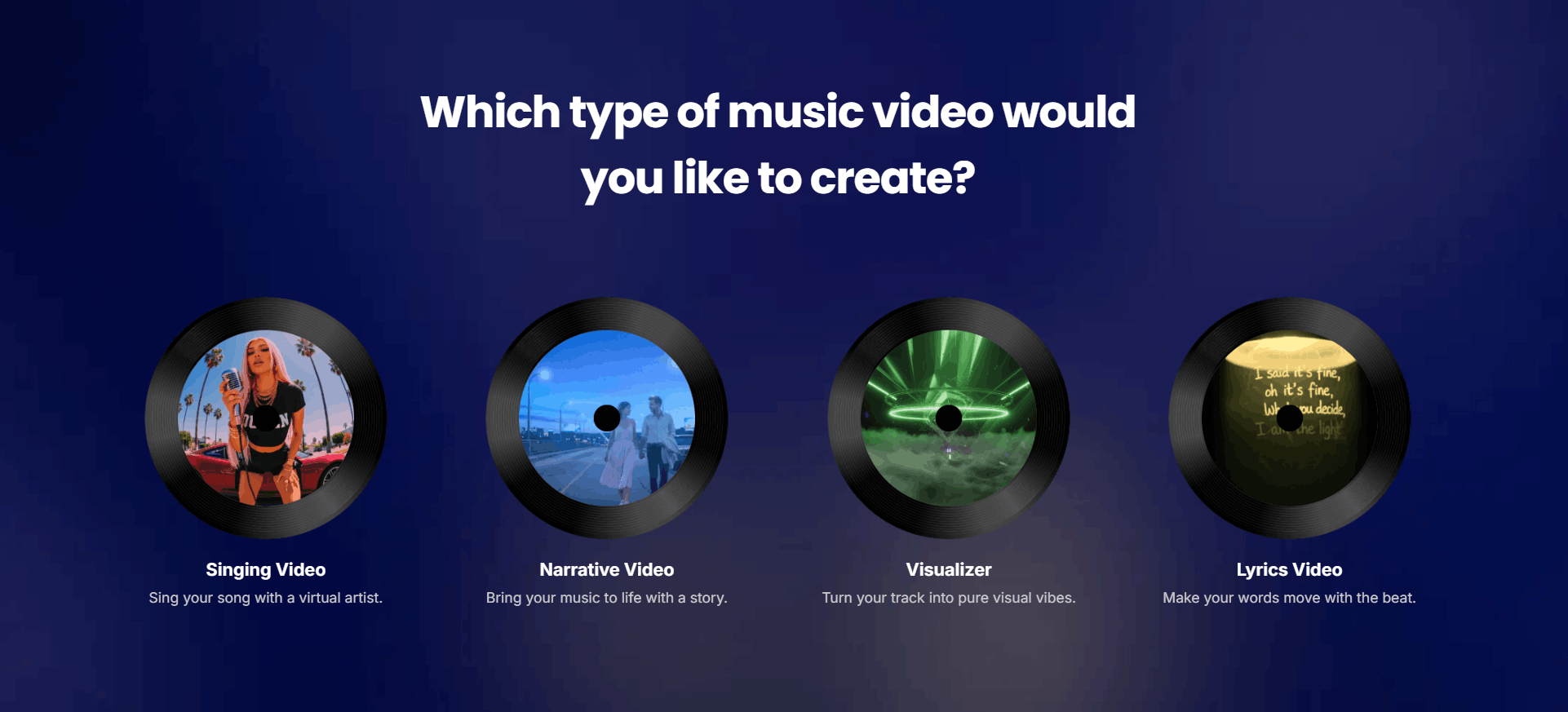
OpenArt features 4 distinct creation modes—Singing Video, Narrative Video, Visualizer, and Lyrics Video—giving you a dedicated workflow for whatever type of music videos you have in mind.
In addition, OpenArt offers a variety of visual styles, which let you shift from Ghibli-style animation to cyberpunk textures.
Its system even includes an option to connect shots, giving your final export a one-take style where scenes blend into one another seamlessly.
The platform also supports multi-model processing powered by engines like Kling. You can select custom character actors, toggle outfit changes and include AI-generated B-roll shots to perfectly flesh out your narrative timeline.
Pros:
- Offers four distinct creation modes
- Features an extensive library of visual styles
- Advanced settings tailored for professionals
Cons:
- Generating full-length music video is highly credit-intensive
Revid - Best AI Music Video Generator for Social Media
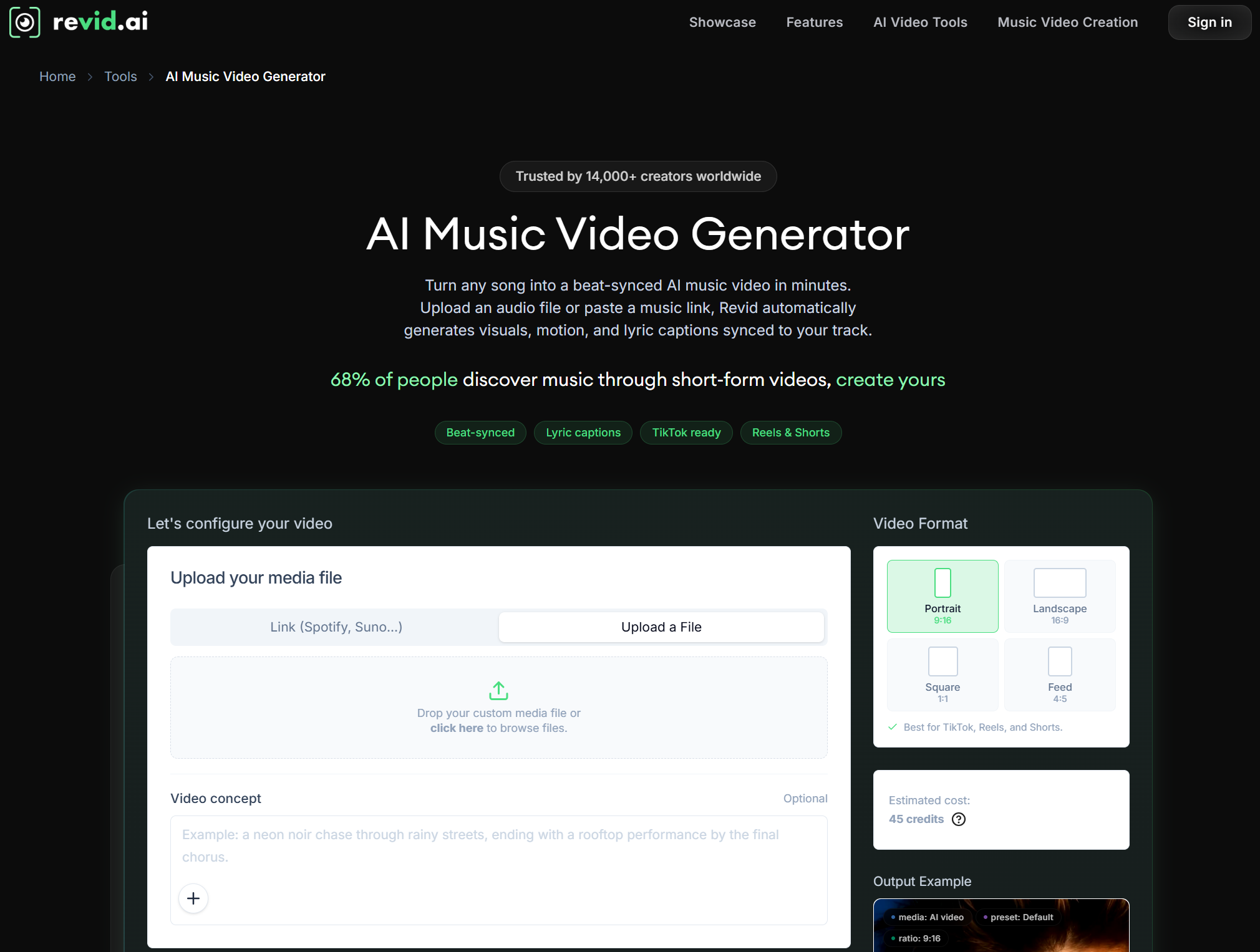
If your goal is to turn audio into scroll-stopping social media clips, Revid is a good choice. It strips away the steep learning curve by offering a fast workflow that analyzes your file and maps out synchronized visuals within just minutes.
The tool shines with its flexible media rendering tiers, letting you choose between AI clips, animated moving images, or curated stock footage. I found the moving AI images mode to be great, saving precious credits while still maintaining a highly unique visual theme.
It handles aspect ratio right out of the gate, making it straightforward to format your project for different platforms. The integrated caption editor automatically stamps rhythm-matched subtitles onto the screen, meaning you can export a fully complete asset to your channels easily.
Pros:
- Converts audio files into video drafts within minutes
- Provides diverse rendering choices
- Fully customizable subtitle captions
Cons:
- The platform lacks a free tier for testing
Tunee - Best AI Music Video Generator for Agentic Process
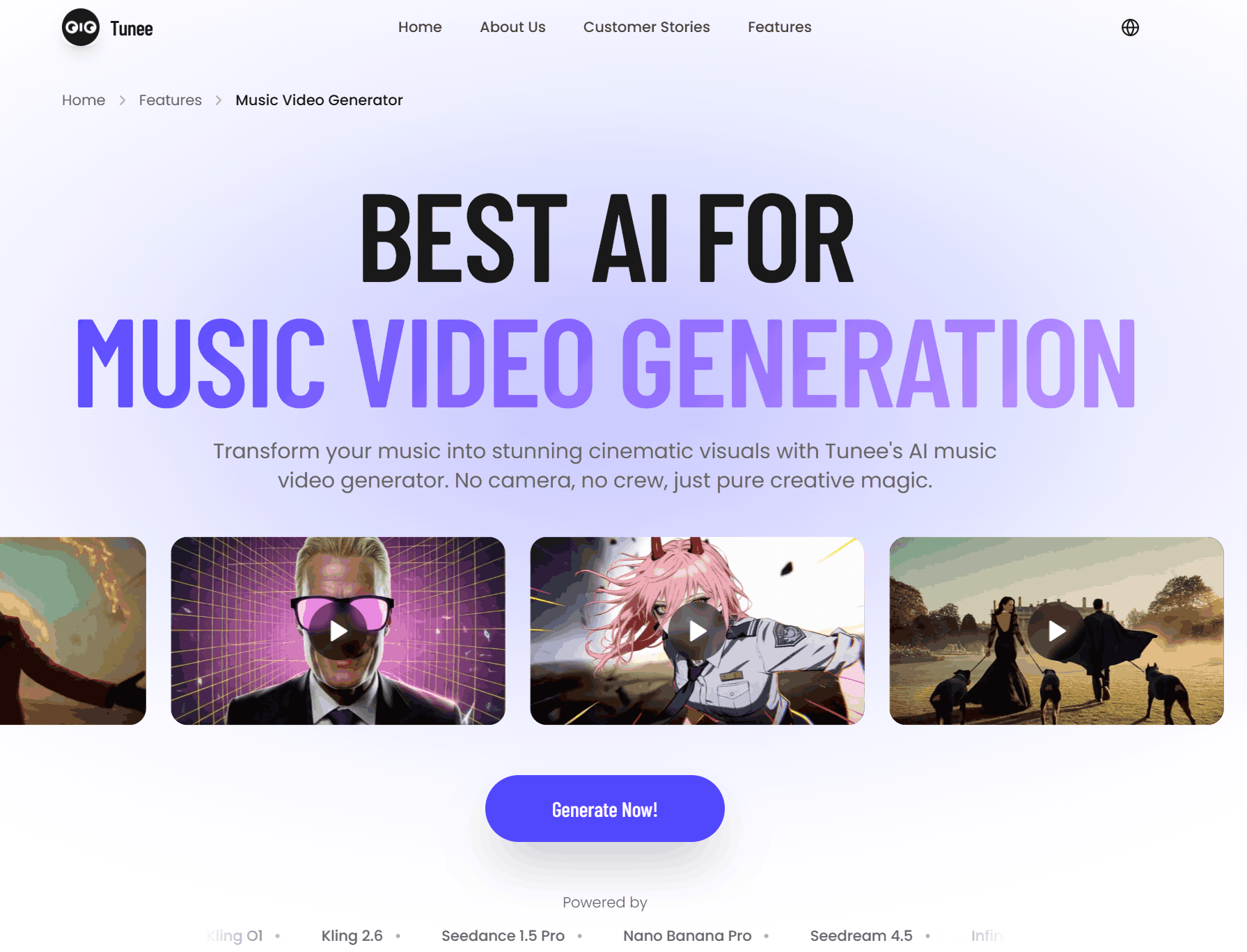
Tunee operates using a collaborative squad of four distinct AI agents—including a visual designer named Nova and a story director called Sage—to completely automate your music video generation experience.
All you have to do is upload your audio, select a desired vibe, and let the agents map out the song’s energy, key, and tempo.
From there, the platform builds a dynamic storyboard, populates the scenes with custom actors, and generates fully synchronized music video clips tailored to your specific musical genre.
It is incredible for performance-style and branded music videos where you need seamless product placements. The intelligent system even outputs your video in multiple aspect ratios simultaneously, giving you perfectly edits for YouTube, Instagram and TikTok in just a few minutes.
Pros:
- Fast AI music video generation speed
- No complex editing skills required
- All generated music videos are royalty-free
Cons:
- Limited length for native MV generations
Conclusion
Navigating the AI music video market requires balancing your goals with the right tech. Choosing a tool that combines ease of use with rich variety is key to producing a standout music video.
For the most complete and intuitive workflow, Tad AI music video generator stands out as one of the best choices. Its versatile modes and straightforward process make it easy to turn any audio into a polished visual experience.
🔒 Top Security · 💳 Free Plan Available · ⭐ 4.8/5 Rating