AI Vocal Remover
Powerful AI Vocal Remover with Accuracy
Our advanced vocal remover AI allows you to upload audio from your device or simply paste a link to extract your tracks. Once provided, the vocal isolator instantly analyzes the audio to accurately separate vocals from music.
Remove Vocals and Instruments
Tad AI vocal remover isolates and extracts both vocal and instrumental tracks from any audio file. Whether you need a crisp acapella for a remix or a clean backing track, you get professional-grade results without compromising audio quality.
Try AI Voice Remover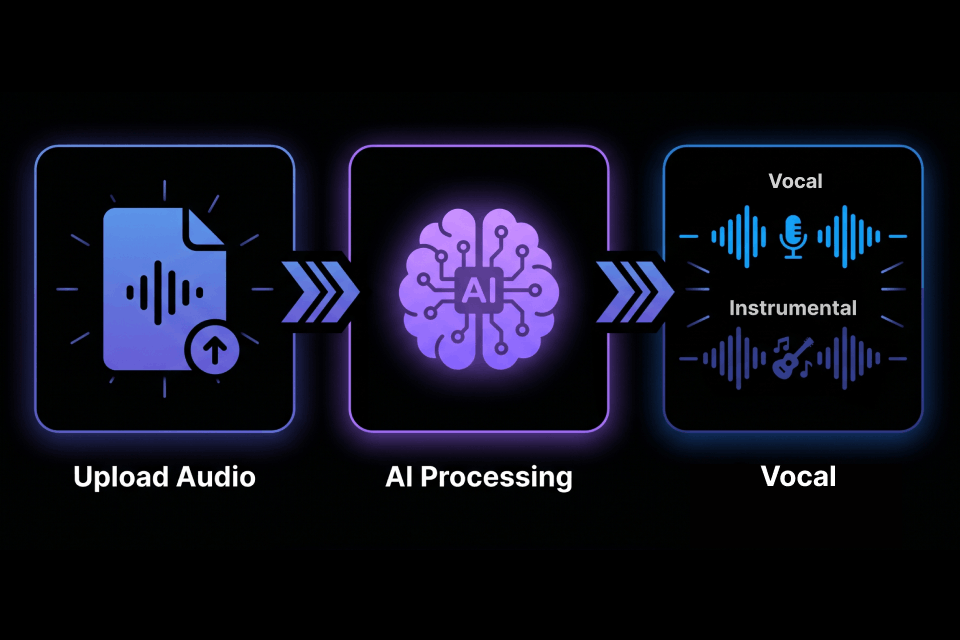
Separate Different Types of Audio
Beyond standard music tracks, our vocal remover AI easily processes diverse content including podcasts, interviews and voiceovers. No matter your source material, you can achieve precise voice isolation tailored to your needs.
Try Remove Vocal AI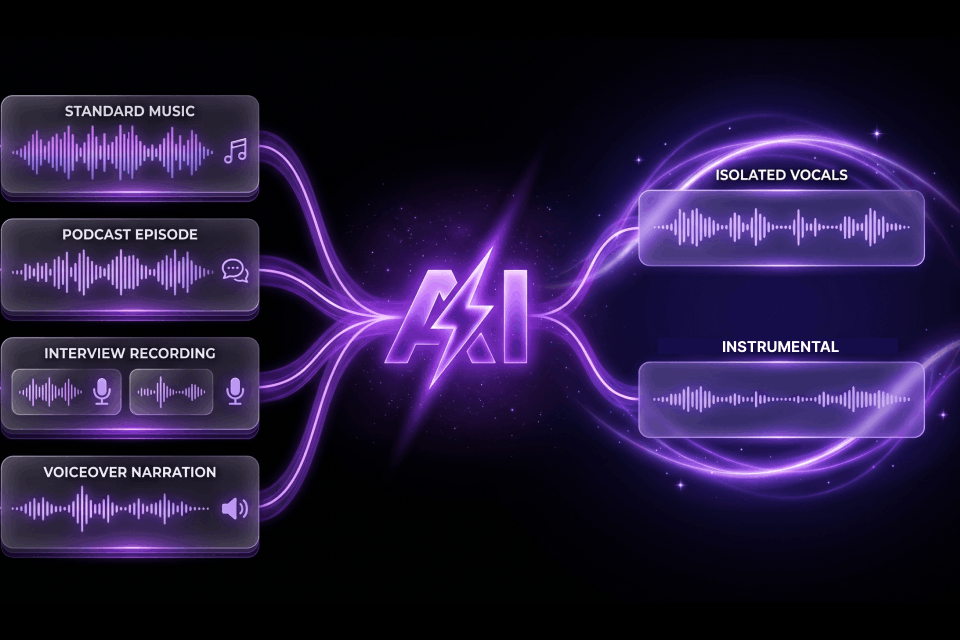
Extract Items From Online Sources
Skip the hassle of downloading files by simply pasting a URL into our AI vocal remover online. We support audio extraction from popular online media platforms, making your workflow significantly smoother, faster and more efficient.
Try Voice Isolation Now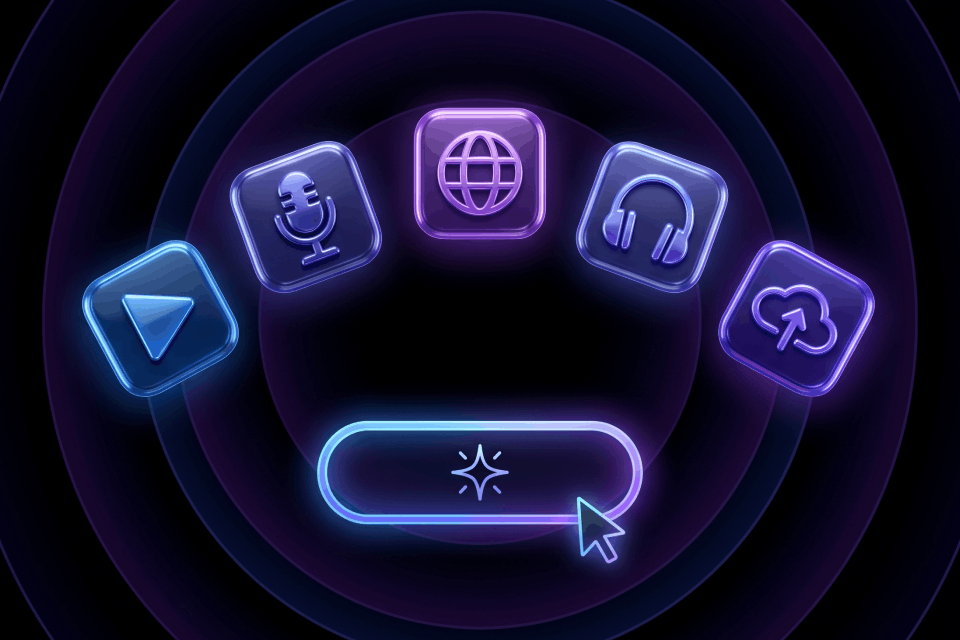
Who Choose Tad AI Vocal Remover?
Singers
Singers choose our vocal splitter to effortlessly create high-quality backing tracks from their songs for practice and performance. It provides them with an instant, personalized karaoke library perfectly suited for vocal training and recording covers.

Podcasters
Podcasters utilize our AI vocal extractor to clean up their recordings by perfectly isolating dialogue from background noise. This powerful separation capability improves their post-production workflow and ensures a professional experience.

DJs
DJs rely on Tad AI vocal remover to instantly remove vocals and instrumentals for custom remixes. The lightning-fast processing allows them to quickly prepare high-quality stems for their sets without sacrificing overall fidelity.

How to Remove Vocals in 3 Steps
Upload audio from your devices or paste an audio link.
Select your preferred audio separation mode and start to create.
Once vocals are extracted, download your project as a high-fidelity file.
What Our Users Say About Us

Mark Trump
Musician

Sarah Jones
Vocal Coach

David Adams
Video Editor

Emily Kelly
Content Creator
Explore Other AI Tools from Tad AI
- AI Music Generator
Transform ideas into incredible AI songs easily.
- AI Cover Generator
Upload reference and make AI cover songs.
- Text to Speech
Convert your target text to professional quality speech.
- AI Stem Splitter
Separate different stems from your audio instantly.
- AI Audio Editor
Edit or remaster the whole audio with smart AI.
FAQs
How does Tad AI vocal remover actually work?
Our vocal splitter uses advanced algorithms to deeply analyze the audio of your uploaded file. It identifies and isolates human vocal frequencies from instrumental layers, seamlessly splitting them into two separate, high-quality audio tracks. For more information, read our detailed article and learn about removing vocals from a song instantly.
How can I remove vocals from songs?
Tad AI vocal remover can be used to remove vocals from songs in just a few clicks. First, you upload your audio file. Then, the vocal isolator analyzes the audio, separating the vocal and instrumental parts. Finally, you can download the versions you need easily.
How long does it take to remove vocals from songs?
Thanks to our highly optimized algorithms, the process is fast. While the exact time depends on the length and file size of your audio, most standard tracks are completely separated and ready to download in just a matter of minutes.
What file formats do you support for voice isolation?
Tad AI vocal extractor supports a wide variety of audio formats, including MP3 and M4A. Alternatively, you can simply paste a URL from supported online media platforms to extract the audio directly.
Can I upload directly from social media platforms?
Yes. Simply paste a TikTok link and we will handle the rest. No need to use any converter or hunt for downloads. Just enter the URL and your audio stems start processing.
Does removing the vocals lower the quality of the instrumental track?
No, Tad AI is trained to perform complex separation with incredible precision to ensure minimal loss of quality. You will receive a crisp, clean instrumental track that retains the original richness and depth of the source recording.
How can I get better results?
Getting better voice isolation results usually depends on the quality of your original file. In general, a vocal remover AI works best when the vocals are clear and the source audio has minimal distortion. You can preview the result before downloading to make sure the separation quality meets your needs.
Do I need to download or install any software to use this tool?
Not at all! Tad AI vocal isolator is completely web-based. You can access our powerful extraction tools from your internet browser on any device without downloading any additional applications.
Is a vocal remover the same as a stem splitter?
A vocal remover typically divides your uploaded song into vocals and instrumental audio. A stem splitter can go deeper by separating vocals, bass, drums, synths and other detected stems.
Is this vocal remover AI actually free?
Tad AI offers a free plan for you to explore our features and tools with limited credits. For more credits and getting access to advanced functions, please upgrade your plan.
Try Vocal Remover AI for Accurate Results Now!
Experience the power of precise vocal isolation and instantly elevate your projects with clean, professional stems.
Try Remove Vocal AI