

I’ve tried quite a few AI music tools over time, usually out of curiosity or the need to quickly turn an idea into something listenable.
MusicGPT came up during one of those moments when I wanted to see how well a tool could translate a simple idea into music without overcomplicating the process.
I went in with no big expectations and focused on how it actually behaves when you sit down and use it, how easy it is to get started, how clearly it responds to instructions, and whether the output feels usable.
Rather than looking at it as a novelty, I treated MusicGPT like any other music generator, testing it through real prompts and paying attention to the small details that usually get overlooked.
This MusicGPT review is based entirely on my hands-on experience. Let’s get started.
About MusicGPT: What Does This AI Music Generator Offer?
MusicGPT is a versatile AI music platform designed to make creating and editing music effortless. With its intuitive interface, you can create songs, beats, instrumentals, and even sound effects directly from prompts or by uploading your own audio.
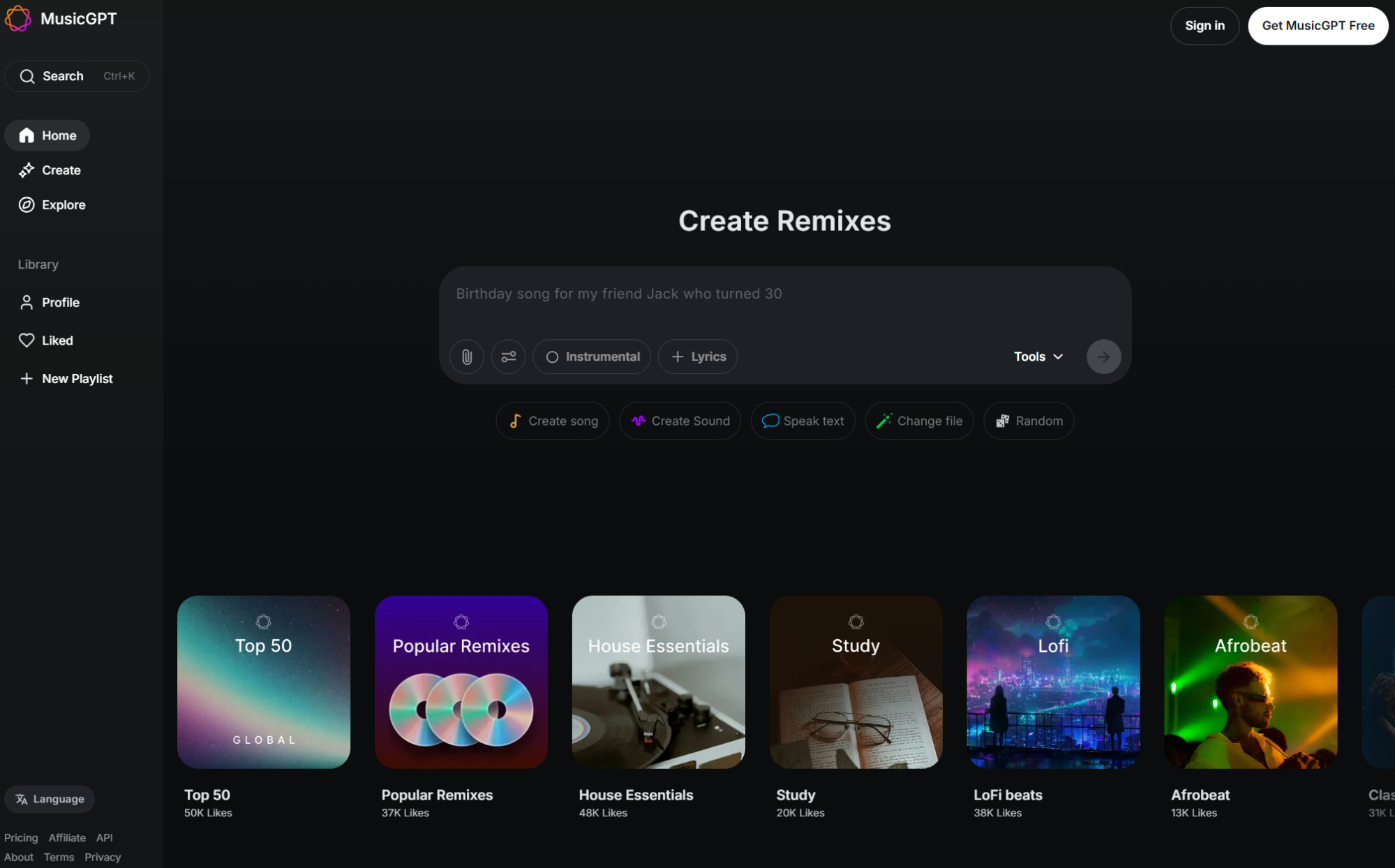
The platform offers pro controls for adjusting tracks, generating lyrics, or remixing content to suit your style.
You can explore an extensive library of popular tracks, remixes, and genre-based collections, from LoFi beats and classical to Afrobeat and country.
MusicGPT tools include Sound Generator, Text to Speech, Remix and much more. You can use them to generate sound effects and samples, speak text in any voice or remix a song with custom styles.
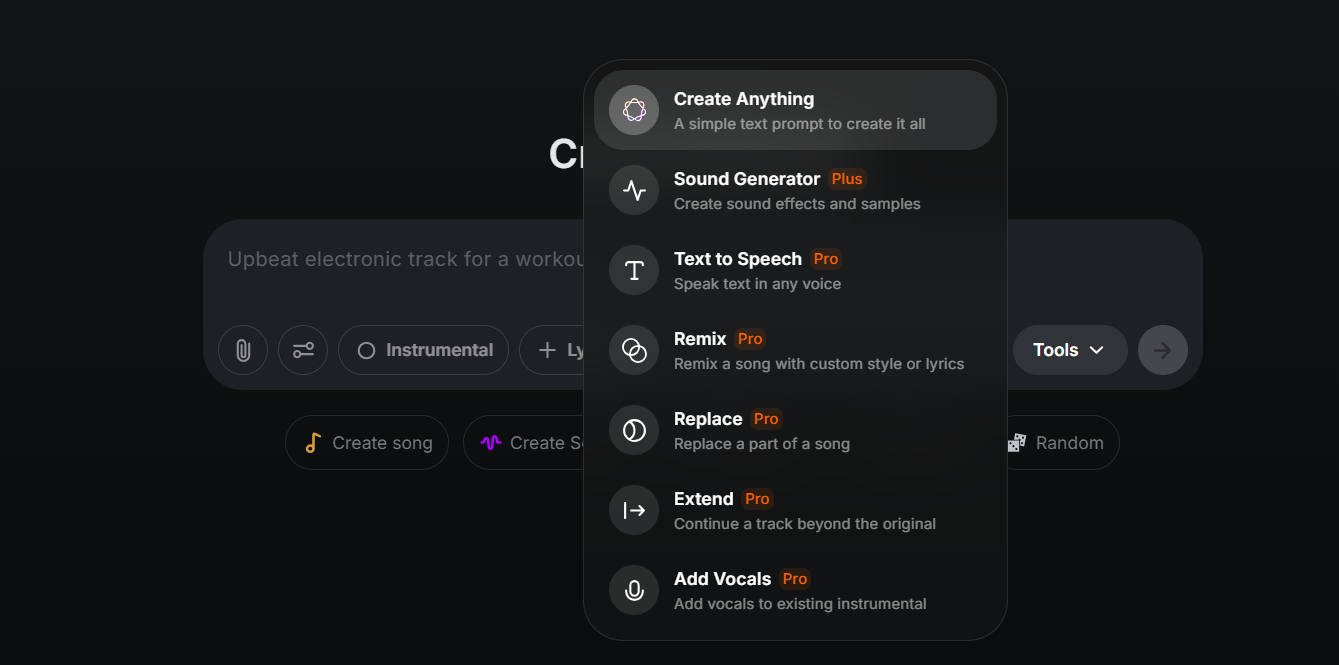
I also wanted to test these tools for you all, but one of the limitations was that most of the tools were paid to access.
Powered by the MusicGPT V6 Pro model, the platform combines speed, flexibility, and high-quality outputs, making it suitable for creators, producers, and developers looking to integrate AI music into projects.
In addition, its mobile app adds convenience, letting you create, stream, and edit music on the go.
My Personal Experience with MusicGPT
For my first test, I asked MusicGPT: “Produce a rap track with a strong, punchy beat, minimal melody, and deep bass. Include clear vocal flow with a hook and verses. The Mood should be energetic and confident.” Here is the output:
It took almost two minutes to generate the track, and I received two versions from the same prompt. Both sounded decent, but there was no clear structure indicating the verse, pre-chorus, or chorus.
I also felt the mood wasn’t as energetic and lively as described; it came across a bit slow and restrained. The layering of instruments was fairly solid, though, and overall, the output was usable.
I would give this attempt a 7/10.
I also noticed that the credit usage was quick. When I first signed up, it gave me 400 free credits. While it uses 50 credits to download a song, I noticed my 150 credits were used up.
I couldn’t quite understand this!
Next, I tested MusicGPT with a few more prompts to see how it handled instrumentals, melodies, and here’s what I tried…
The prompt said, “Create a calm, mid-tempo instrumental track suitable for study or background listening. Use soft piano as the main melody, gentle synth pads for atmosphere, and light percussion to keep a steady rhythm. The track should feel relaxing, smooth, and cohesive from start to finish” And here is its delivery:
Against this prompt, MusicGPT again gave me two versions to check out.
The output followed the text prompt fairly well, with soft piano, gentle synth pads, and light percussion as requested. However, in my opinion, the track felt slightly slower than what I would consider true mid-tempo.
I would rate this attempt a 7.5/10.
Overall, I found that MusicGPT handles instrumental tracks more reliably than full songs, producing coherent melodies and well-layered instruments.
What I Liked About MusicGPT
One thing I appreciated about MusicGPT is its versatility. It can generate full songs, instrumental tracks, sound effects, and vocal variations, making it suitable for a wide range of creative projects.
Another strength is the ability to work with lyrics and vocal structures, helping creators quickly develop songs with coherent verses, choruses, and hooks. Also, users have noted that this feature makes MusicGPT particularly useful for songwriters.
For developers and creators looking to integrate AI music into other platforms, MusicGPT also offers a robust API, enabling seamless use in apps, websites, or production pipelines.
This flexibility makes it not only a tool for music creation but also a platform for building custom AI-powered music solutions.
What I Didn’t Like About MusicGPT
While MusicGPT is capable of generating songs and lyrics, there are several limitations I noticed during my hands-on use.
It often struggles to follow detailed prompts, especially for vocals and instrument instructions. Tracks sometimes deviate from the intended style or arrangement, and generated vocals can sound mismatched or more like spoken words rather than singing.
Additionally, I encountered occasional generation errors or failed attempts, which slowed down the workflow. Some tracks didn’t render as expected, requiring multiple retries to get something usable.
Another drawback is the lack of a free plan. You need to sign up or get a paid subscription to fully access the platform, and the subscription can be expensive with limited credits, making it less accessible for casual users or those testing the service.
Support exists, but reaching out is sometimes necessary to troubleshoot prompt-following issues, which adds friction.
Overall, while MusicGPT is powerful, these limitations make it less reliable and more costly compared to other AI music generators.
Why Tad AI Is a Better Alternative to MusicGPT?
While MusicGPT is capable of generating songs and instrumentals, Tad AI offers a more reliable and consistent experience.
Being a top-notch AI music generator, Tad AI handles detailed prompts more accurately, including genre, mood, tempo, and instrument placement, which makes it easier to get the output you envision.
Tad AI Music Generator
Use AI music generator to unleash music possibilities!
Tad AI also supports lyric generation alongside music, helping creators produce complete songs without switching platforms.
Another advantage of Tad AI is its Explore experience, which makes discovering styles effortless. You can browse a wide range of music in genres like rap, rock and folk, then pair them with specific moods to unlock your music journey.
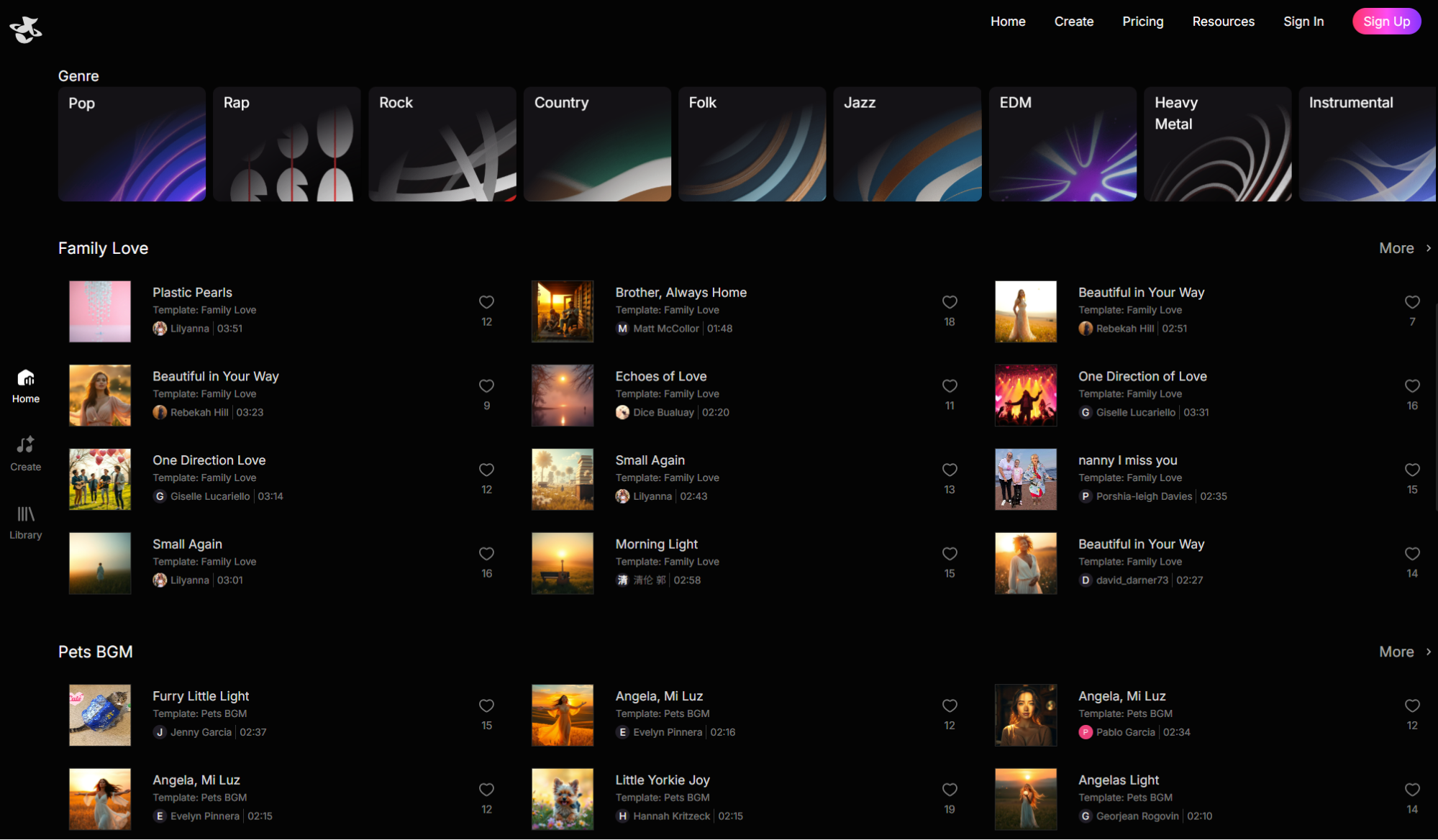
This makes it easier to shape the feel of a track without overthinking technical details, especially when you’re experimenting or starting from scratch.
All tracks generated under paid plans are royalty free music, making Tad AI a practical solution for creators who want usable music for commercial projects.
Conclusion
MusicGPT offers an interesting range of features and can generate songs, instrumentals, and lyrics, but in my real experience, it struggles with following detailed prompts and producing consistent outputs.
For creators looking for a more stable, accurate, and versatile AI music generator, Tad AI stands out as a better alternative.
With precise prompt handling, integrated lyrics generation, a wide range of genres and moods, Tad AI delivers reliable, royalty-free music ready for both personal and professional projects.


