

Music generation used to feel like a distant dream for me, requiring expensive equipment and years of theory I just didn’t have.
Then I stumbled upon the TopMediai AI music generator, and it changed how I approach creativity. It feels less like a complex tool and more like a jam partner that’s always ready to go.
I was skeptical at first, but TopMediai makes the whole process accessible, whether you are a pro or a beginner like me.
You don’t need to know how to read sheet music or play an instrument to get started. Just typing in a simple idea or mood is enough to kickstart an entire track.
In this article, I want to walk you through my personal experience with this platform and how it actually works. Let’s dive in and see if it is the right fit for your creative projects!
An Introduction to TopMediai AI Music Generator Features
TopMediai AI music generator is a powerhouse for turning abstract ideas into audio reality. It doesn’t matter if you have a full song written or just a vague vibe in your mind.
This tool offers 3 distinct ways to create, making it flexible for whatever creative mood I am in. Let me tell you how I use each mode.
Lyrics to Music
This mode is a lifesaver when I have words written down but can’t quite find the right melody. You just paste your lyrics, enter style description, tweak options like Instrument and Genre, and TopMediai wraps them in a full song structure.
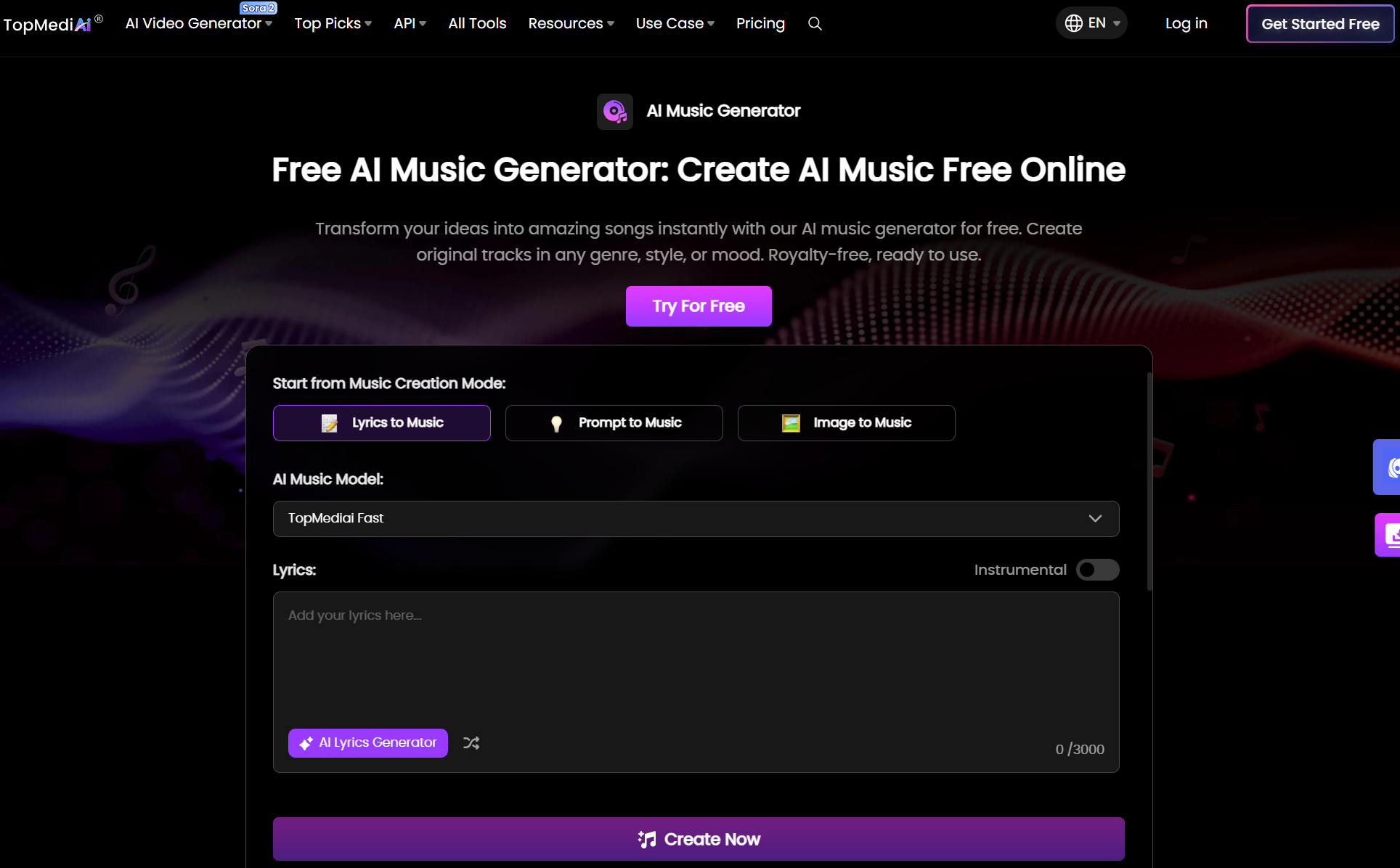
It handles the melody and harmony automatically, so my words finally get the voice they deserve. If I am stuck on words, the AI can even help write the lyrics for me!
Prompt to Music
Sometimes I don’t have lyrics, just a specific feeling or genre in my head. With this mode, I simply type descriptions like “dreamy piano” or “upbeat pop” and select my preferred vocal voice.
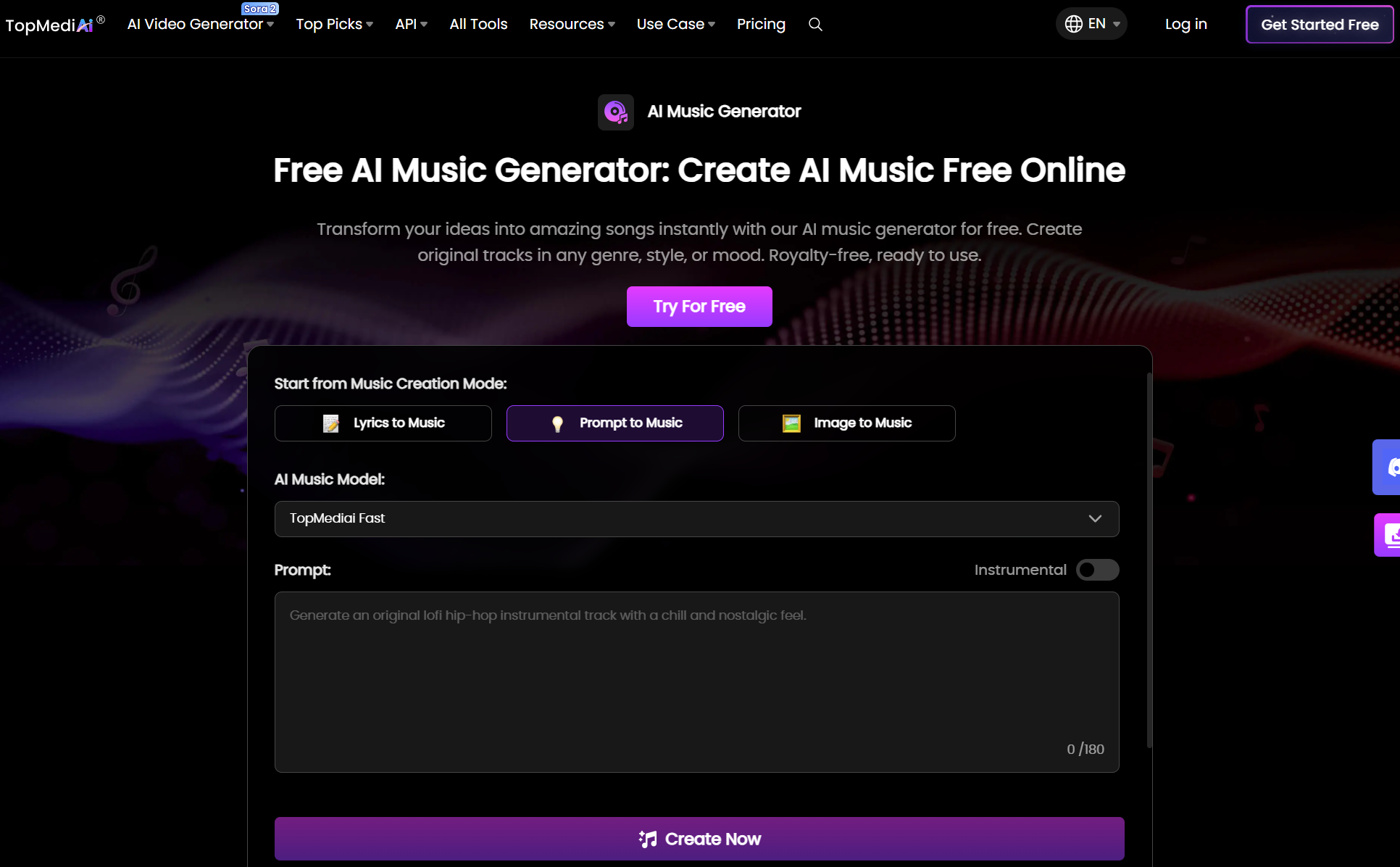
The TopMediai AI music generator instantly interprets those words and builds a custom track from scratch. It requires absolutely no music theory skills, just your imagination.
Image to Music
This is one of the most unique features I have played with. I can upload an image—maybe a sunset or a chaotic city street—and it generates a matching soundtrack based on inspiration.
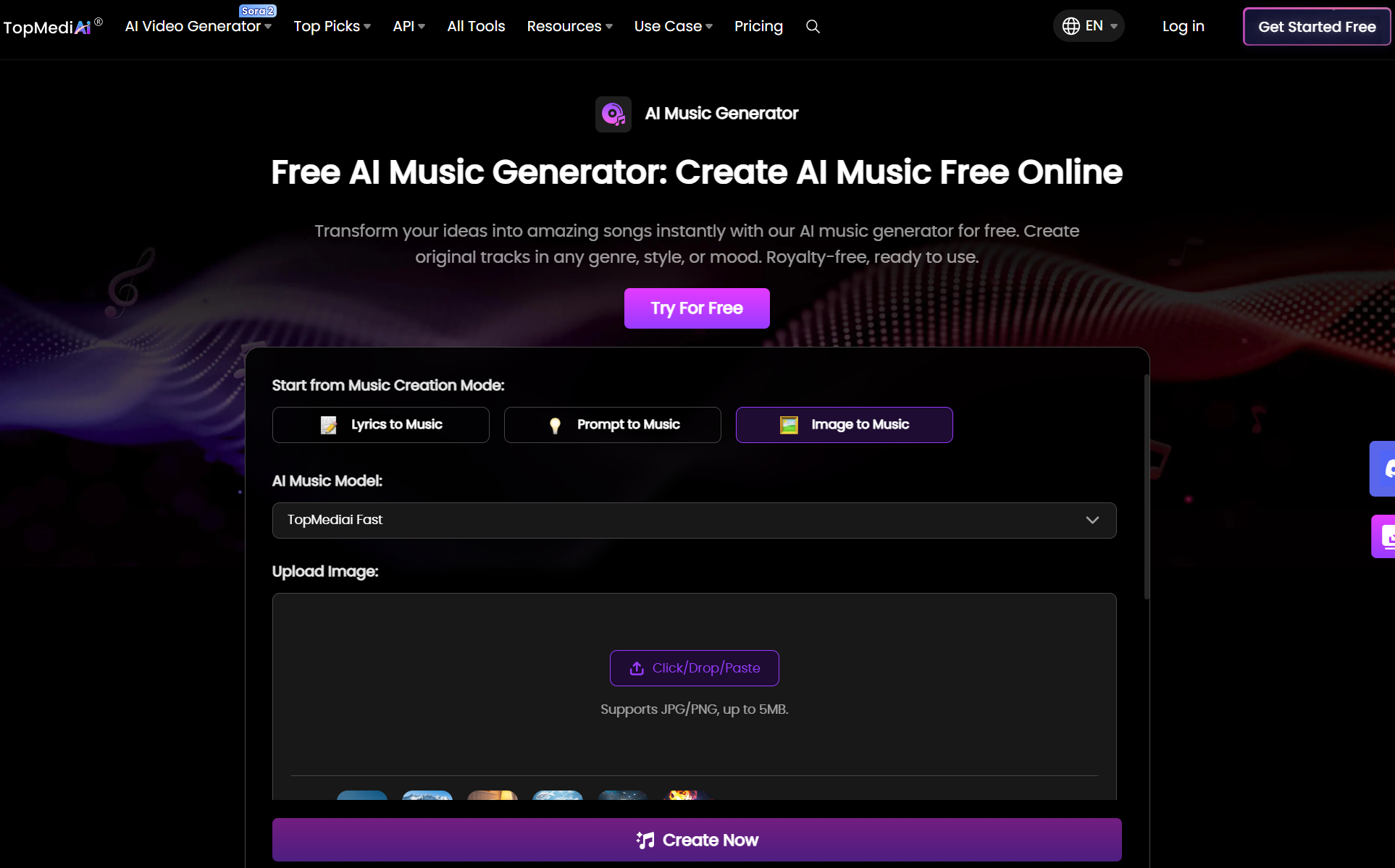
It’s perfect for visual storytelling, letting the AI translate the vibe of a picture directly into sound. It is a fun way to find inspiration from the photos in your camera roll.
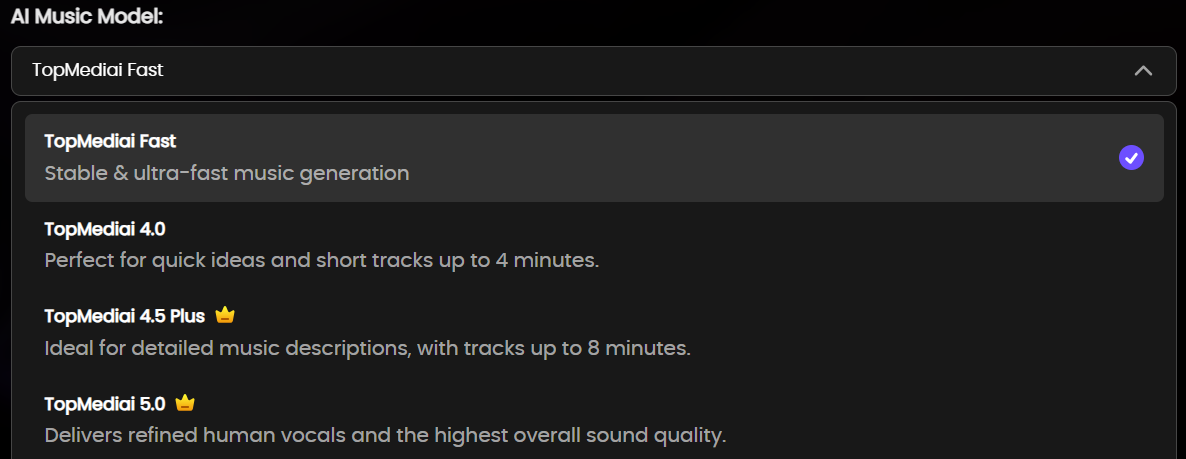
TopMediai offers several different AI music models for you to choose from, such as TopMediai Fast for stable music generation and TopMediai 4.0 for short tracks up to 4 minutes. Other options include paid models like 4.5 Plus and 5.0.
What really seals the deal for me is that I am not stuck at my desk to make magic happen. TopMediai has a mobile app, so I can turn fleeting ideas into melodies wherever I go. It’s free to download, literally putting a music studio right in my pocket.
How Was My Experience With TopMediai AI Music Generator?
To really see what the TopMediai AI music generator could do, I decided to put the “Prompt to Music” mode to the test. I wanted to check the range between different styles and vocal types.
First, I aimed for a high-energy track to see how the male vocals handled a rock vibe. I typed in this specific instruction:
"An energetic pop-rock song with driving electric guitar riffs and punchy drums, featuring a powerful male vocal singing about freedom and summer road trips." And here is the result from TopMediai:
The moment the track started, I was surprised by how punchy the drums were. It didn't sound muddy like some AI tracks do; instead, it had a clear, radio-friendly structure that immediately grabbed my attention.
The electric guitar riff was catchy and drove the song forward perfectly, while the male vocals came through with that distinct, gritty texture I had asked for. It nailed the “freedom” atmosphere, feeling like the intro to a summer anthem.
On the flip side, the music did end a little abruptly for my taste; I would have preferred a smoother fade-out. Also, while the production was solid, it felt a bit like standard stock music—catchy and high-quality, but perhaps playing it a little safe on the originality front.
Rating: 7/10
Next, I switched gears to check out the female voice options with something softer. I wanted a dreamy, atmospheric track, so I used this prompt:
"A chill lo-fi hip hop beat with jazz piano chords and a slow tempo, accompanying a soft, breathy female vocal humming a nostalgic melody." And here is the output:
This was my favorite of the two tests. The “lo-fi” vibe and aesthetic were spot on right from the start. The jazz piano chords gave it that relaxed feeling that is perfect for a study playlist or a late-night drive.
The highlight for me was the female humming; it added a lovely human touch without the distraction of actual lyrics, which is what I was hoping for.
It captured a warm, cozy, and nostalgic mood perfectly, making it something I could immediately see myself using as background music for a video.
My only minor critique is that the loop felt slightly repetitive after a while, though to be fair, that is often the point of the lo-fi genre.
Rating: 8.5/10
What Do I Think About TopMediai AI Music Generator As a Whole?
After testing TopMediai, I can honestly say it is a game-changer for anyone looking to make music without the technical headache. It bridges the gap between a fleeting idea and a listenable track well.
While I enjoyed the freedom it gave me, there are definitely highs and lows to the experience. Here is my breakdown of the pros and cons:
The Advantages
What sets TopMediai apart is its flexibility. It doesn’t force me into a single workflow; whether I am starting with a scribbled lyric, a moody image, or just a few keywords, the AI meets me where I am.
I also appreciate how it democratizes music production. I don’t need to understand complex mixing software or theory to get a studio-quality sound.
The Drawbacks
I did run into some limited customization options with TopMediai. For example, the inability to choose how long I want a track to be is a miss; sometimes I just need a 15-second stinger, not a full-length song, and I have to rely on external editing to fix that.
Similarly, I can’t control the number of outputs generated in a single batch, which makes the trial-and-error process feel a little less efficient than I would like.
Finally, compared to other tools on the market, the variety of genres and moods feels a bit limited. If you are looking for very niche sub-genres, you might find the selection restrictive.
All in all, I don’t think this is the perfect option for anyone who needs more control in their projects. Especially if you need personalized music with incredibly high-quality results.
Need an Alternative for Superior Quality Music? Try Tad AI
While TopMediai AI music generator is a solid entry point, my experience with its limitations left me looking for something more robust. That’s where Tad AI music generator comes in, and frankly, it feels like stepping up from a home keyboard to a professional studio.
Tad AI Music Generator
Create your own AI music with Tad AI now!
If you felt restricted by the genre and mood selection in TopMediai, Tad AI is a breath of fresh air. It offers a significantly wider array of genres and nuanced moods, allowing you to dial in specific vibes like New Age or Ambient that other generators might miss.
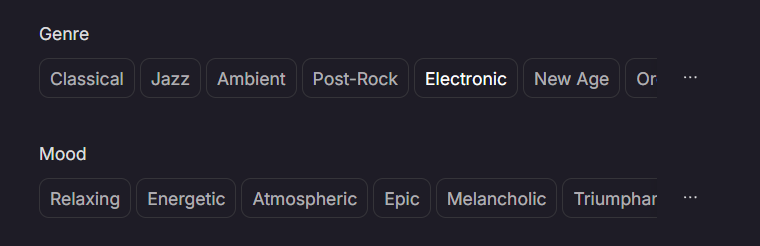
But where Tad AI really shines is in its quality and stability. The output from this tool isn’t just higher fidelity; it actually listens to our instruction. The stability of the tracks means fewer hallucinations or weird audio artifacts, delivering a clean, professional sound every single time.
If you are tired of rolling the dice and hoping for a good result, Tad AI gives you the control and quality you’ve been missing.
Conclusion
TopMediai AI music generator is a solid entry point if you are just dipping your toes into AI music. It makes the process accessible and fun, offering a quick way to sketch out ideas without any musical background.
However, for an AI music generator that strictly follows your creative vision, I truly believe Tad AI is the upgrade you’ve been looking for. This platform can help you create stunning music that will truly stand out.


