

I’ve spent a lot of time trying different AI music generators, and Soundverse AI recently caught my attention. At first, I wasn’t sure what to expect, but as I started experimenting, I realized it approaches music creation in a way that feels effortless and intuitive.
It’s not about complicated settings or rigid workflows; it’s about testing ideas, layering sounds, and seeing how they evolve in real time. The more I explored, the more I understood how it could fit into my creative process, helping me shape ideas without unnecessary friction.
In this Soundverse AI review, I talk about my own experience, the features that stood out, and how it handles music generation from start to finish.
About Soundverse AI
Soundverse AI is an AI-powered music platform that helps you create and arrange music easily, without dealing with complicated software.
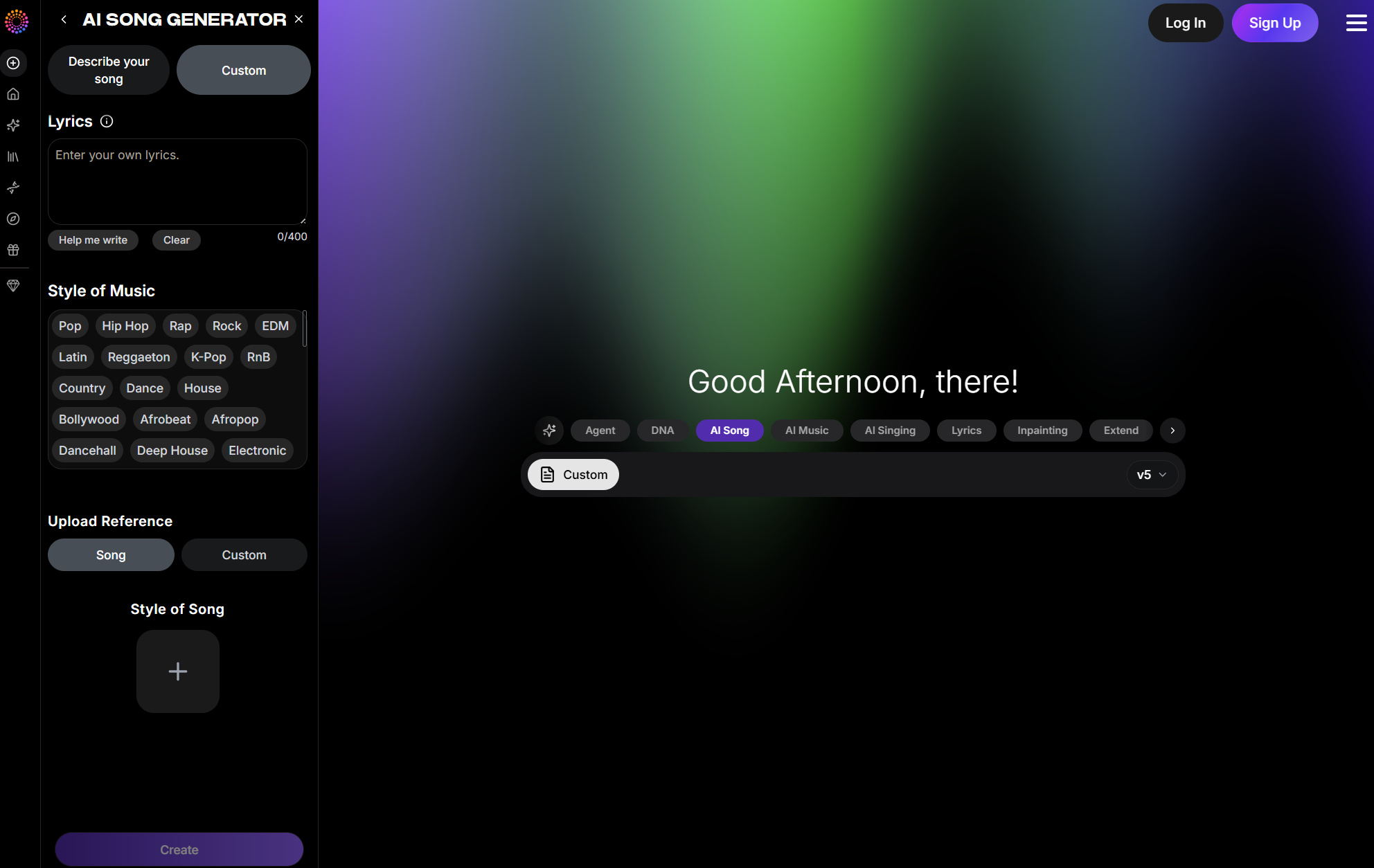
It gives you tools to generate music directly from text prompts, write original lyrics, and even create songs in different styles.
Another noticeable factor that impressed me the most is the wide collection of tools.
Soundverse AI stands out with its notable tools like the AI Singing Generator, which converts lyrics into realistic singing vocals, making it possible to create tracks without recording a singer.
The Inpainting feature allows you to select a specific section of a track and regenerate only that part, which is useful for fixing weak sections.
Additionally, the Stem Separator lets you extract a finished track into individual elements such as vocals and instruments, giving more control for editing, remixing, or refinement.
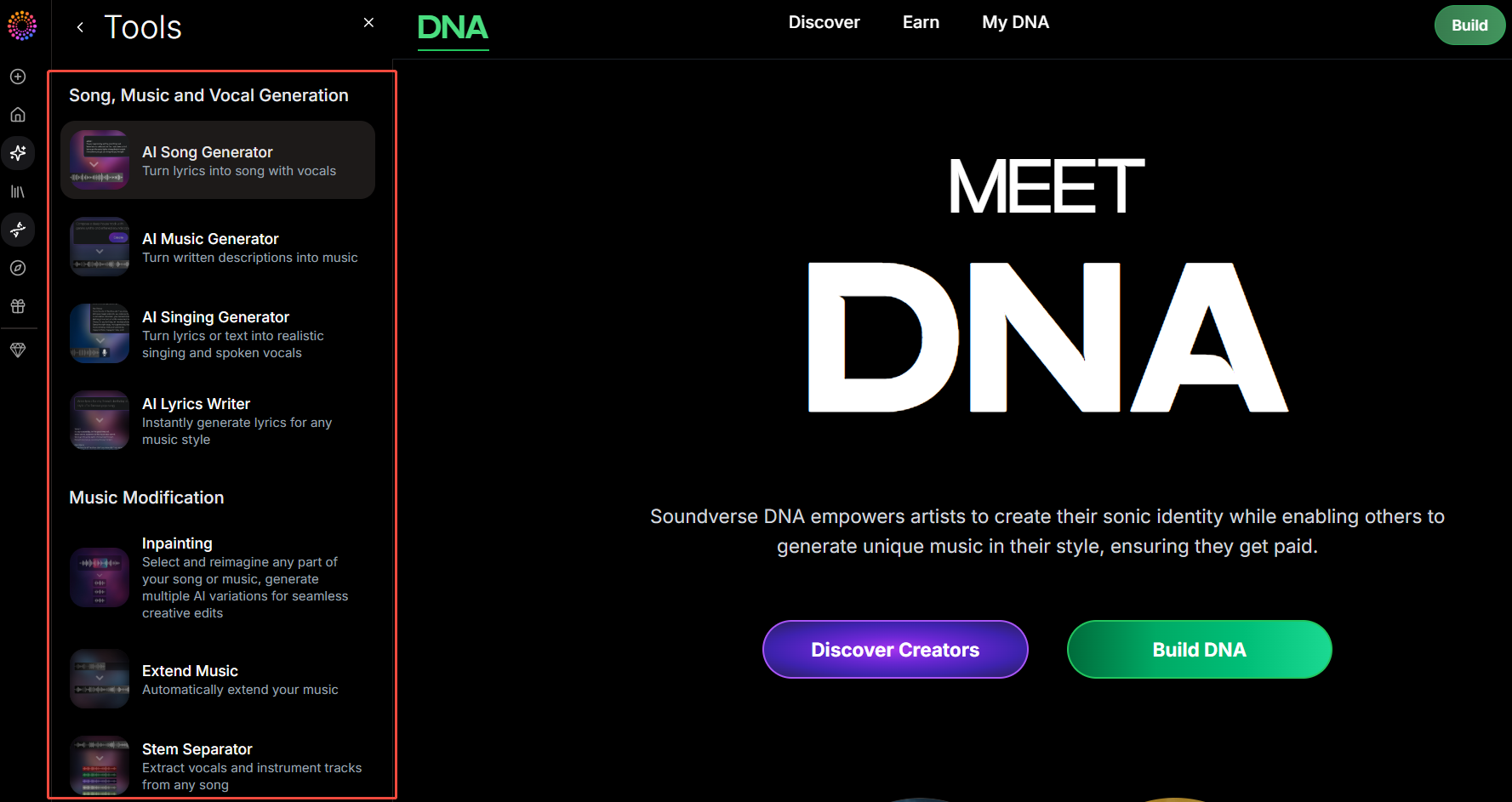
Each tool is designed to make creating, editing, and experimenting with music simple and intuitive.
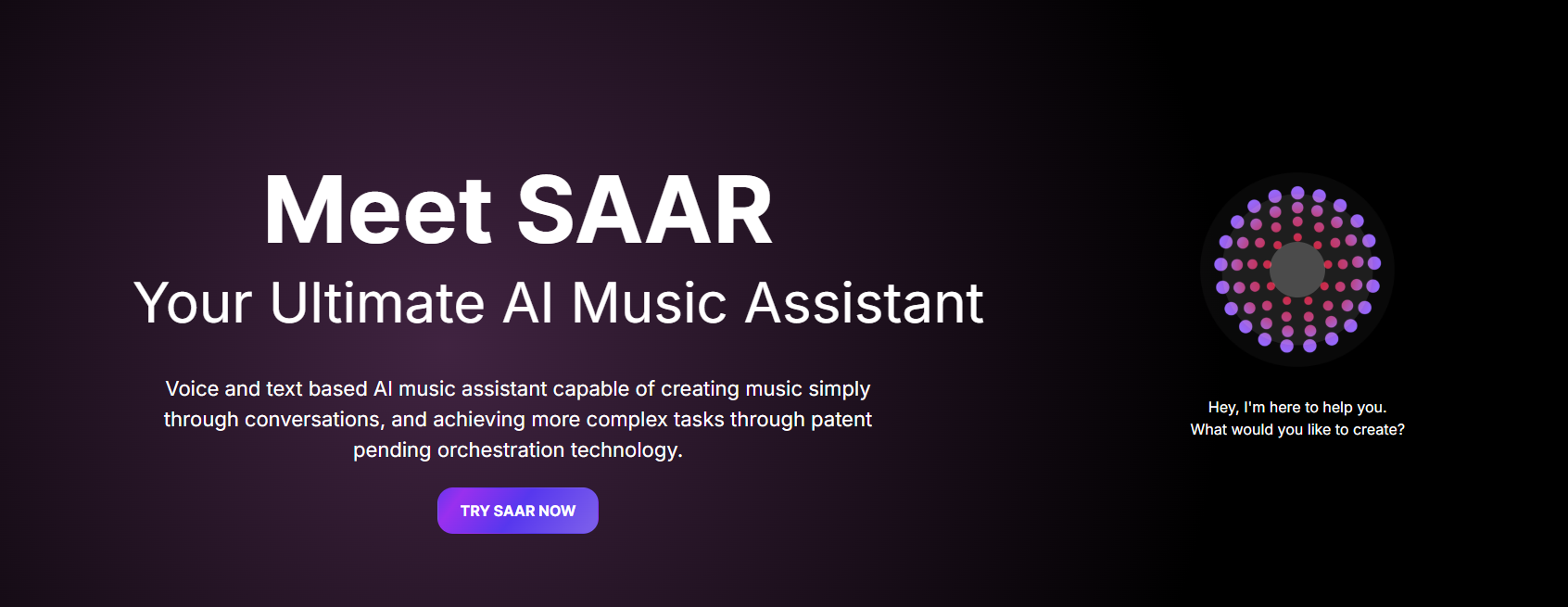
Moreover, you can interact with an AI assistant called SAAR through text or voice to guide parts of the process. Whether you’re drafting a melody, building a full song, or remixing an existing piece, Soundverse AI makes these steps feel more natural and less technical.
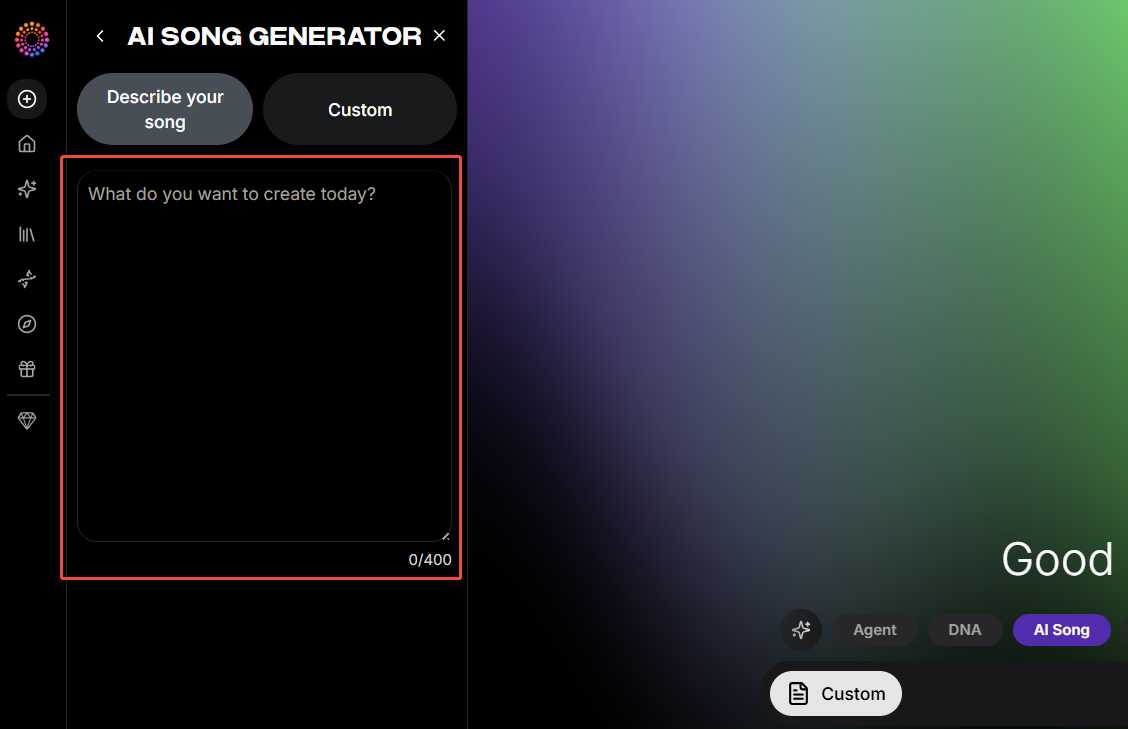
The user interface of Soundverse AI is user-friendly and very easy to navigate. You can easily switch between the Simple and Custom modes.
In Simple mode, you only have to describe the details such as vocals, instruments, mood, and style of song.
Whereas the Custom mode offers enhanced features, such as you can add lyrics (even use help me write), select the required style of music, and upload reference.
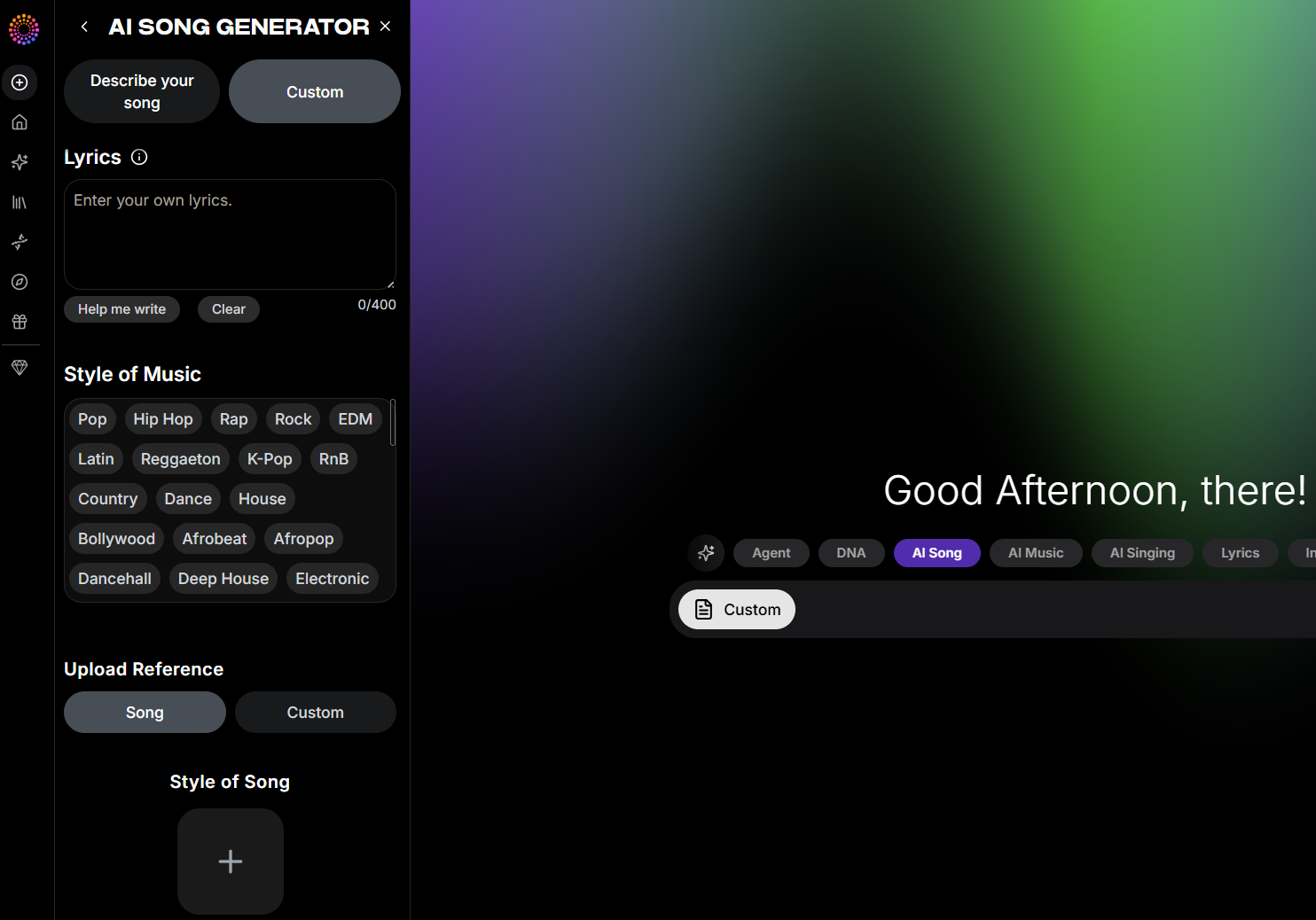
Soundverse AI makes music creation more natural and easier, whether you’re creating a full song or remixing an existing piece.
My Hands-on Experience with Soundverse AI
To see how Soundverse AI performs in a real use case, I started with a moderately detailed prompt focused on an instrumental electronic track.
The prompt said, “Create an instrumental electronic track with a steady tempo and a modern feel. Use layered synths, a light rhythmic pattern, and a clear melody that builds gradually without becoming too intense.” Here is the output:
During the process, the interface froze three separate times, which slowed things down and made the experience feel less smooth compared to other AI music generators I’ve tested.
However, once the track was generated, the results were solid. The tempo matched my prompt, the synth layers were well-balanced, and the gradual build was noticeable without becoming too intense. The light rhythmic pattern came through clearly toward the end, aligning well with what I described.
While the workflow could be more stable, the final output delivered on musical accuracy and structure.
I would rate it 8.5/10.
To test its AI song generator, I tested its Custom mode. I added lyrics and chose the style of music.
This time I faced the same problem while creating the music. The screen froze and hence no output by Soundverse AI.
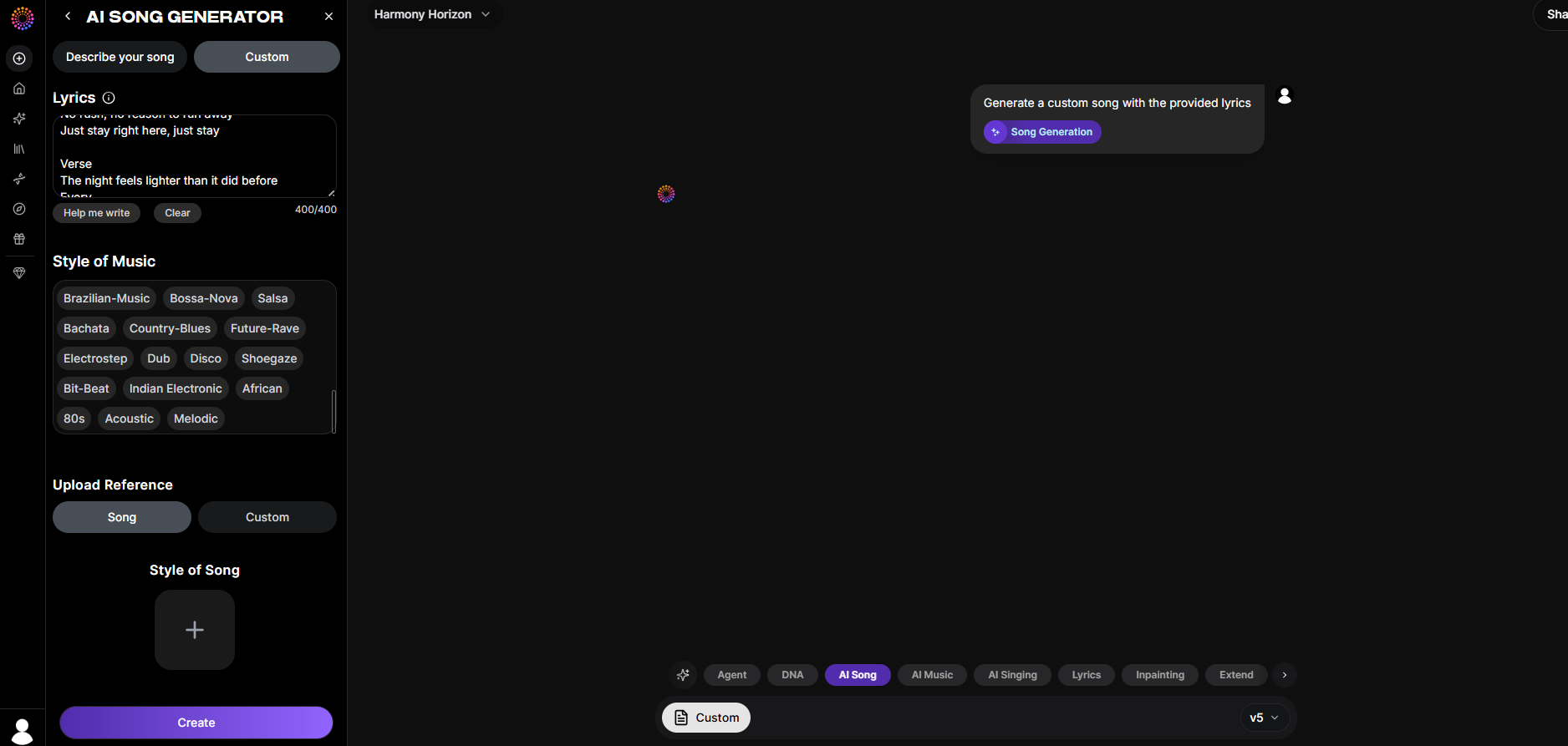
I had to try multiple times before I finally got an output, and the process was honestly frustrating.
When the track was generated, it wasn’t what I expected at all. Instead of matching the intended style, the result leaned heavily toward a rap-like delivery with very minimal instrumentation.
It felt less like a song and more like the lyrics being rushed and spoken aloud, without much musical structure or depth. The disconnect between the prompt and the final output was noticeable, which made the experience disappointing overall.
Rating: 3/10
What I Liked About Soundverse AI
One thing I appreciated about Soundverse AI is the range of tools available in a single platform. From music generation to stem separation and song extension, everything is accessible without switching between different platforms.
When the system performs well, the output basically follows the prompt closely, especially for instrumental tracks, with tempo and structure aligning as expected.
I also liked the flexibility to experiment with different inputs and regenerate variations, which makes it easier to refine ideas over multiple attempts.
For creators who want to explore and iterate, Soundverse AI offers enough space to try out different musical directions.
What Fell Short About Soundverse AI
While Soundverse AI is a powerful platform for music creation, there are a few limitations I noticed.
First, it cannot generate full vocal songs or singing tracks; its focus is mainly on instrumental music. If you’re looking to create lyrical content or vocal melodies, the AI isn’t equipped to produce them directly.
Secondly, the time it takes to process a song/instrumental audio is too long. This hinders a good experience.
It also doesn’t create isolated instrument tracks like standalone drums, bass, or piano. I found that while stem separation works, it’s not the same as having full control over each instrument from the start.
The quality of output depends heavily on prompt length and context. From my experience, detailed prompts usually give more accurate and coherent results, while shorter or vague prompts can produce unpredictable compositions.
Some musical elements, like scale, tempo, and chord sequences, can be inconsistent. I noticed that even specifying a chord progression like Am–C–G–Em sometimes required multiple attempts to get the result I wanted.
Negative prompting is another limitation; asking Soundverse AI to exclude specific instruments (like “no drums or bass, only piano”) doesn’t reliably work.
Finally, the AI cannot generate sound effects yet, which limits some creative possibilities, though I expect this might be added in the future.
Need a Fast and Reliable AI Music Generator? Try Tad AI
After testing multiple AI music tools, performance and consistency make a noticeable difference, and that’s where Tad AI stands out.
At its core, Tad AI is an AI music generator built to make professional-quality music accessible to anyone.
Tad AI Music Generator
Use AI music generator to unleash music possibilities!
Powered by its top-tier AI models, the platform lets you create full songs using simple text inputs, no production background needed.
You start by entering your idea, adding any lyrics you have, then selecting a genre such as Rap, Country and Rock. From there, Tad AI handles the composition and delivers a track that aligns closely with your choices.
Once tracks are generated, they’re saved in the Library, where you can access your creations, revisit previous outputs, and manage liked songs in one place without losing your workflow.
The Explore feature helps you browse genres and moods before creating anything, making it easier to narrow down the style and emotional direction you want to work with.
In addition to that, Tad AI makes music creation even more accessible by letting you download the mobile app and generate songs directly from your phone.
It’s fast, easy to use, and designed for quick idea testing or on-the-go creation. The mobile experience stays smooth and consistent, just like the web version.
On paid plans, all generated music is royalty-free, making it suitable for commercial projects such as videos, podcasts, ads, and other content.
Conclusion
Soundverse AI offers an interesting range of tools but can feel inconsistent, especially when it comes to stability and output accuracy.
For creators who want a smoother, faster, and more reliable music experience, Tad AI is a better choice, delivering consistent results, clear prompt handling, and royalty-free music ready for real projects.
🔒 Top Security · 💳 Free Plan Available · ⭐ 4.8/5 Rating


