
💡 Abstract
Making a beat is an accessible, step-by-step process of combining essential digital audio elements—such as drums, bass, and melodies—using a computer or smartphone. This guide provides a straightforward, beginner-friendly framework to help aspiring producers turn their musical ideas into complete beats right from home.
What Is a Beat?
In essence, a beat is the backbone of a song. It is the rhythm and the steady pulse that makes you want to tap your feet or dance. In modern music, a beat usually includes a mix of drums, basslines, and short musical loops.
Think of a beat as the foundation of a house. It holds everything else up, giving the singer or instrument players a solid frame to work with. Without a good beat, a song can feel messy and hard to follow.
How to Make a Beat in 4 Steps?
Now that you know what a beat is, let’s look at how you can easily create your own. With modern AI technology, the entire process takes just a few clicks.
Step 1: Open Tad AI and Choose the Model
First, head over to platforms like Tad AI and explore the available generation tools. Tad AI music generator supports advanced music models like Mureka to ensure your beats sound professional, polished and radio-ready.
Tad AI Music Generator
Making a beat with Tad AI is super easy!
Step 2: Choose Your Creation Mode
Next, you need to decide how much control you want over the creative process. Select from either Smart or Custom mode depending on how quickly you want to make a beat.
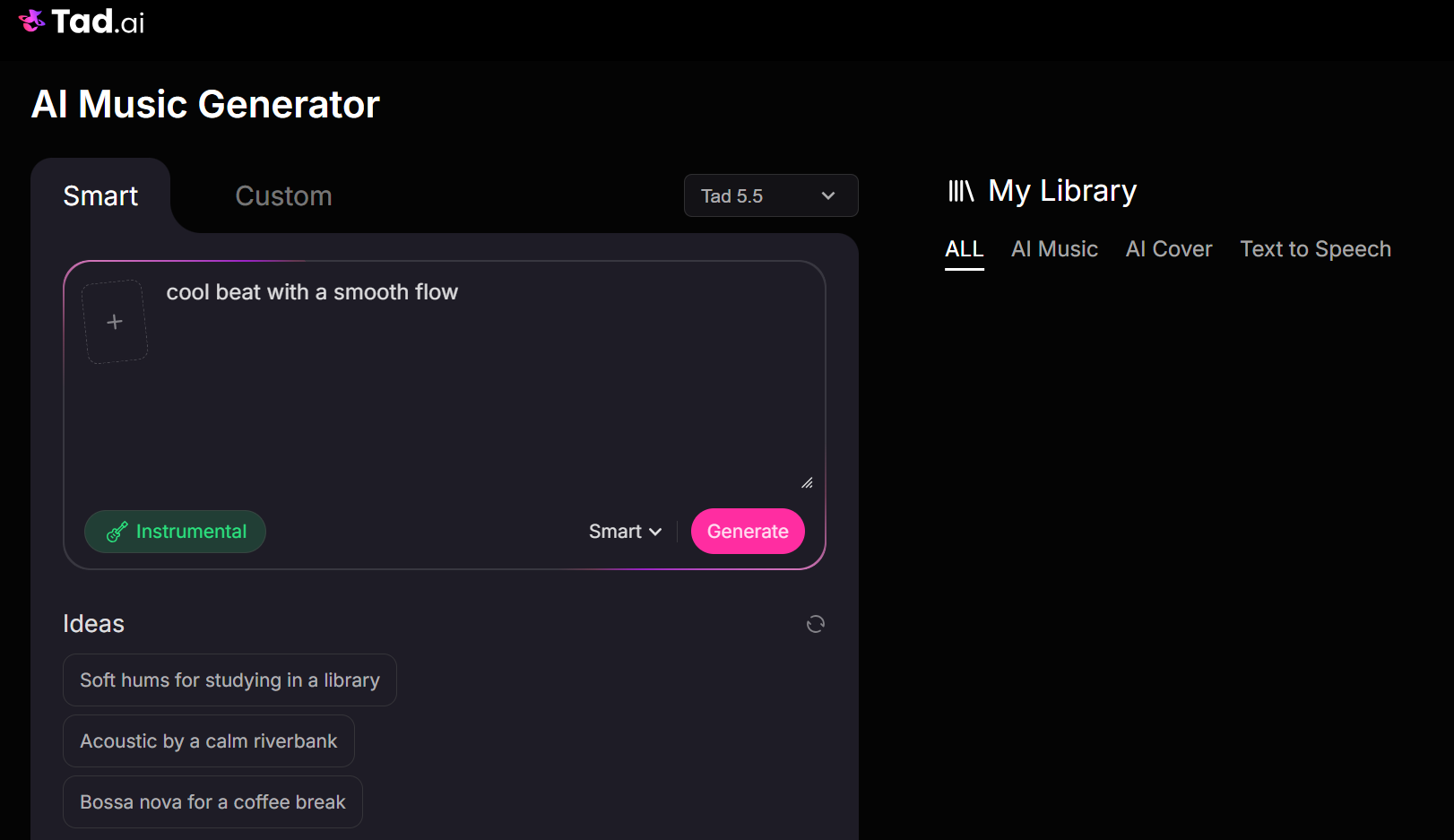
Step 3: Use Smart Mode for Fast Results
If you pick Smart mode, you can turn on the Instrumental button right away. This allows you to generate a great beat based on your text description almost instantly. You can even upload an image from your device to guide the creation.
Step 3.5: Use Custom Mode for Extra Control
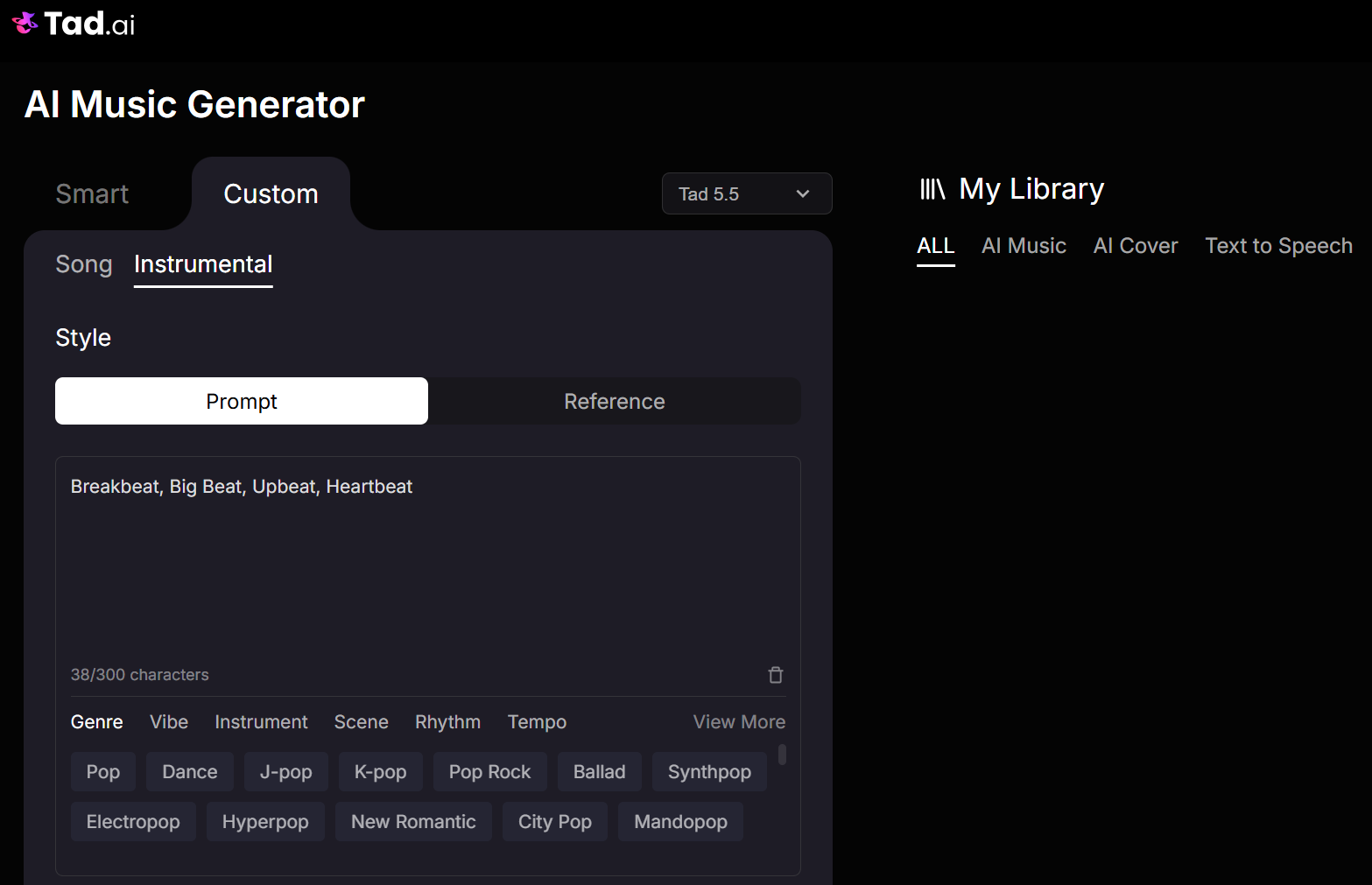
If you want more choices, go to Custom mode and click the instrumental tab. Here you can enter a detailed prompt to describe your exact style or select a pre-made genre.
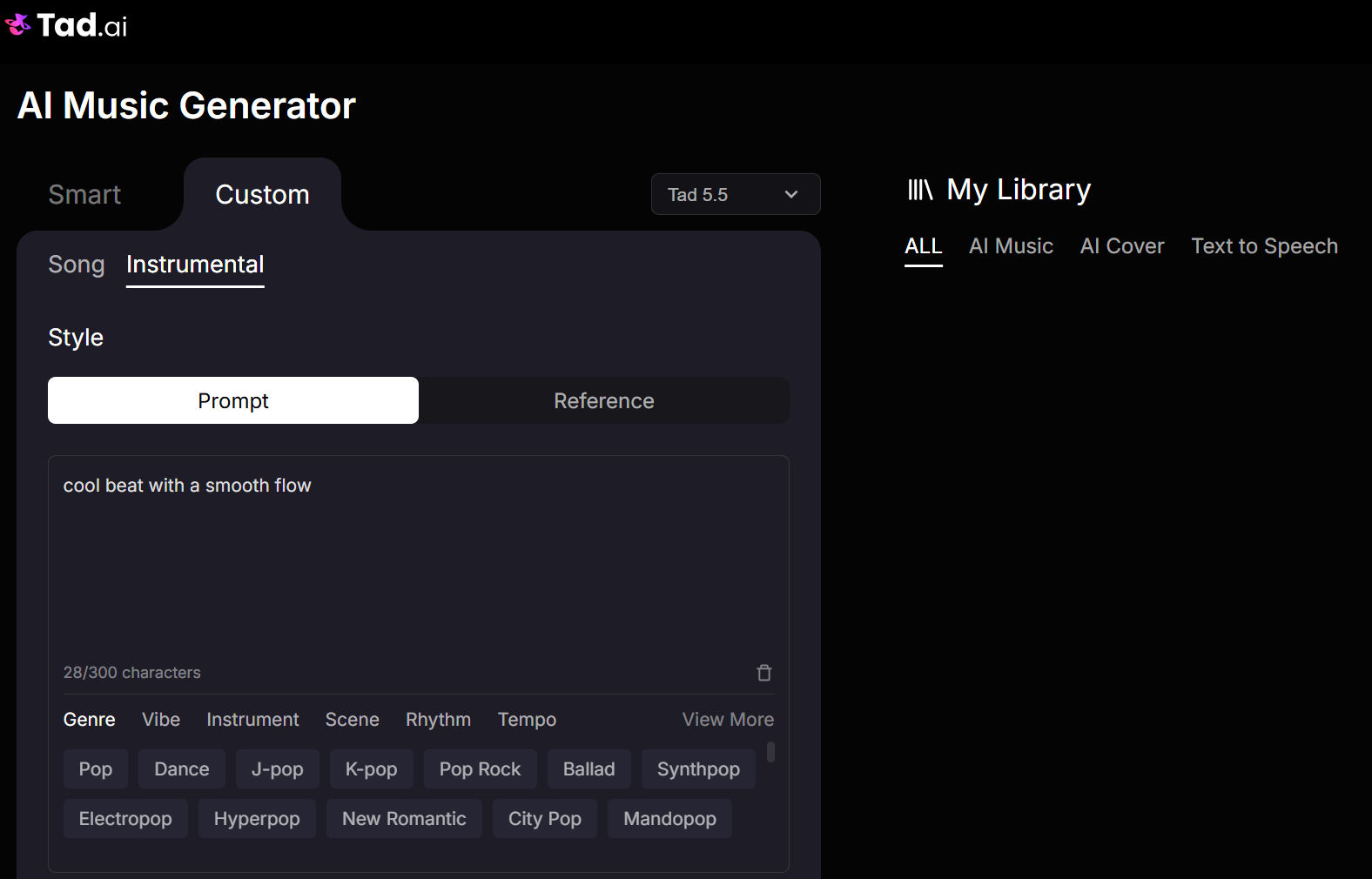
Inside the style library, you can directly choose from several classic options if you do not want to type a prompt. You can quickly select styles like Breakbeat, Big Beat, Upbeat or Heartbeat.
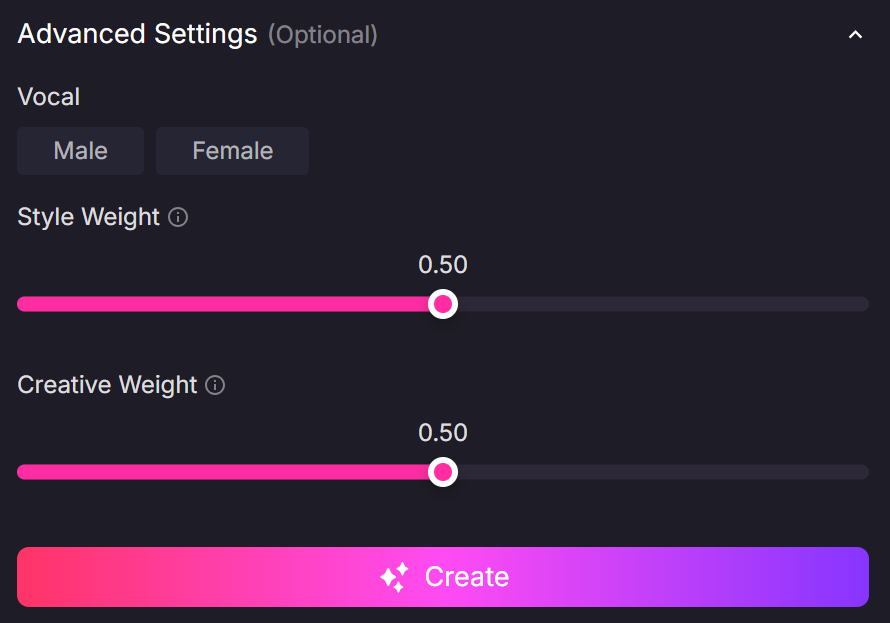
Step 4: Tweak Your Weights and Create
Finally, change the style weight and creative weight sliders to fine-tune how Tad AI builds your track (Custom mode available). Once you are happy with the setup, hit the Create button to generate your unique beats instantly.
Tips to Make a Good Beat
Making a great beat takes more than just pressing a button. It requires a bit of balance and focus. Here are a few tips to help you take your beats to the next level and keep your listeners hooked.
Tip 1: Keep It Simple
It is easy to overcomplicate things by adding too many sounds at once. Actually, a great beat leaves plenty of space for a singer, rapper, or main melody to sit on top without feeling crowded.
Tip 2: Experiment with Different Styles
Do not be afraid to mix and match different genres or try out new settings on your software. Combining elements from different types of music is often how the most unique and fresh beats are born.
Tip 3: Be Specific with Your Prompts
When typing your description, use clear words that describe the mood, instruments, and speed you want. Instead of just writing “cool beat,” try writing “chill lo-fi hip hop beat with a smooth electric piano.”
Tip 4: Generate Multiple Options
AI can create different sounds every single time you hit the button. If the first beat is not perfect enough, keep the same text prompt and generate a few more versions until you find the exact vibe you like.
FAQs
Do I need to know how to play an instrument to make a beat?
No, you do not need to know how to play an instrument. Modern AI tools and music generators allow you to create great music and beats using simple text descriptions, clicks, or pre-made styles.
What is the best style to start with for beginners?
Upbeat or hip hop beats are great starting points for beginners because they have steady, simple rhythms.These styles help you easily understand how drums and melodies fit together.
How long should a typical beat be?
Most beats used for songs last between two to four minutes. However, if you are just making a loop for a background track, it can be as short as 30 to 60 seconds.
Can I use the beat I make with AI for commercial projects?
It depends on the platform you use, so you should always check their specific rules. Many AI platforms allow you to use your tracks commercially if you have a paid subscription.
How can I make my AI beats sound more original?
You can make them unique by tweaking the creative weight settings and writing very detailed text prompts. Mixing unexpected genres together is another great way to get a one-of-a-kind sound.
Conclusion
Making your own beats is an exciting journey that is now open to everyone. With powerful AI platforms like Tad AI, you can turn a simple thought or phrase into a full, professional track in just a matter of minutes.
The most important step is simply getting started and having fun with the process. Keep experimenting with different prompts, styles, and settings, and you will be making your own unique beats in no time.