
Have you ever wondered what your favorite track would sound like sung in a completely different vibe? I used to spend hours imagining these impossible mashups, but AI tools have finally made them a reality.
You don’t need to be a professional audio engineer to create your own viral-worthy tracks. I will walk you through the exact steps I use to make mind-blowing AI cover songs. Stay tuned to find out more!
Table of Contents
How to Make AI Cover Songs with Tad AI?
I have tested a lot of tools, but Tad AI is honestly my favorite for this process. It gives you incredible control whether you want a quick fix or deep customization. Let me show you how to set it up.
Open the Generator
First, you will need to head over to the Tad AI cover generator to start your project. Log in to your account and open up the main dashboard.
Choose Your Mode
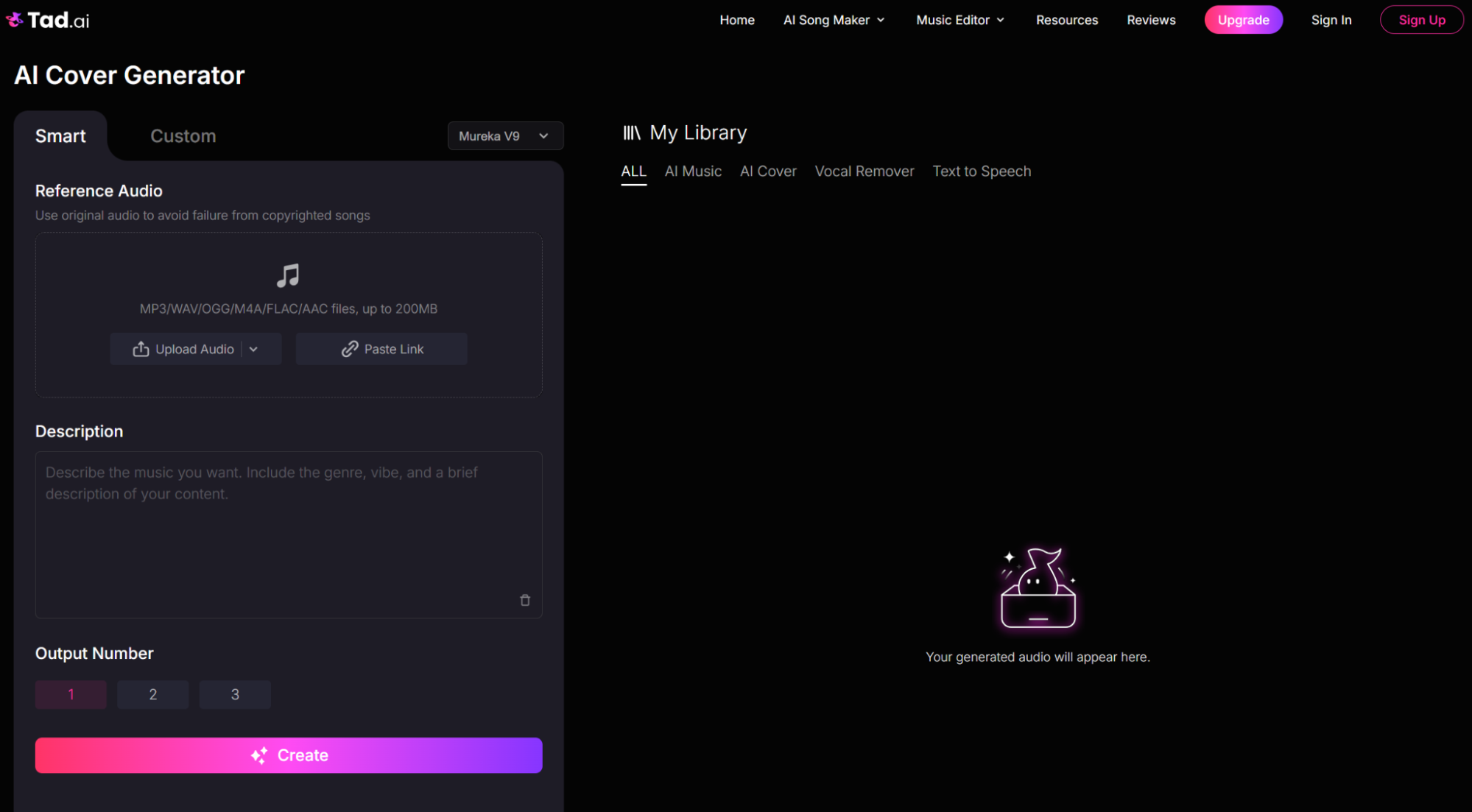
You will see two main options to choose from: Smart mode and Custom mode. I usually decide based on how much time I have and how specific I want the final AI cover songs to be.
Try Smart Mode for Quick Edits
In Smart mode, simply upload your reference audio and type a prompt describing how you want to transform it, including genre, vibe and a brief description. With the Mureka model, you have the option to select output numbers.
Use Custom Mode for Total Control
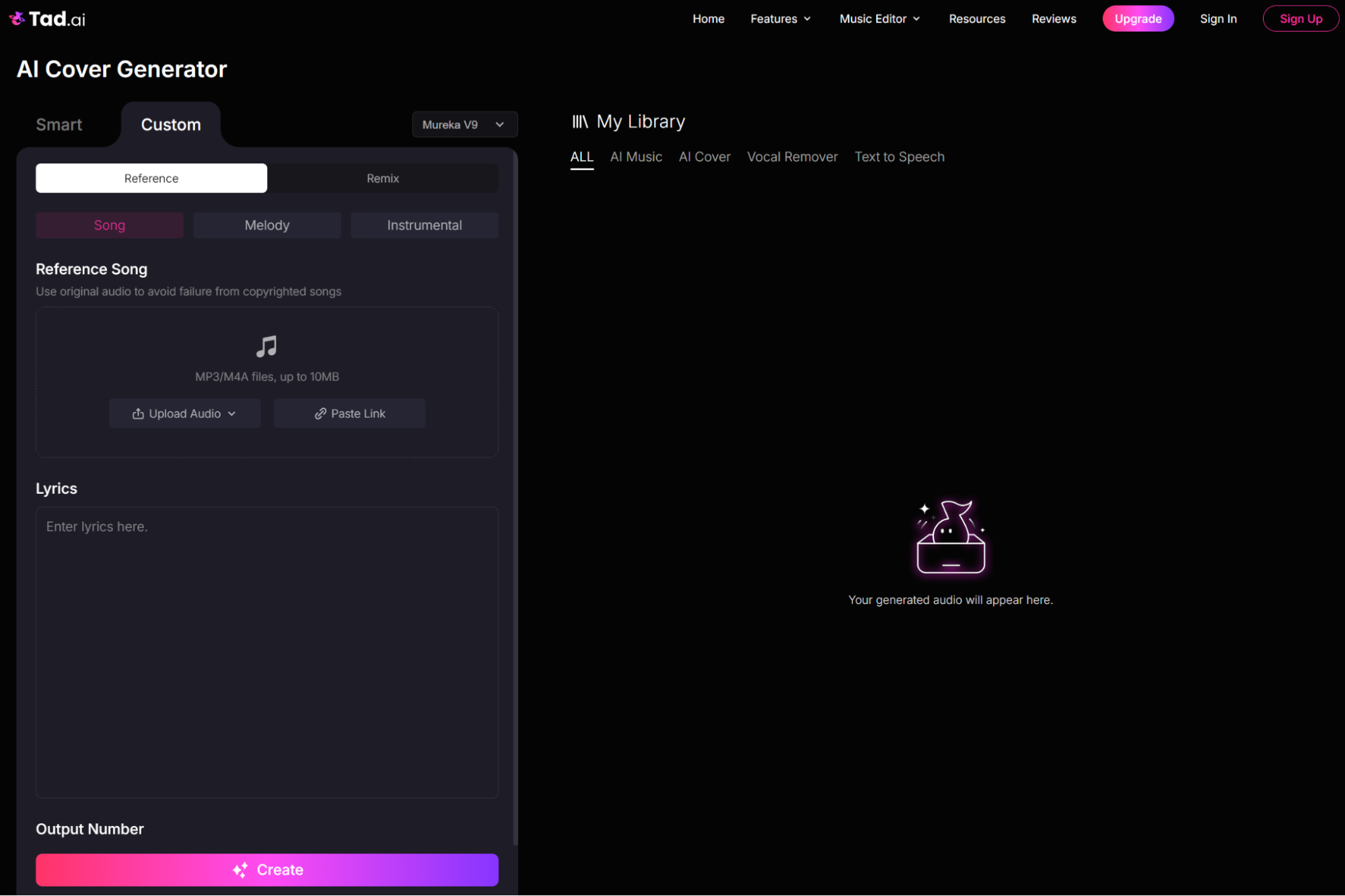
For deep customization, switch to Custom mode. Powered by the Mureka model, the AI cover generator supports Reference and Remix options.
For Reference, you can upload different types of audio such as Song, Melody and Instrumental for guidance. For Remix, in addition to reference audio, you can even tweak your favorite music styles for a more tailored experience.
Generate Your Final Track
Once you have everything dialed in, just click the Create button. Now you can sit back and let Tad AI cover generator do its magic to generate the final AI cover songs effortlessly!
Tips to Elevate Your AI Cover Songs
Once you master the steps, it is time to take your tracks to the next level. I have learned a few tricks that make a massive difference in the final output. Here are my top tips to help you make your AI covers sound absolutely professional.
Start with Clear Reference Audio
The AI can only work with what you give it, so I always make sure my reference audio is high-quality. Try your best to avoid using audio with heavy noise or intense vocal effects. A clean or a crisp instrumental track will give you the best foundation.
Get Specific with Your Prompts
If you are using Smart mode, vague descriptions will usually give you unpredictable results. I recommend using precise adjectives like “upbeat acoustic pop” or “melancholy lo-fi music” for guidance. The more vividly you describe the vibe you want, the better your final music cover will be.
Play Around with Custom Settings
In Custom mode, don’t just leave the advanced settings sitting on their default numbers! I always spend a little time tweaking the style and creative weights to find the perfect balance. Push the creative weight higher if you want your output to be more creative.
Polish It Up with Post-Editing
Even the best AI music generator sometimes leaves tiny artifacts or abrupt endings behind. I like to drop my downloaded track into a basic audio editor just to fade out the ends or adjust the volume. Adding a tiny touch of reverb can make the final AI cover sound completely authentic.
Conclusion
Creating AI cover songs is honestly one of the most exciting ways you can explore your musical creativity today. I hope my guide has shown you that bringing your ideas to life is easier than ever.
When you are ready to make your first masterpiece, I highly recommend trying out the AI cover generator in Tad AI. It gives you the perfect mix of speed and advanced control to make your tracks sound incredible. Go start generating today!
🔒 Top Security · 💳 Free Plan Available · ⭐ 4.8/5 Rating