
💡 Abstract
Driven by advancements in AI, modern music video production has shifted from professional studio projects to accessible digital creation. This article provides a step-by-step guide on how to make a music video effortlessly, demonstrating how to transform audio tracks into high-quality visuals without a massive budget or production crew.
Table of Contents
How to Make Music Videos With AI?
Creating a professional music video is now as simple as clicking a few buttons. Let’s look at how you can use the powerful Tad AI music video generator to bring your audio tracks to life in just minutes.
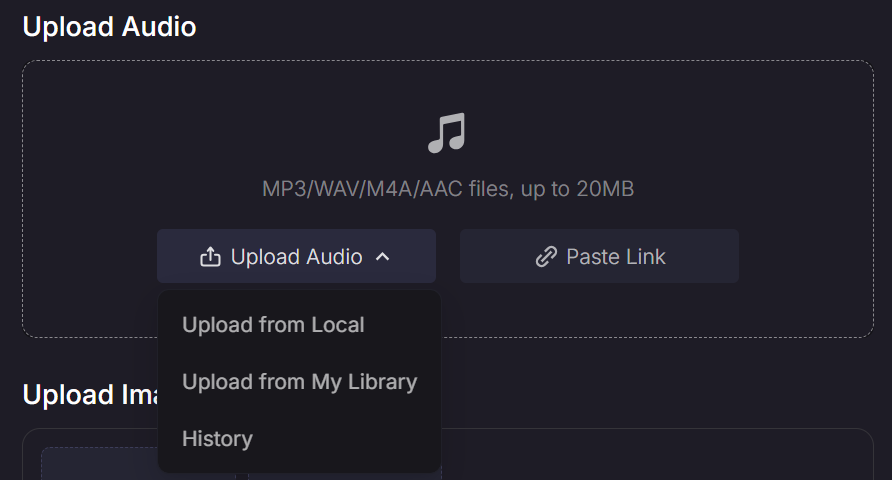
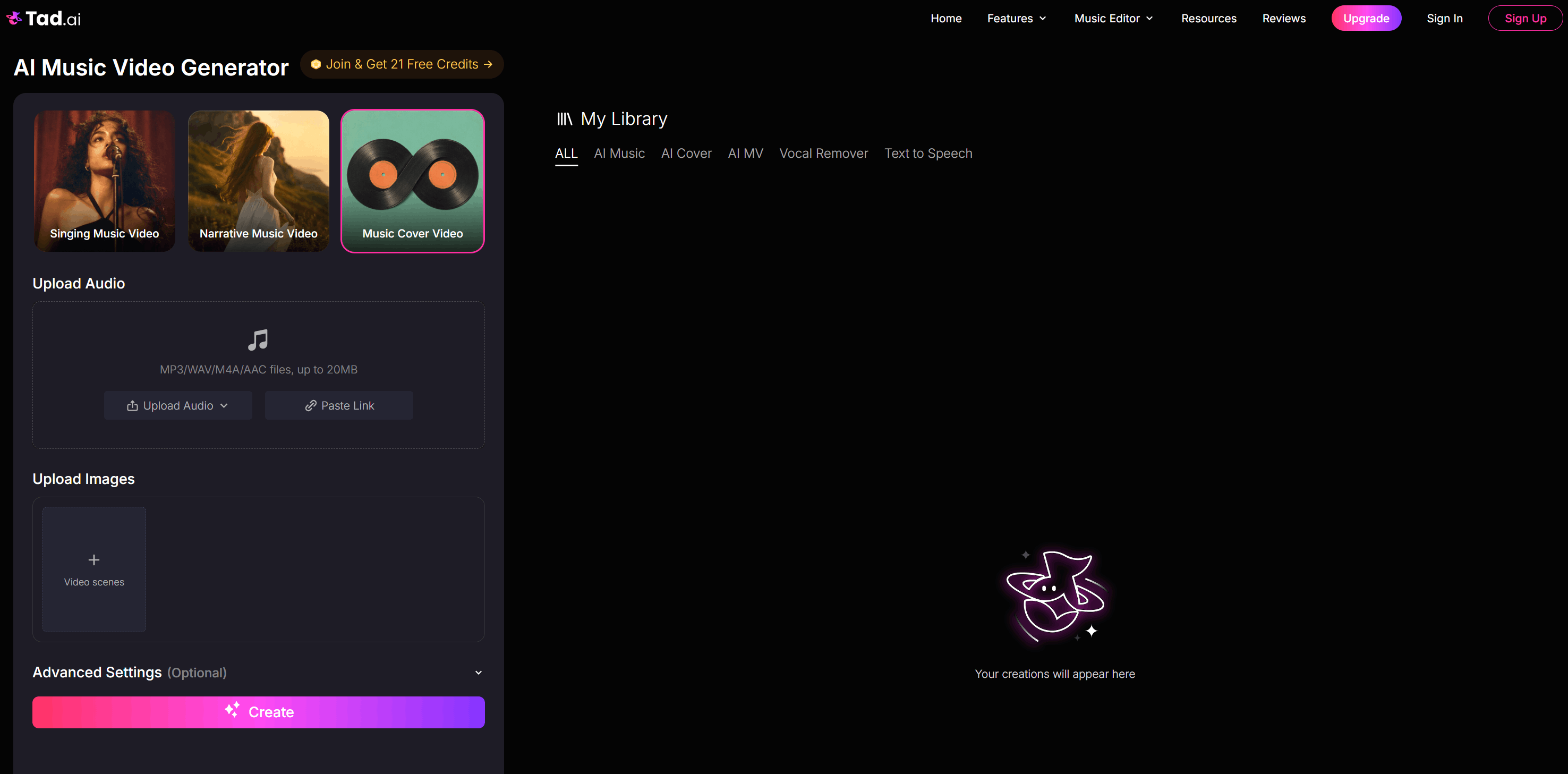
Step 1: Upload Your Target Audio
No matter which type of music video you want to create, your first step is always to upload your audio track. This serves as the foundation that Tad AI uses to synchronize the visuals perfectly with your beat.
Step 2: Choose Your Video Mode
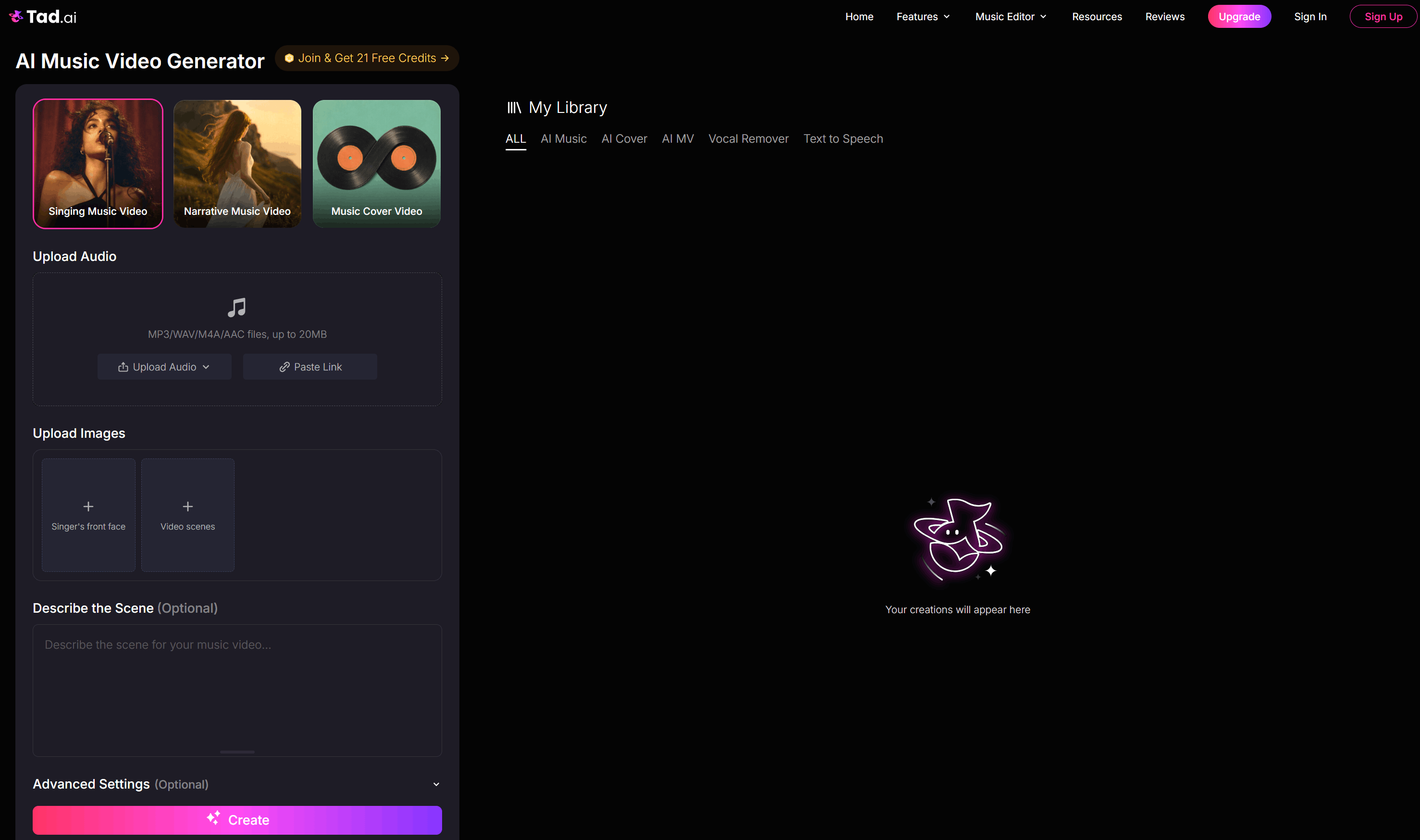
Tad AI offers three distinct modes depending on your project: Singing, Narrative, and Music Cover. You will select the specific mode that matches the creative direction you want for your audio track.
Singing Music Video
If you want a performance style, upload a clear front-face photo of your target singer and several video scene photos. You then write a detailed scene description to help Tad AI animate the singer flawlessly.
Narrative Music Video
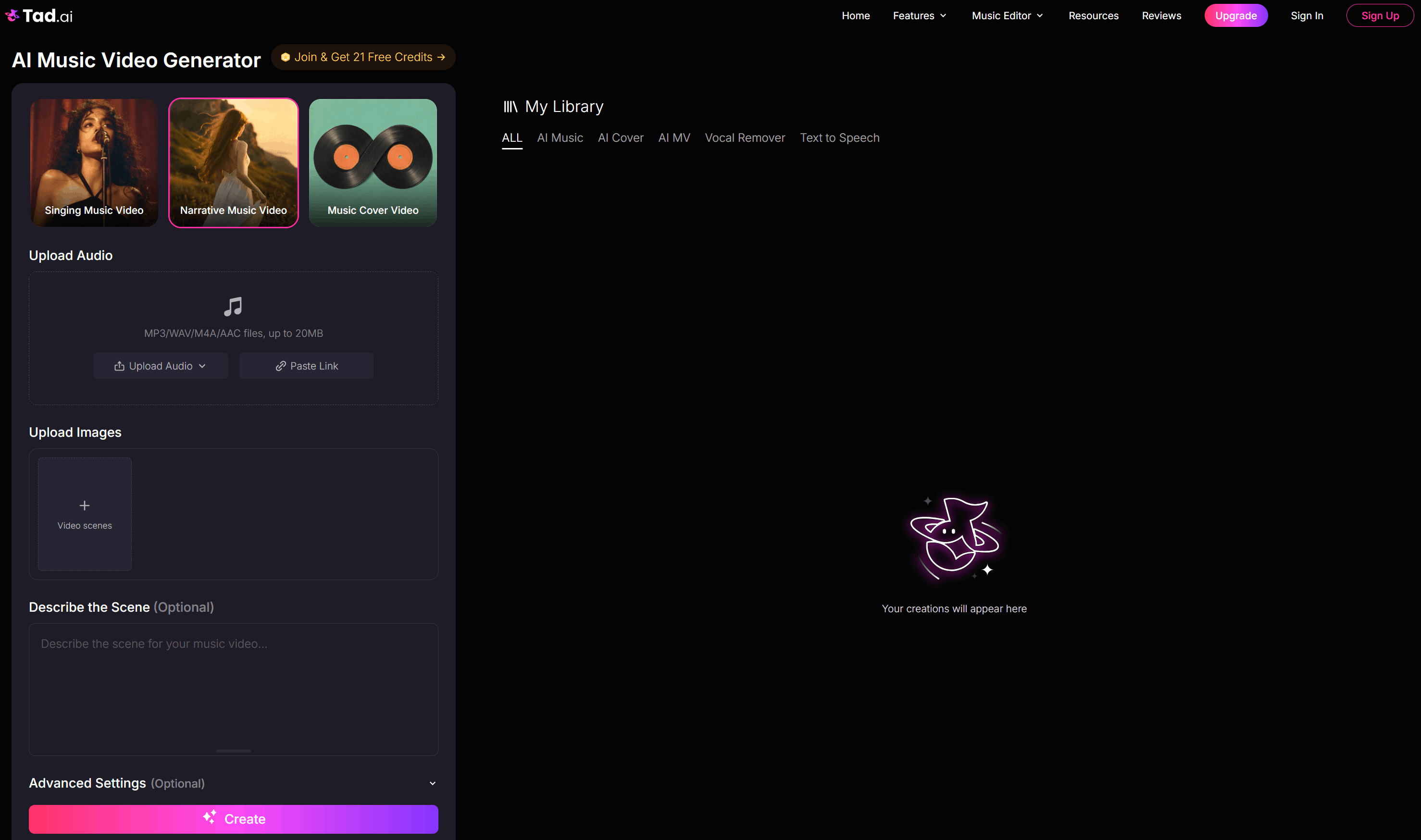
To tell a story, upload reference images for your scenes and write out a compelling storyline using text prompts. Tad AI will interpret these guidance and images to generate a cinematic, unfolding narrative music video complete with your original audio.
Music Cover Video
If you just need a visualizer for streaming platforms, upload reference images for your album art. Tad AI music video generator will transform these static images into beautifully animated, looping cover art.
Step 3: Adjust Advanced Settings
Before generating, you can fine-tune your music video by adjusting the advanced settings. Here, you will choose your preferred aspect ratio and resolution to fit different platforms like YouTube or TikTok.
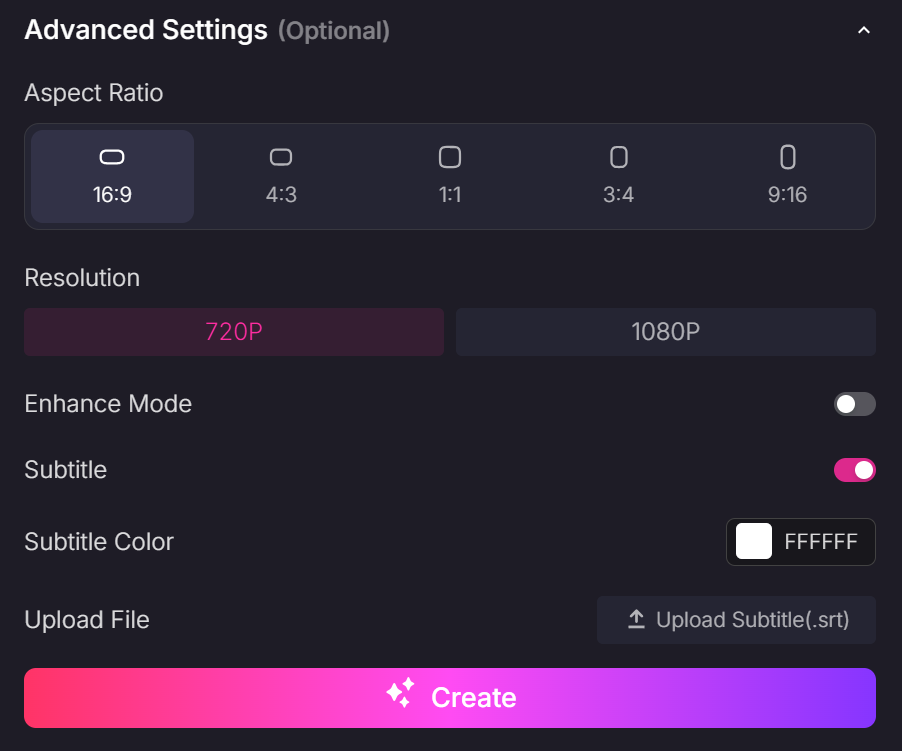
You can also toggle Enhance Mode for higher-quality music video production. Additionally, you can add customizable subtitles based on your original audio or upload your own subtitle file.
Step 4: Click Create and Download
Once you are happy with all the settings, simply click the “Create” button. Tad AI will process your project, and in just a few moments, your AI music video will be ready to download and share.
Best Practices for Music Video Production
To help you get the best results from the AI music video generator, I have compiled a few crucial best practices you can consider:
- Use High-Quality Inputs: Your output is only as good as your input, so always upload high-resolution images and clean audio tracks. Crisp photos prevent the AI from generating weird, blurry artifacts or distorted faces in your final music video.
- Write Highly Descriptive Prompts: Be specific with your scene descriptions and storytelling prompts by including details about lighting, mood and camera angles. Instead of writing “a dark room”, try “a moody, neon-lit room with cinematic smoke.”
- Match Pace to Audio Tempo: Tailor your storyline and scene changes to mirror the actual energy and speed of your audio. Fast-paced tracks need rapid transitions, while slow ballads benefit from long, lingering, atmospheric shots.
- Keep Aspect Ratios Specific: Decide where you want to publish your music video before you hit Create so you choose the right dimensions. Use a 16:9 widescreen aspect ratio for YouTube, but stick to a vertical 9:16 ratio for TikTok and YouTube Shorts.
FAQs
Can AI do a full music video?
Yes, AI can generate a full-length music video by combining multiple scenes or looping animated art to match your audio track's duration. While it usually generates video in shorter, individual clips, you can easily thread them together to cover your entire song.
How long does it take to make a music video with AI?
The entire process can take several minutes depending on your video mode and settings. Uploading assets and writing your text prompts takes just a few minutes, while the music video production process usually finishes in a brief moment.
What export settings should I use for YouTube and TikTok?
For YouTube, you should choose a widescreen 16:9 aspect ratio and high resolution like 1080p. For TikTok, always select a vertical 9:16 aspect ratio so your music video fills up the entire mobile screen natively.
Conclusion
Making your own AI music video is no longer a distant dream reserved for tech experts. With the right tools and a spark of imagination, you can instantly turn your ideas into visuals that capture attention.
If you are ready to take your audio to the next level, I recommend giving Tad AI music video generator a try. It streamlines the entire music video production process, making it easy for you to craft stunning videos that match your audio perfectly.
🔒 Top Security · 💳 Free Plan Available · ⭐ 4.8/5 Rating