
💡 Abstract
Driven by advancements in AI music generators, the barrier to music production has significantly lowered. This article explores how creators can leverage Tad AI to translate ideas into radio-ready tracks. This guide provides a step-by-step framework to generate high-quality audio from scratch while maintaining the creator’s unique identity.
Why Make Music With AI?
AI technology democratizes creativity by tearing down the technical walls that have kept so many of us out of music production. You no longer need thousands of dollars in the studio or years of music theory to express yourself; you just need an idea and the willingness to experiment.
Tad AI music generator simplifies the entire AI music generation process. You provide your idea or upload some necessary files, and the AI takes care of the rest.
How to Make AI Music With Tad AI
Now that we have already established how AI is changing the music industry, let’s explore how to make AI songs so you can start to create your own music effortlessly.
Step 1: Access Tad AI Music Generator
Sign in to Tad AI music generator. New users get starter credits for free AI music generations. And you can always upgrade to paid plans for more.
Tad AI Music Generator
A powerful and smart AI music generator!
Step 2: Select Between Two Modes
Tad AI music generator offers 2 distinct music generation modes: Smart mode and Custom mode. Here is a detailed breakdown:
Smart Mode: From Idea to Song in Seconds
Think of Smart mode as your musical “easy button”. It is perfect when you know the vibe you want but don’t want to get bogged down in the technical details.
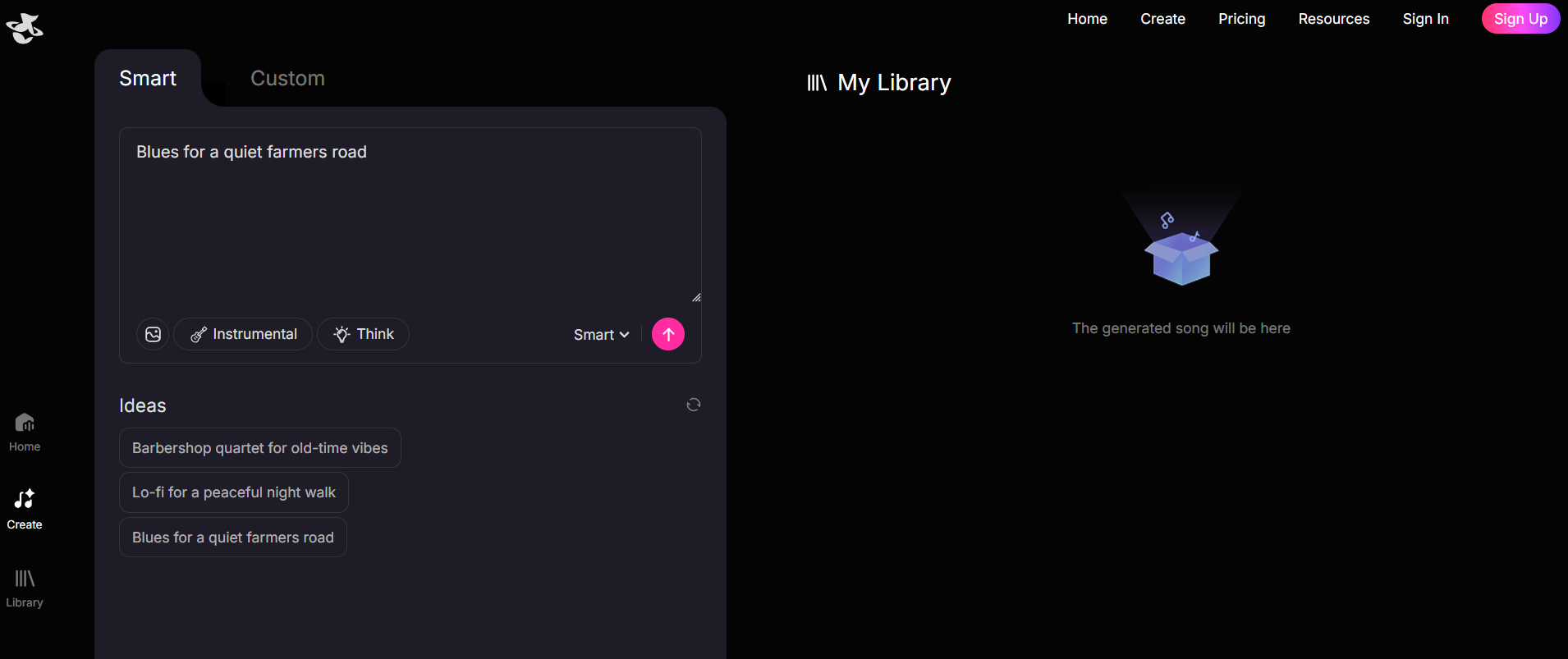
You simply type a description of the song you envision into the text box. Tad AI analyzes your text prompts and automatically generates the lyrics, melody and arrangement that match that specific mood.
Custom Mode: Total Creative Control
This is where the magic happens for songwriters. If you have specific lyrics in your notebook or a very precise Genre mashup in your head, the Custom mode hands you the steering wheel.
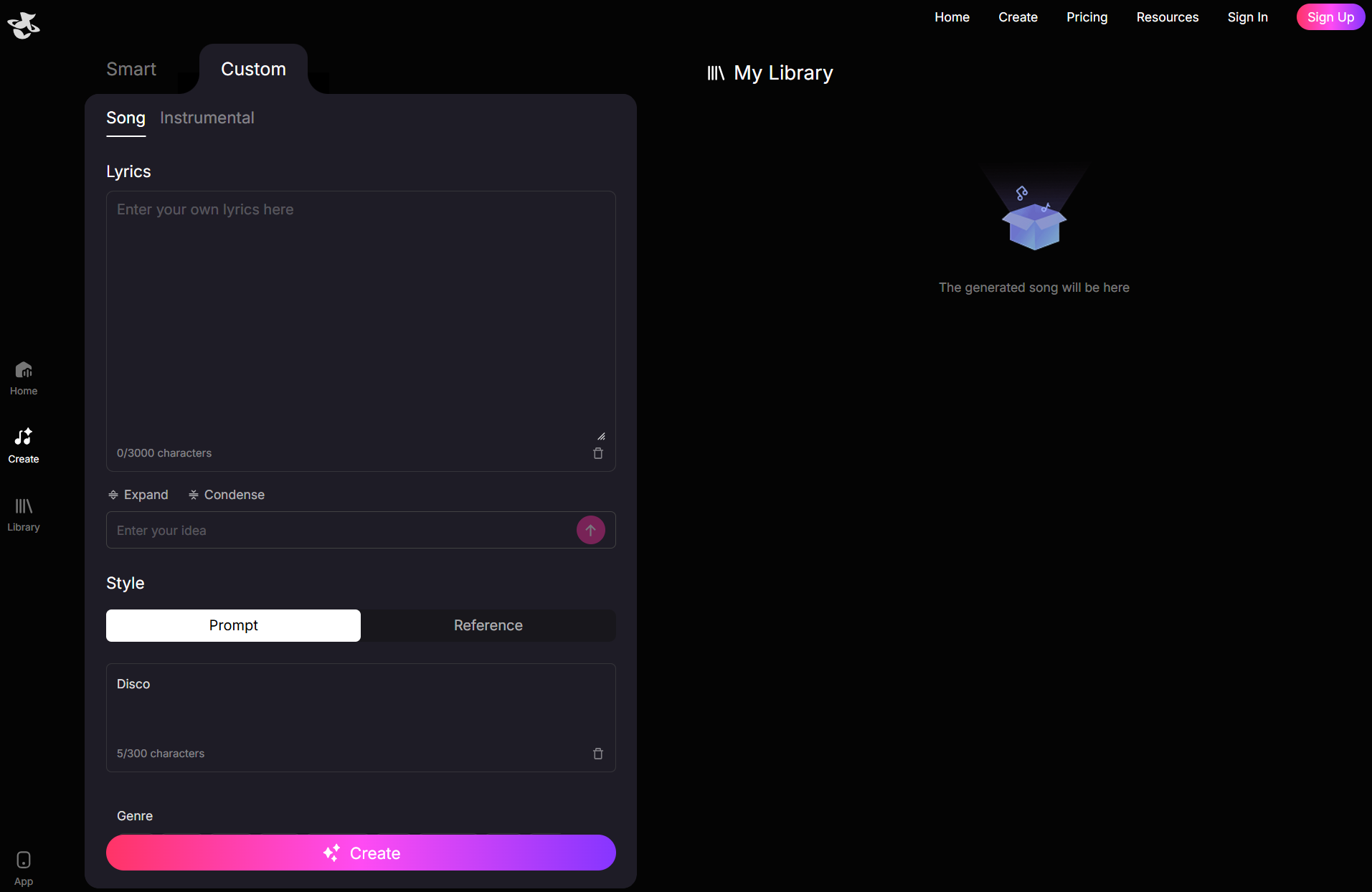
You can paste your own lyrics into the box. If you only have a few lines, you can even use the built-in AI tool to expand the rest of the verses and chorus for you.
In addition, you are not limited to a single description here. You can tag specific genres (like Classical, Jazz, New Age) and moods to find-tune the sound.
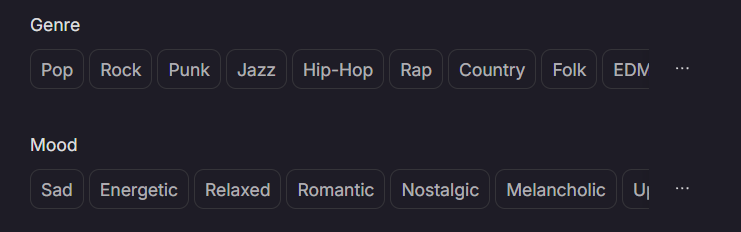
Use this music mode when you want your song to say exactly what you mean. It ensures the vocals deliver your words with the right emotion.
Step 3: Hit Create and Start Creating
Click the Create button to start generating your AI music. Processing time might be a few minutes and vary based on your instructions and server load.
Why Should You Choose Tad AI for Music Generation?
In my experience, Tad AI comes down to a unique blend of creative flexibility and a deep ecosystem that supports you even after you click the “Create” button.
Numerous Genre and Mood Options
One of the biggest pitfalls of AI music is that it can sometimes sound generic, but Tad AI tackles this by offering an extensive palette of style tags.
You are not just limited to basic categories; you can dig into specific niches and mix moods to create something fresh.
Rich Music Library to Explore
Creativity often needs a spark, and Tad AI’s homepage is one of the best places to find it. Instead of just being a storage folder for your own files, it functions like a gallery where you can listen to tracks created by the community.
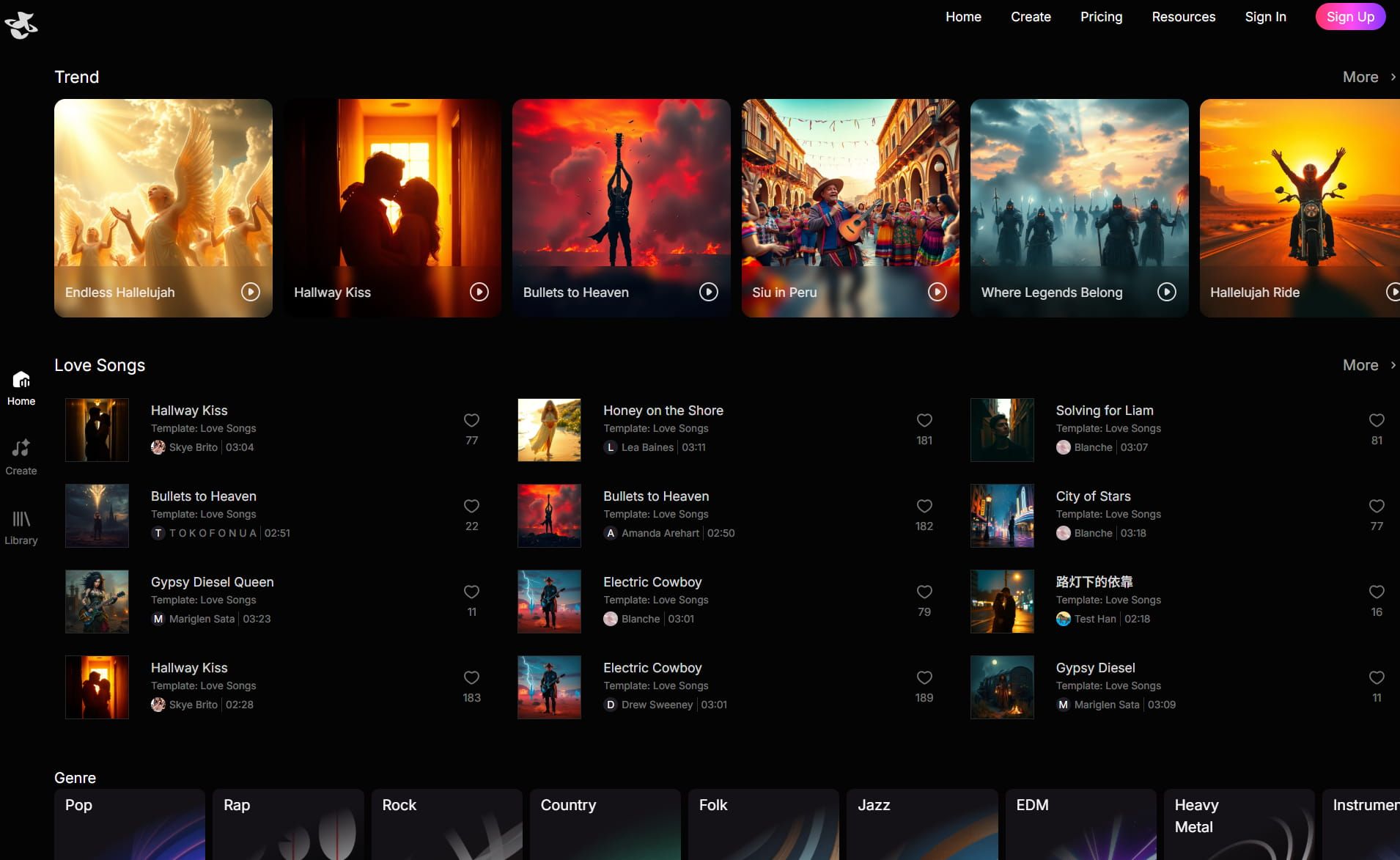
I often spend time browsing this section just to see what text prompts other users are using to get such cool results. It is a fantastic learning tool—seeing how a specific combination of lyrics and style tags translates into a finished song helps you refine your own prompts for better results.
Handy Mobile App Download
Inspiration rarely strikes when you are conveniently sitting at your desk, which is why the dedicated mobile app is a lifesaver.
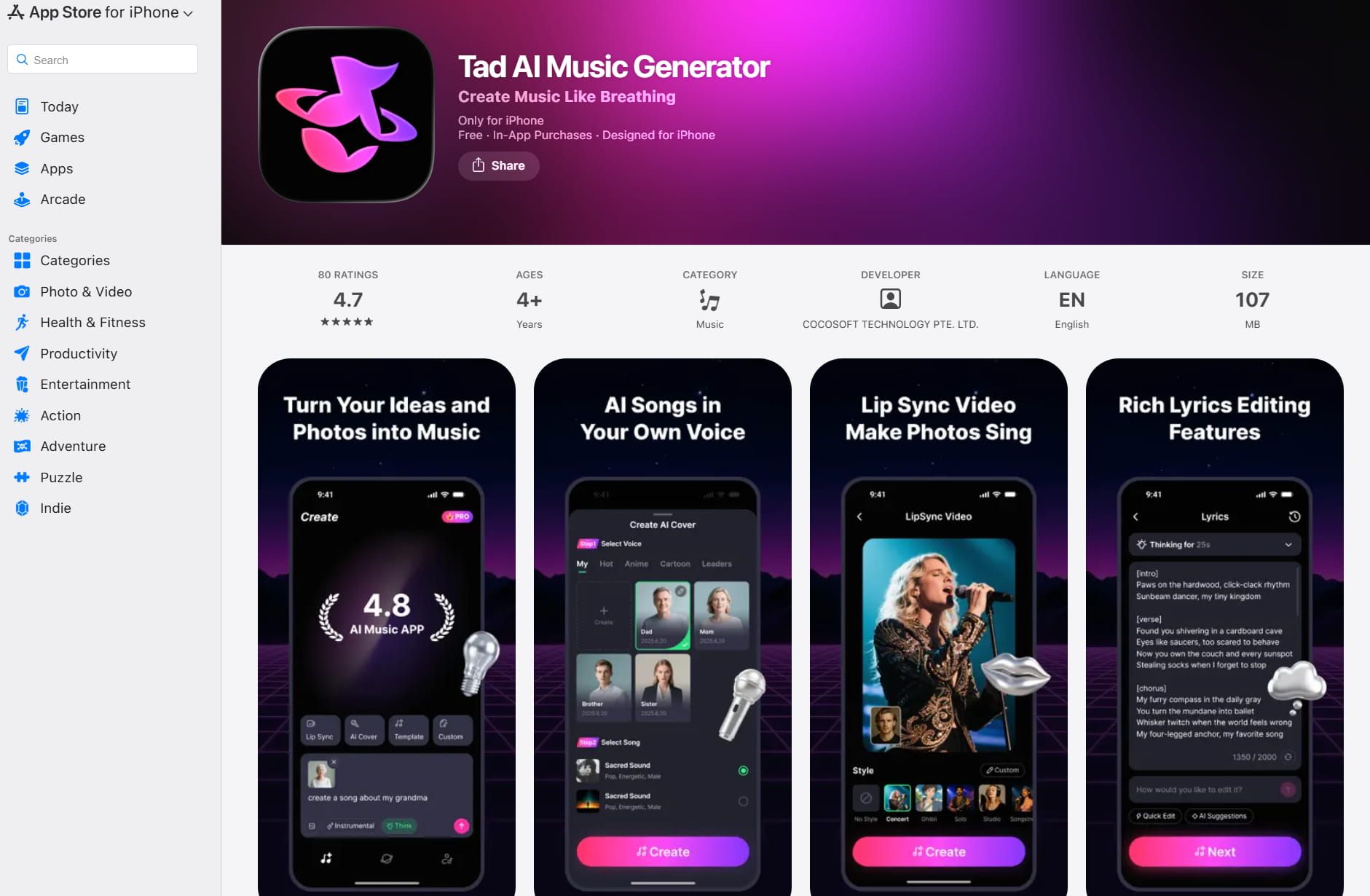
Having the full power of the AI music generator in your pocket means you can capture a melody or lyric idea the moment it hits you, whether you are on a commute or waiting for coffee.
It allows you to generate, manage your library and playback your tracks seamlessly, keeping your workflow moving no matter where you are.
FAQs
Can I generate a song with AI if I have no music experience?
Sure. AI music generators like Tad AI are built for beginners. You can just describe your song idea through text prompts and the AI handles everything.
Is the music I create with AI royalty-free?
It depends on which AI music generator you are using. With Tad AI, you have full rights to generate royalty free music for commercial projects after subscribing to an advanced plan.
How long does it take to make an AI song?
With Tad AI music generator, most songs are ready in just a few minutes—from your idea to final music export.
Conclusion
Music production was once an exclusive club, but tools like AI music generators have thrown the doors wide open, inviting everyone to turn their ideas into full sonic realities.
If you are ready to start your journey, I recommend making Tad AI your first stop. It offers the most complete package for turning you from a listener into a creator. Now that you know how to make AI music, the next step is simple: start creating!