Creating a fully produced song without any musical experience is now a reality. Suno AI is one of the most popular AI music generators that transforms different materials into complete, professional-quality tracks.
This complete tutorial will guide you through how to use Suno AI music generator. From navigating its core features to grasping helpful tips, you will learn how to generate incredible AI music in just minutes.
How to Use Suno AI Music Generator?
Creating your track with Suno AI is straightforward. The platform is designed to be user-friendly, offering 2 different AI music generation modes.
Let’s break down the exact steps you need to follow to bring your musical ideas to life.
Step 1: Head Over to the Official Website
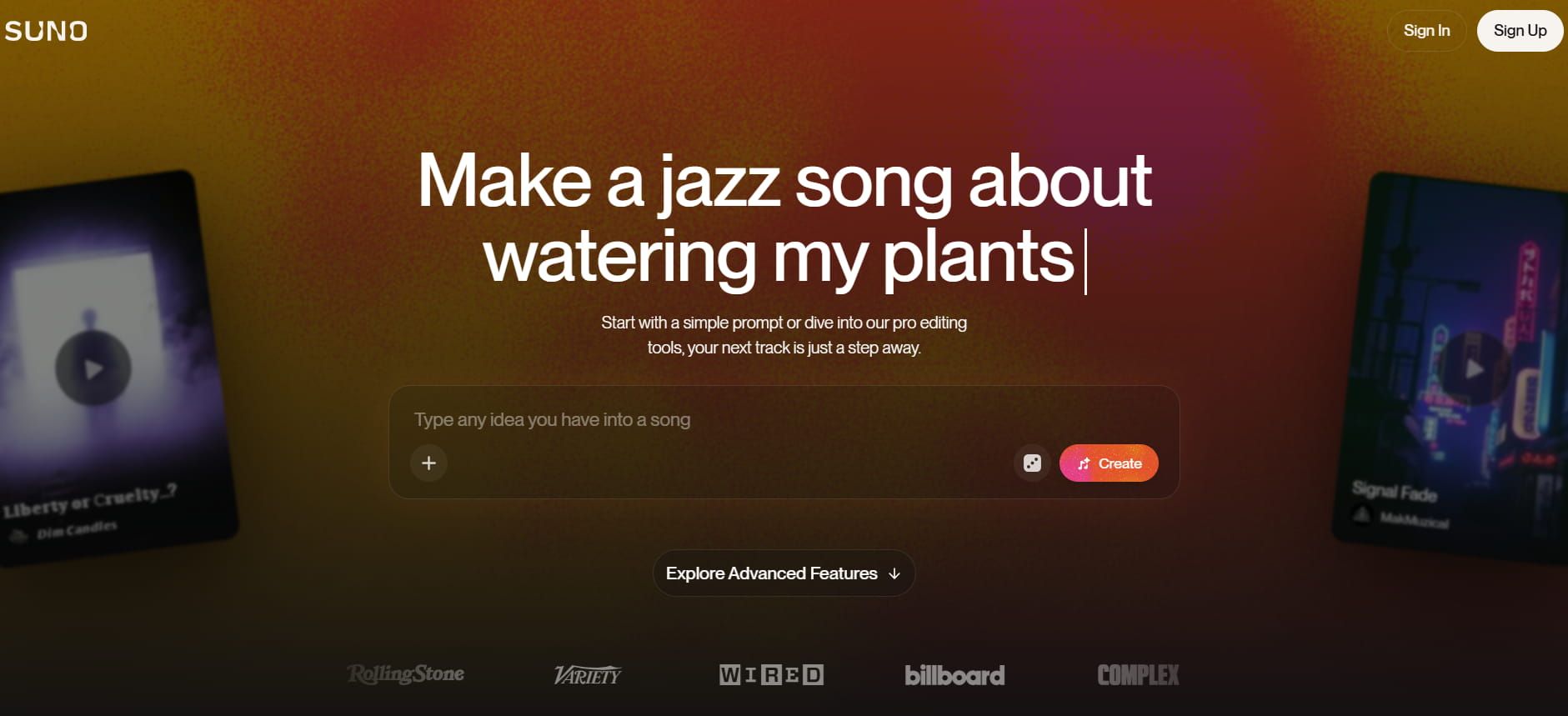
To get started, visit the official Suno AI website. You will need to sign up for an account using your email, Google or Discord credentials.
Once you log in, you will be granted limited free credits to start making AI music. Just click on the “Create” tab on the left sidebar to access the main AI music generation dashboard.
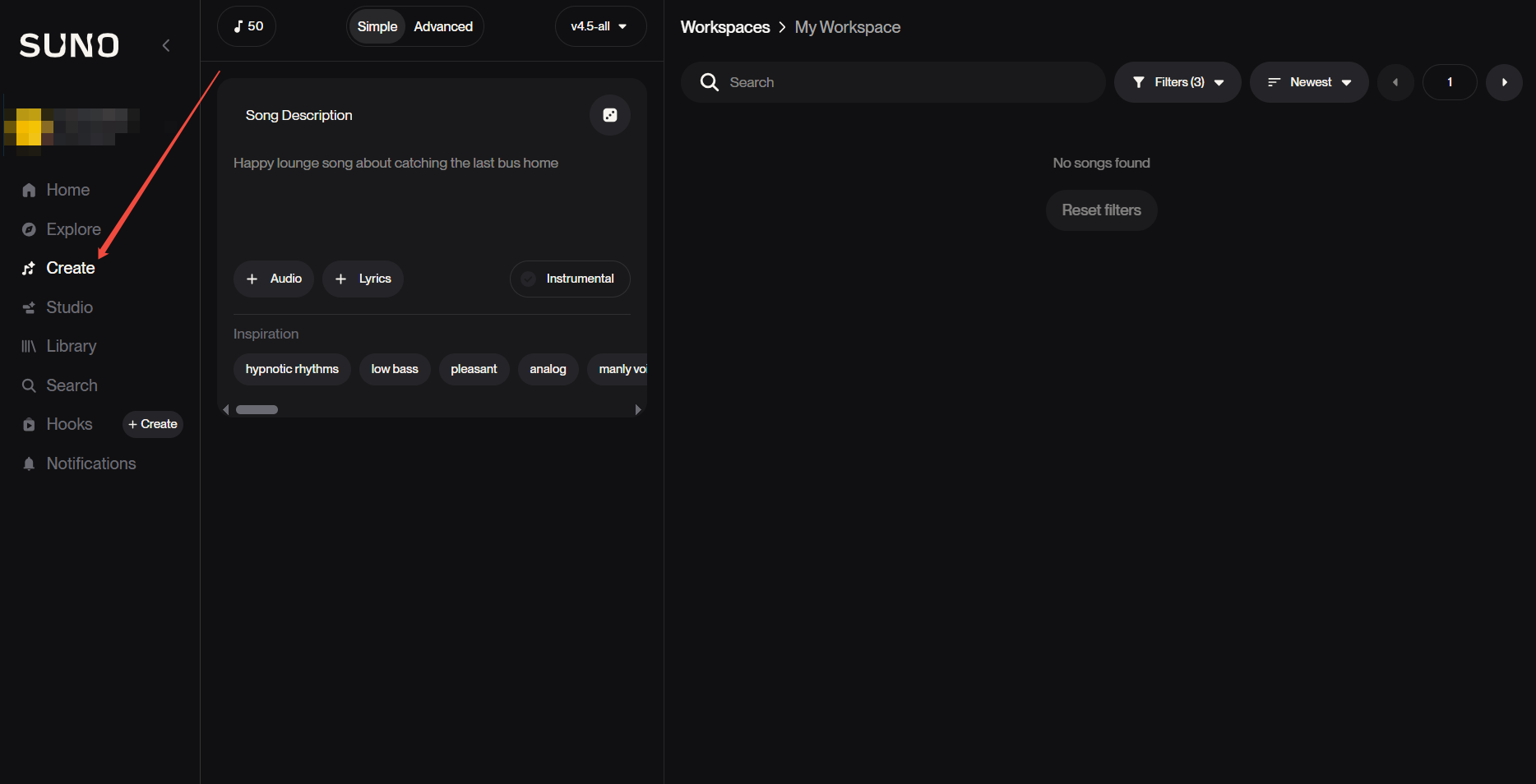
Step 2: Generate Music Using Simple Mode
Simple mode is perfect if you want to create a song quickly using a single song description. Just type a basic description of the song you want, like “a cheerful pop song about summer.” You can also select some of the inspiration provided by Suno to polish your text prompt.
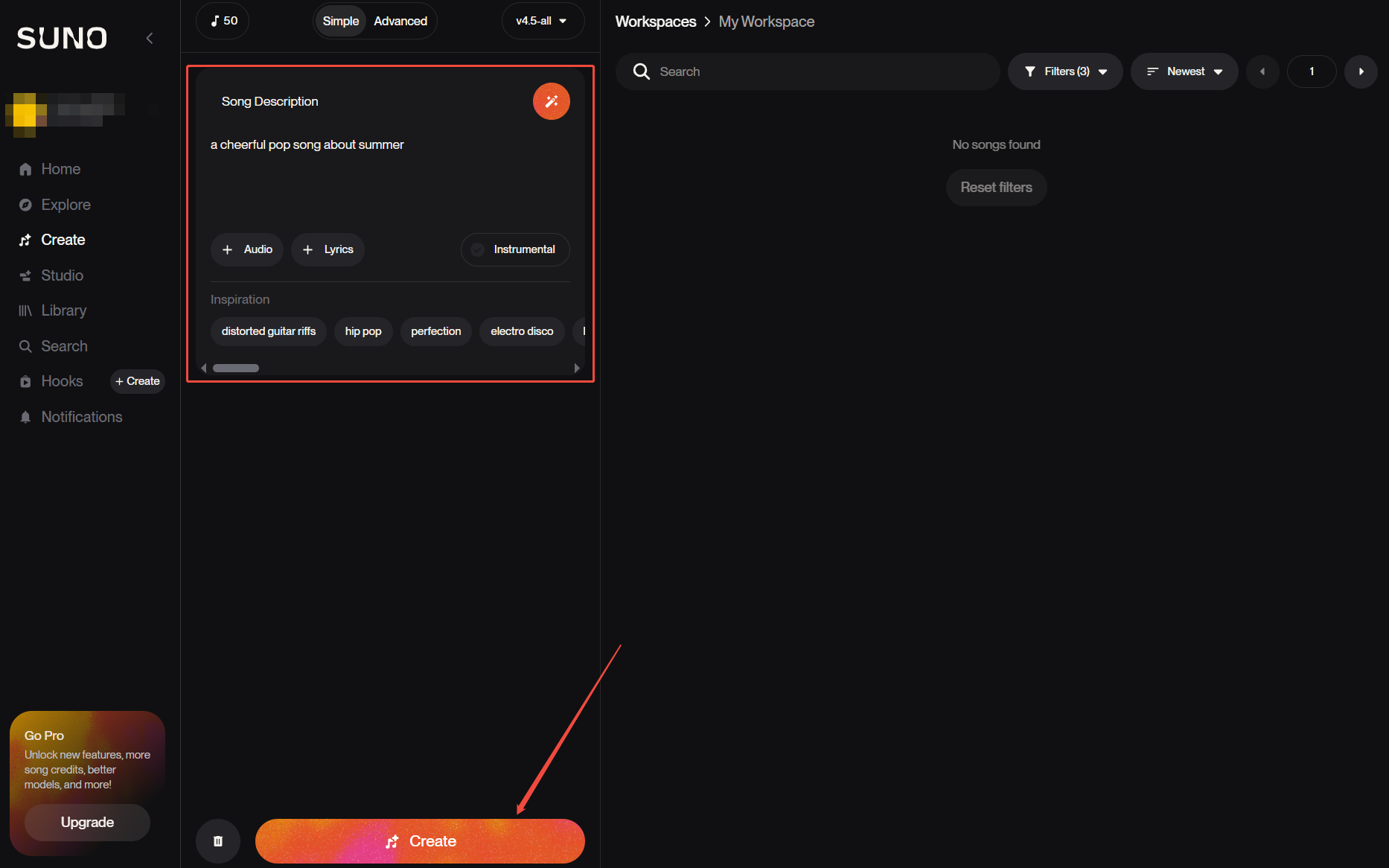
Suno will automatically write the lyrics, choose the appropriate instruments and compose the melody. Click the Create button, and within seconds, Suno AI will generate unique AI music for you to download.
Step 2.5: Create Music Using Advanced Mode
For more control, toggle the switch at the top of the menu to turn to Advanced mode. This mode allows you to fine-tune the creative elements of your track.
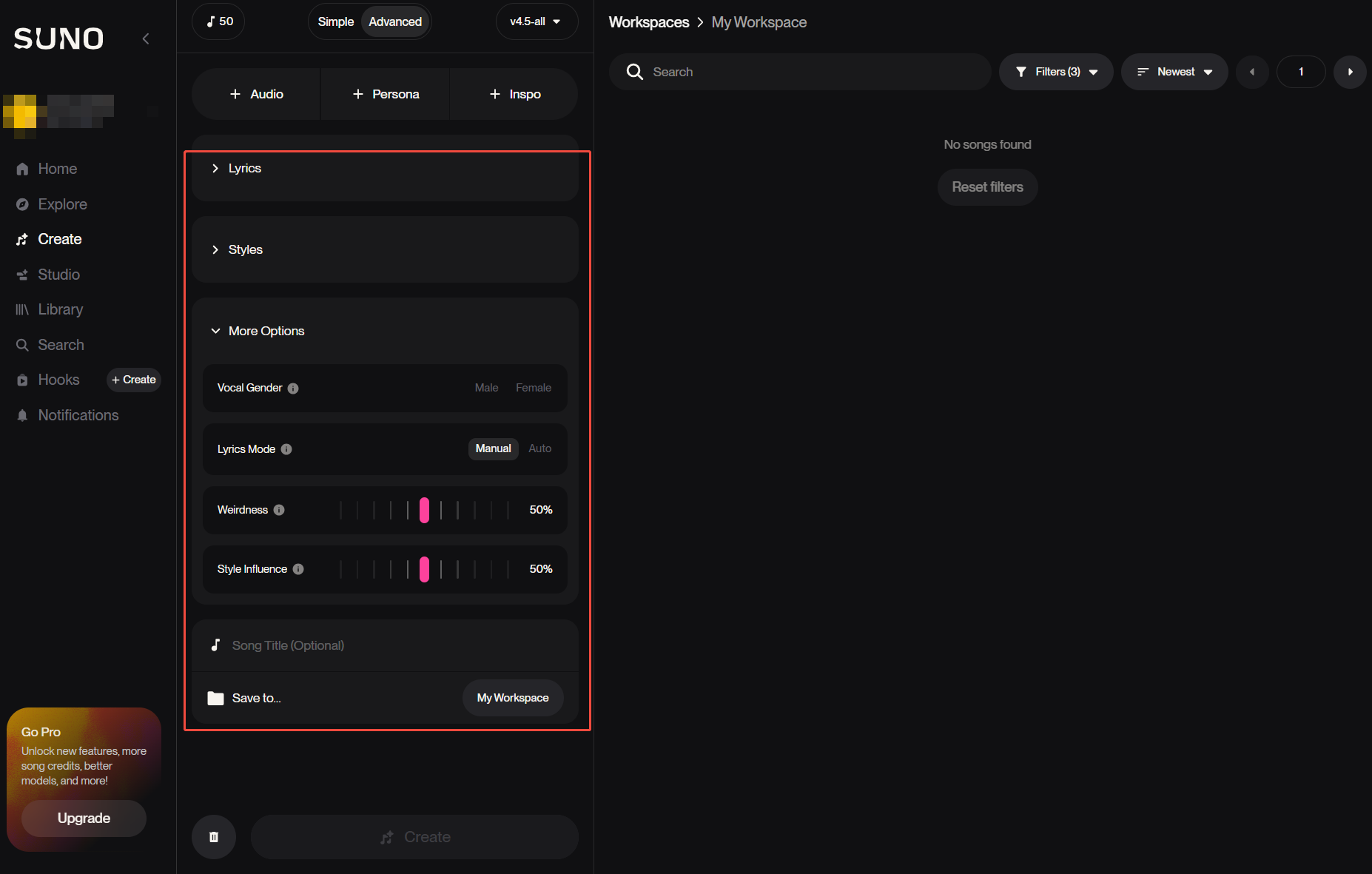
You can paste your own original lyrics, manually define the exact music style and assign a song title. Furthermore, Suno AI offers more options to tweak settings like Vocal Gender and Lyrics Mode. This mode is ideal when you have a specific artistic vision for your final song.
Best Tips and Practices for Using Suno AI
To get the most out of Suno AI, you need to know how to communicate your musical vision effectively. Here are several essential tips and practices to elevate your AI music generation.
Keep Prompts Focused and Concise
It is tempting to write a massive paragraph for your AI music, but this often confuses the model. Suno AI actually responds best to clear, strong signals rather than a chaotic mix of text instructions.
Focus on the core essentials: genre, mood, and a few key instruments for the most reliable results. For example, "upbeat synth-pop, driving bassline, nostalgic vibe" is highly effective.
Explicitly Describe Your Preferred Vocal Style
If you are generating a song with vocals, do not leave the performance up to chance. Include specific vocal directions within your style prompt to match the mood of your track.
Simple terms like "breathy female vocals," "intimate delivery," or "powerful male belting" help Suno nail the exact emotional tone. If you prefer no singing at all, just click on the Instrumental button.
Leverage Exclusion Prompts
Knowing what you do not want is just as important as knowing what you do want. This type of prompt lets you filter out specific instruments or effects that might run your intended vibe.
Adding exclusions like "no distorted guitars," "no heavy drums," or "no synth" keeps the AI accurately on track. This ultimately saves you from wasting your daily credits on bad generations.
The Best Suno AI Alternative - Tad AI
While Suno AI music generator is powerful, it does have certain limitations that can sometimes frustrate creators. Users occasionally experience repetitive structures or slightly muffled audio quality on complex tracks. If you want more flexibility and control, exploring other tools is a smart move.
For those seeking a fresh approach, Tad AI music generator is currently the absolute best Suno alternative on the market. Powered by advanced music models, it allows you to generate up to 6 minutes of stunning, high-quality music in a single go.
Tad AI Music Generator
Try the best Suno alternative instantly!
Suno enforces strict download limits across its plans, restricting Pro users to 20 downloads per month and Premier users to 60 downloads per month. While Suno places these tight restrictions on file exports, Tad AI offers a more convenient way by allowing paid users to download every music they create without any download limits.
Tad AI stands out by offering a built-in deep reasoning lyric generator to instantly cure your block. It also features seamless ChatGPT integration, which hands you expertly crafted music prompts to effortlessly jumpstart your creative process.
Additionally, Tad AI gives you granular control with unique song and vocal referencing features. With rights to generate royalty free music on paid plans, it is the ultimate tool for safely soundtracking your videos, ads, or personal projects.
Conclusion
Mastering Suno AI opens up incredible creative possibilities for anyone wanting to produce music without professional equipment. By applying the right prompts and modes, you can easily turn your idea into professional-quality tracks.
However, if you want extended music lengths and advanced lyric generation, Tad AI is the ultimate alternative to explore. We highly recommend trying Tad AI today to unlock its powerful AI music features and elevate your music creation journey.